13
※ iTDC Quick Installation Guide
3.3.3 TCP/IP Module (IIM7100A) Setting
To do TCP/IP communication through TCP/IP Module(IIM7100) on the iTDC/iTDC-SR board, use TCP/IP
Module(IIM7100) setting program(IIM100A Configuration Tool) to set information for Network and Serial
communication.
1. Install TCP/IP Module(IIM7100) setting program,IIM100A Configuration Tool.
The Program to set network and check operation status is contained in Application software (iTDC PRO I,
II, STARWATCH STANDARD) CD. Install ‘IIM100A Configuration Tool’ and then set TCP/IP Module
information for communication environment.
2. Network Information Setting
After TCP/IP Module(IIM7100) setting program(IIM100A Configuration Tool) is installed, run ‘Start’ -
> ’Program’ -> Wiznet ->7100A_C.exe.
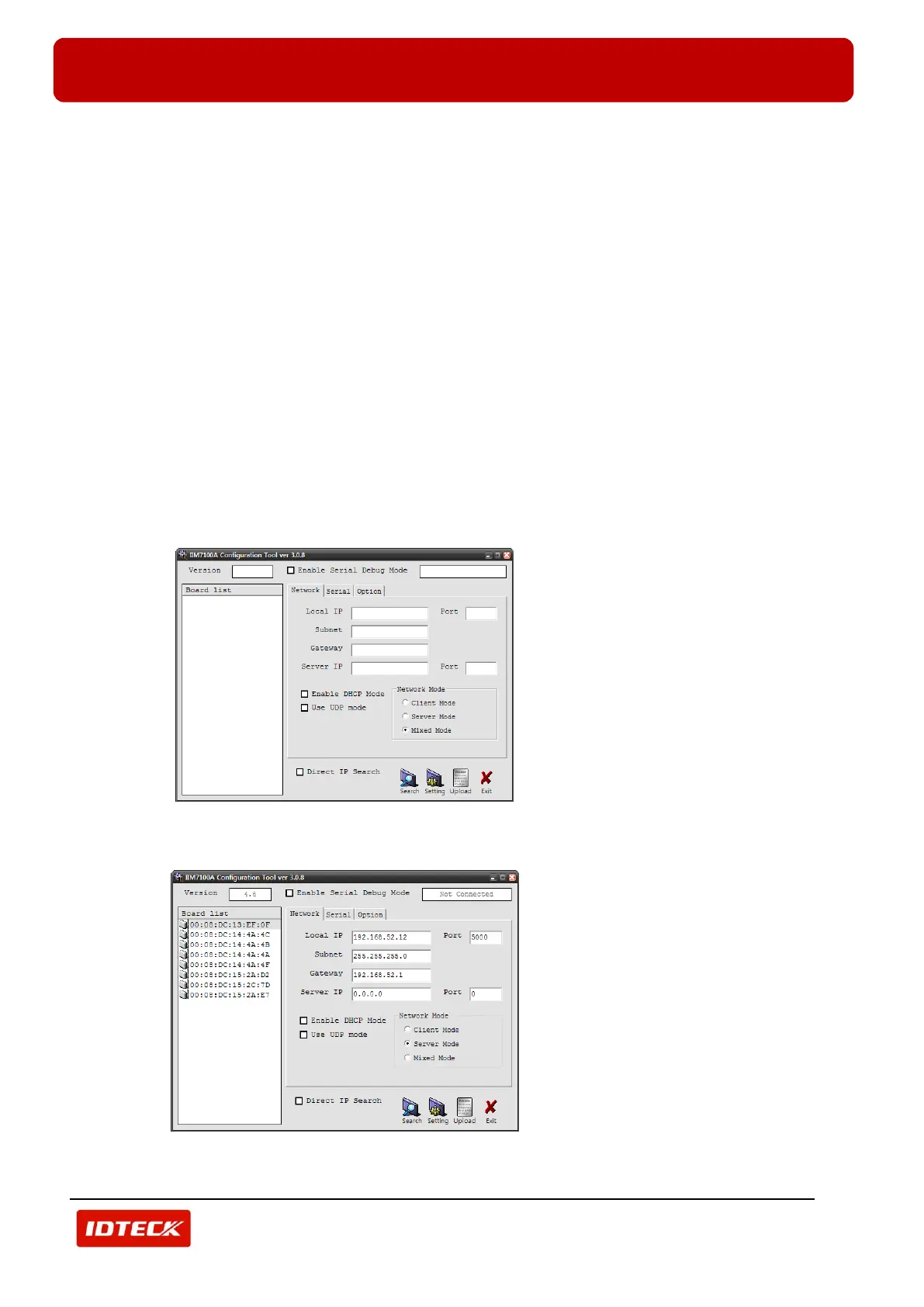
1) If program is normally run, this screen below is displayed.
2) To search TCP/IP Module connected to iTDC/iTDC-SR controller, click ‘Search’ button.
3) All TCP/IP Modules connected on network is displayed.



 To Next Page