EasyManua.ls Logo

IDTECK iTDC EIO8 - Input;Output Port Configuration; Setting Ports for 2, 3, or 4 Doors

IDTECK iTDC EIO8
24 pages
Print Icon
To Next Page IconTo Next Page
To Previous Page IconTo Previous Page
Loading...
23
iTDC Quick Installation Guide
Mar.11.2010
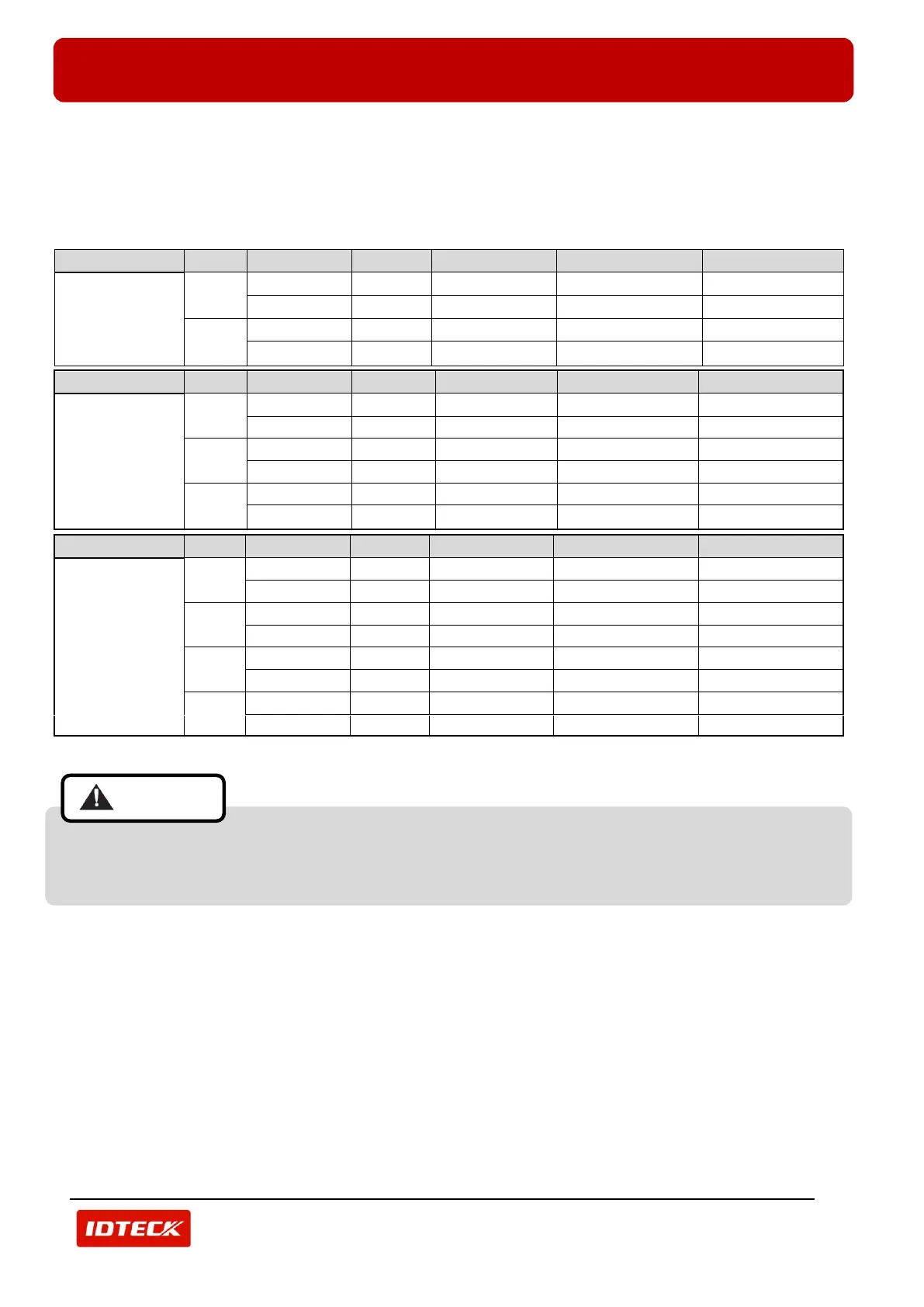
3.6.3 INPUT/ OUTPUT PORT SETTING FOR 2DOOR / 3DOOR / 4DOOR
Above wiring description is applied when 2 doors are controlled. If you want to control 3 doors or 4doors, attach EIO88 and
then change door setting as the table below.
You can set the number of doors in ‘CONTROLLER DEFINITION’ of ‘SET UP’ menu of STARWATCH iTDC PRO I, II.
If you have installed STARWATCH STANDARD, set it in ‘DEVICE SETTING’ of ‘SYSTEM MANAGEMENT’ menu.
If you have LCD and KEYPAD, you also can set it in ‘(8) DOOR SETTING’ from ‘(F2) MASTER MODE’.
Number of Doors
Door
Entrance/Exit
Reader
Exit Button
Normal Output
Alarm Output
2 Door
Door 1
Entrance
Reader 1
-
iTDC Relay 1
iTDC Relay 2
Exit
Reader 2
iTDC Input 1
iTDC Relay 1
iTDC Relay 2
Door 2
Entrance
Reader 3
-
iTDC Relay 3
iTDC Relay 4
Exit
Reader 4
iTDC Input 3
iTDC Relay 3
iTDC Relay 4
Number of Doors
Door
Entrance/Exit
Reader
Exit Button
Normal Output
Alarm Output
3 Door
(Attach EIO88)
Door 1
Entrance
Reader 1
-
iTDC Relay 1
iTDC Relay 2
Exit
Reader 2
iTDC Input 1
iTDC Relay 1
iTDC Relay 2
Door 2
Entrance
Reader 3
-
EIO88 Relay 1
EIO88 Relay 2
Exit
-
EIO88 Input 1
EIO88 Relay 1
EIO88 Relay 2
Door 3
Entrance
Reader 4
-
EIO88 Relay 3
EIO88 Relay 4
Exit
-
EIO88 Input 3
EIO88 Relay 3
EIO88 Relay 4
Number of Doors
Door
Entrance/Exit
Reader
Exit Button
Normal Output
Alarm Output
4 Door
(Attach EIO88)
Door 1
Entrance
Reader 1
-
iTDC Relay 1
iTDC Relay 2
Exit
-
iTDC Input 1
iTDC Relay 1
iTDC Relay 2
Door 2
Entrance
Reader 2
-
iTDC Relay 3
iTDC Relay 4
Exit
-
iTDC Input 3
iTDC Relay 3
iTDC Relay 4
Door 3
Entrance
Reader 3
-
EIO88 Relay 1
EIO88 Relay 2
Exit
-
EIO88 Input 1
EIO88 Relay 1
EIO88 Relay 2
Door 4
Entrance
Reader 4
-
EIO88 Relay 3
EIO88 Relay 4
Exit
-
EIO88 Input 3
EIO88 Relay 3
EIO88 Relay 4
If you control more than 2 doors with attaching EIO88, you should change door setting. If you are
using basic setting of 2 Door mode, Input/ Output of EIO88 is not operated.

Caution

Related product manuals