2
※ iTDC Quick Installation Guide
1. iTDC/iTDC-SR INSTALLATION LAYOUT
1.1 LAYOUT TO CONTROL 2 DOORS
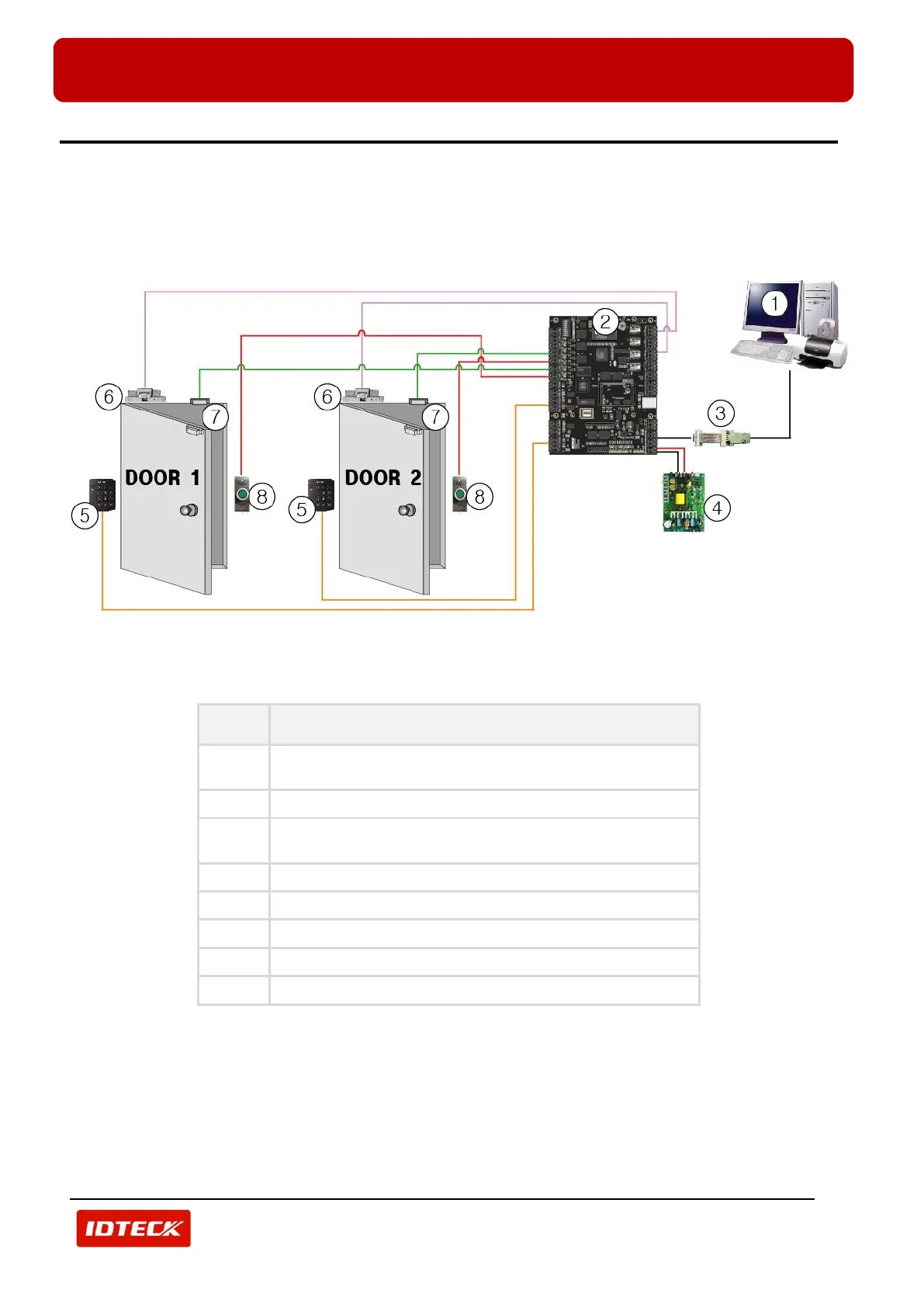
The figure below is iTDC/iTDC-SR installation layout to control 2doors.
You can install readers instead of No.8, Exit Buttons. In this case, connect each reader to reader port No.2 of
iTDC/iTDC-SR, reader port No.4 of iTDC/iTDC-SR.
(Figure: iTDC/iTDC-SR Installation Layout to Control 2 Doors)
PC for installing application software, STARWATCH
iTDC PRO I, II, STARWATCH STANDARD)
RS232/RS422 Converter
or TCP/IP Module (IIM7100A)



 To Next Page