5
UK
5.2 NPN
Pin 1 = L+ (10...30 V DC)
Pin 3 = L-
Pin 4 = load (NPN, 200 mA) / IO-Link
(Pin 2 = not connected)
6 Settings
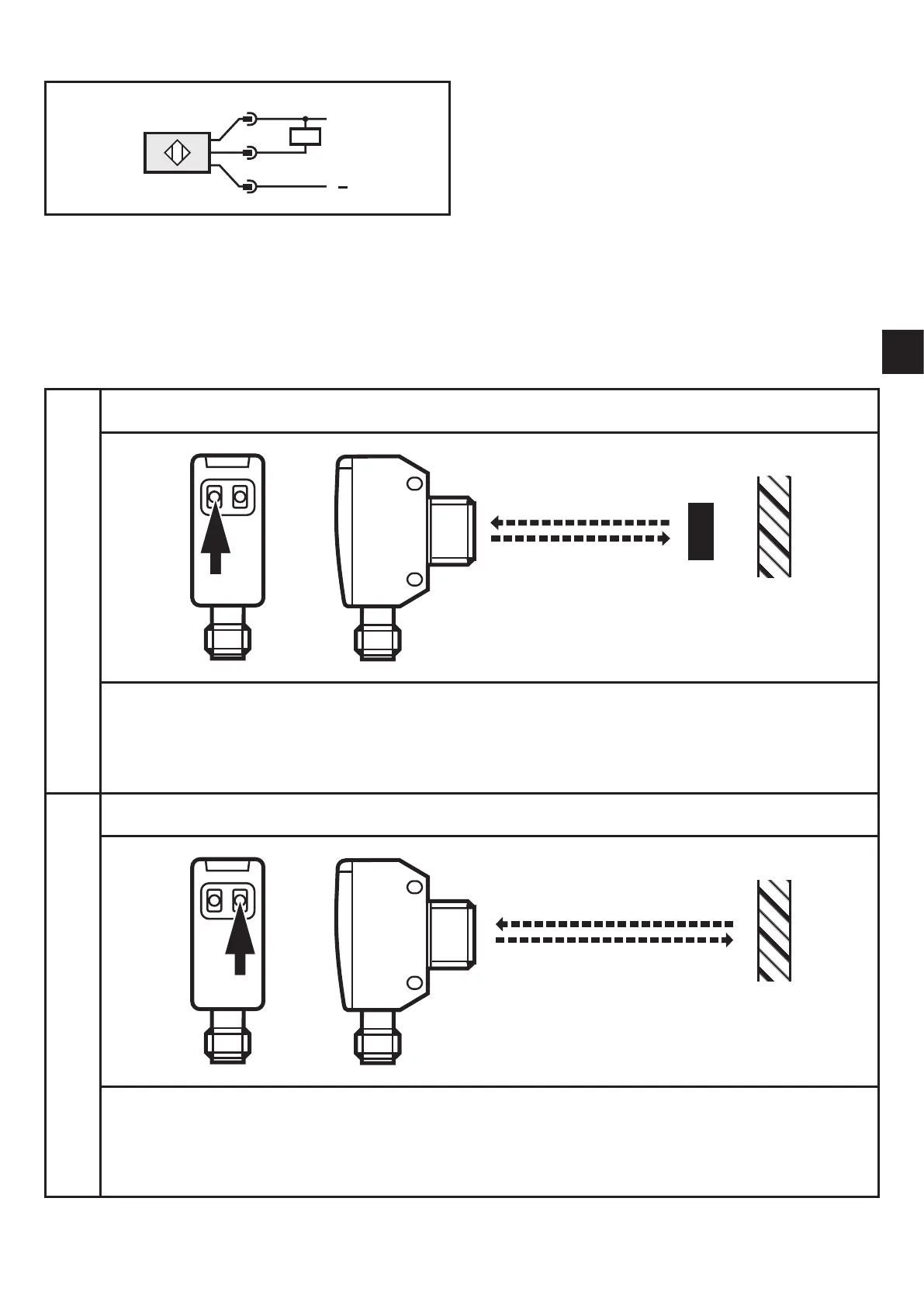
6.1 Set via the sensor
6.1.1 Sensor is to switch when the object is detected
1
► Position the object�
► Press [OUTon] for 2 s�
> The sensitivity is set to the object�
> The yellow LED flashes�
2
► Remove the object�
► Press [OUToff]�
> The sensitivity is set without object�
> The yellow LED goes out� Programming is completed�



 To Next Page