29
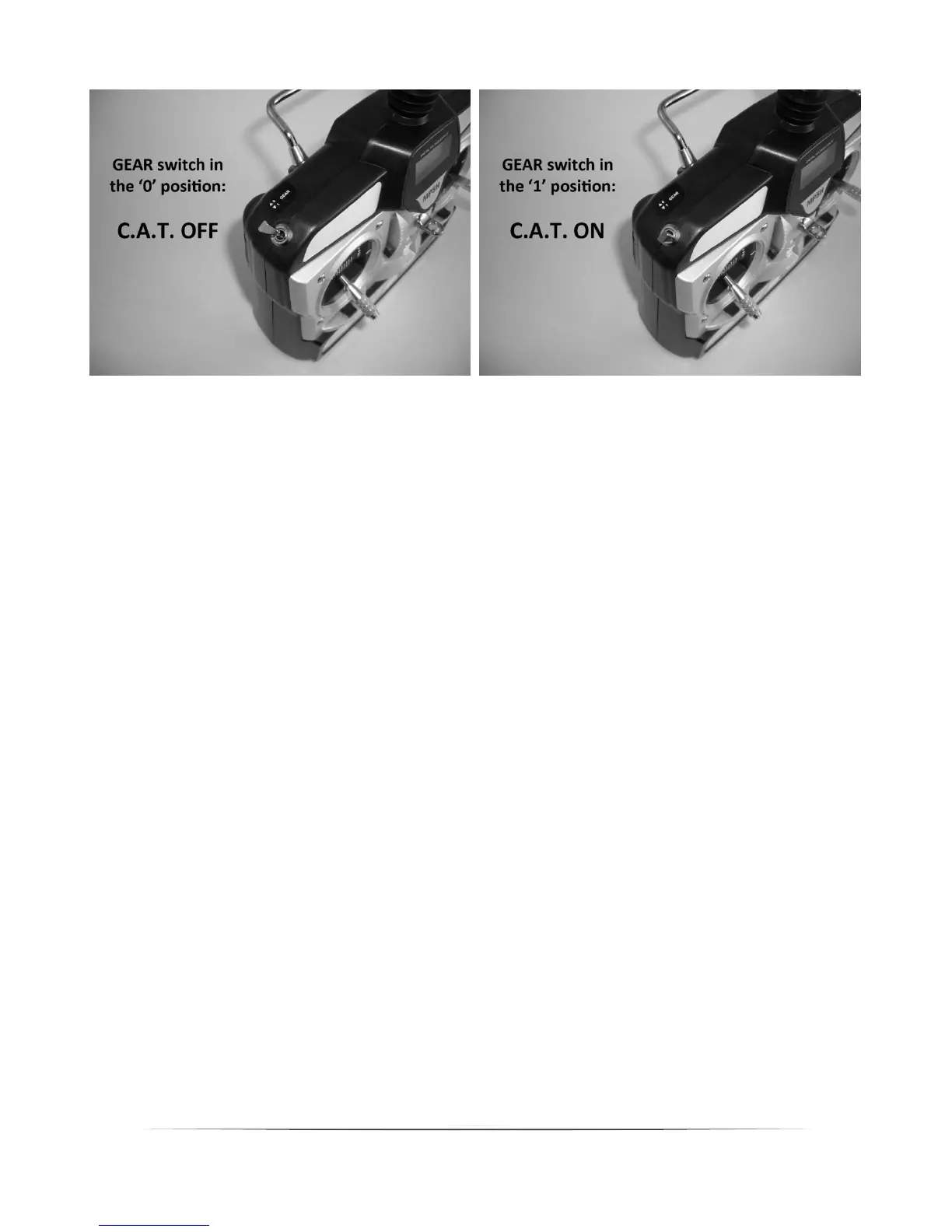
Whenusingyourtransmitter/receiverofchoicewiththeRFRversionyoucanturnthe
technologyonandoffusingthesuitable2‐positionswitch(recommended),‘slider’switchor
rotatingknobforthechannelyouconnectedthe‘Gear’leadtowheninstallingthereceiver.
Pleaseseethe‘InstallingtheReceiver’sectionof
thismanualformoreinformationifneeded.
Also,ifyouarenotsurewhichpositiontheswitch/knobmustbeintoturnthetechnologyon
oroff,withtheswitchontheC.A.T.modulesettotheLOmode(seethe‘LOMode’section
formoreinformation),watchforthebluecolorLEDtoilluminatetheinsideof
the
case/housingfortheC.A.T.modulewhenthetechnologyisturnedON(andbesuretonote
thecorrespondingswitch/knobpositionsforon/offaccordingly).
HIandLOModeSettings
TheC.A.T.moduleisequippedwithaswitchthatallowsittobesettotheavailable‘HI’(high)
or‘LO’(low)modes.Thisswitchislocatedonthesideofthemodulethatcanbeseenand
accessedeasilythoughtheopeninginthebottomofthebody(nearthe
nose).
ThemoduleisdeliveredfromthefactorywiththeswitchsettotheHImodeposition.
However,beforeproceedingwithyourfirstflightbesuretoreadabouteachofthemodesas
follows,and,dependingonyourskilllevel,thesizeoftheareayou’llbeflyinginandthe
numberandtypeofobstacles/objectsinthearea,settheswitchtothemodethatwillwork
bestoverall.
HIMode
WhentheswitchissettotheHImodeposition,thetechnologywillworktodetect
obstacles/objectsfromthefurthestdistancepossible(asthetechnology,conditionsand
otherfactorsallow).Itwillalsorespondmore‘firmly’toavoidcollisionswithany
obstacles/objectsitdetects.Theactualdistanceofdetectionandthe
correspondingresponse
willvarydependingonthefactorspreviouslynoted(inthe‘C.A.T.Functionsand
Performance’section),however,itcanbeupwardsof3.3feet(approximately1meter)for
certainobstacles/objectsinidealconditions/circumstances.


 To Next Page