11/53
Set up WIFI
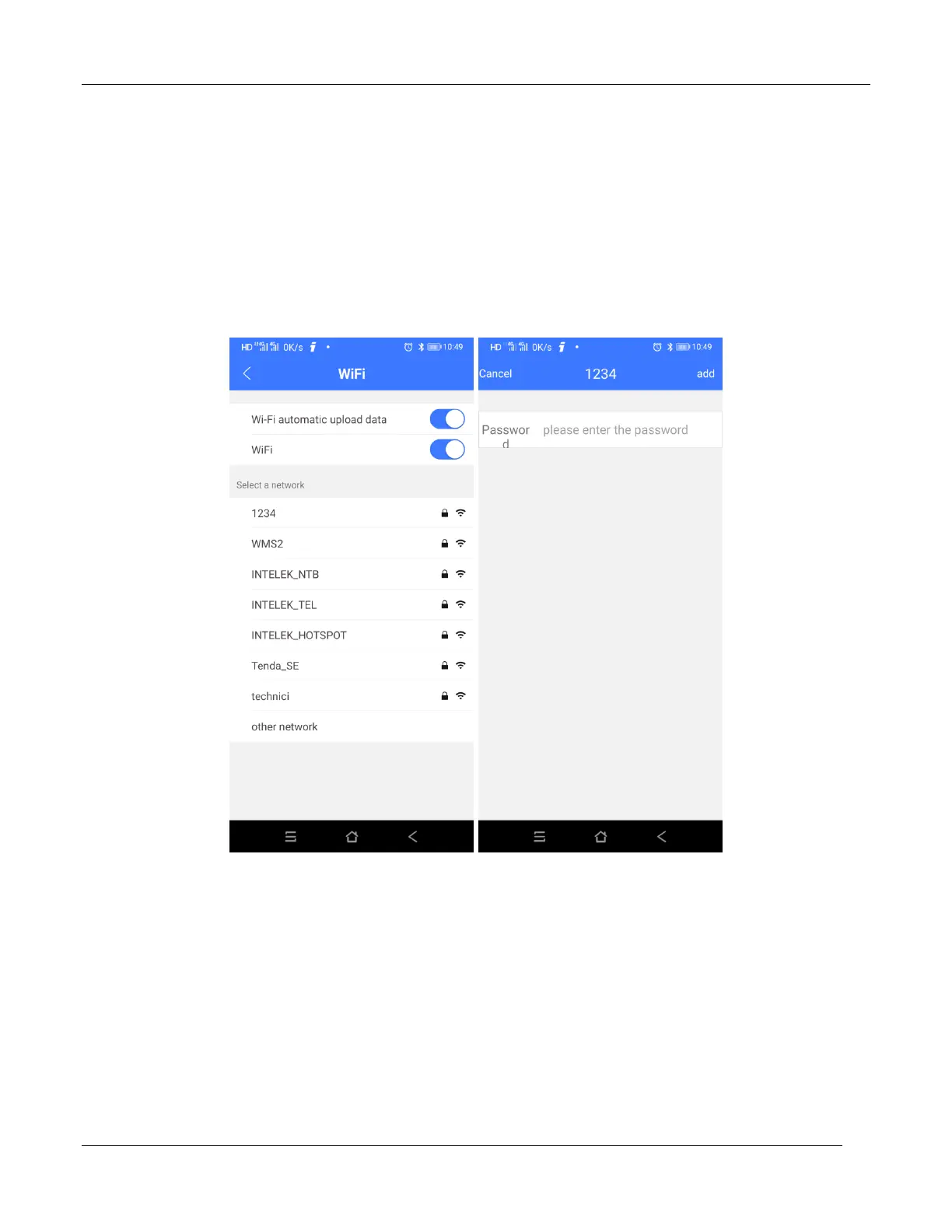
In the device management interface, click the Wi-Fi, enter the page of Wi-Fi management, open the
WIFI function, the device will search for available Wi-Fi nearby automatically, select the Wi-Fi and input
password to complete the connection; if you want to connect to hidden Wi-Fi, click the "other" at the
bottom to enter the Wi-Fi name and password to complete the connection. Later, when in the range of
configurable WIFI, the device will connect to the matched Wi-Fi network by itself; if the Wi-Fi name is
replaced, it needs to be reconfigured.
Open the WIFI automatic data upload switch on the Wi-Fi management page, the cycling data
uploaded automatically when the device is connected to the Wi-Fi.
Smart Notifications
Enter page of device management, power on Smart Notifications, device can receive incoming call and
SMS



 To Next Page