22/53
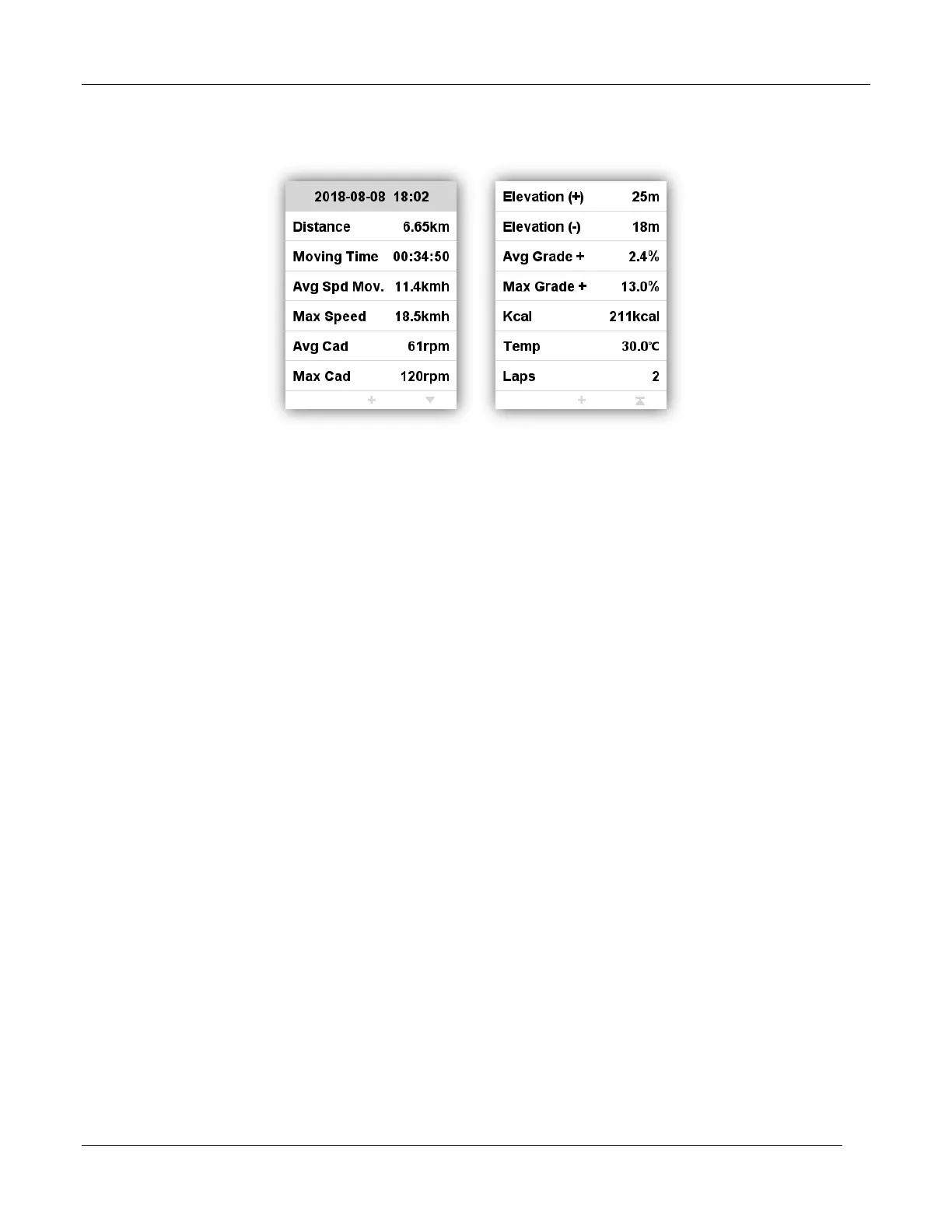
Activity summary
Choose an activity to check its activity summary.
Button function under activity summary page:
Left button: return to activities menu
Middle button: enter the extended menu (Laps/Graph/Delete)
Right button: page down
Note:
The invalid data will be ignored without display, for example, there will be no heart rate or power data
if you have not connect with heart rate sensor or power meter with iGET C250 while cycling.
There will be no data on Pwr Left%/Pwr Right%/L.TQ.Effect/R.TQ.Effect/L. Ped.Smooth./R.
Ped.Smooth if the power meter you are using does not support these functions.
Data of Pwr NP Avg/Pwr TSS/Pwr IF/Pwr watts/kg/kilojoules/Pwr Left%//Pwr
Right%/L.TQ.Effect/R.TQ.Effect/L. Ped.Smooth./R. Ped.Smooth will be only displayed on firmware
V1.05 or above, firmware below V1.05 will be unavailable to display these data.
Extended menu: Lap/Graph/Delete



 To Next Page