EasyManua.ls Logo

Iget C250 - Satellite Signal Acquisition; Satellite Signal Icons

Iget C250
53 pages
Print Icon
To Next Page IconTo Next Page
To Previous Page IconTo Previous Page
Loading...
17/53
26 × 1-3/8
2068
700C Tubular
2130
26 × 1-1/2
2100
700 × 35C
2168
26 × 1.40
2005
700 × 38C
2180
26 × 1.50
2010
700 × 40C
2200
26 × 1.75
2023
700 × 42C
2224
26 × 1.95
2050
700 × 44C
2235
26 × 2.00
2055
700 × 45C
2242
26 × 2.10
2068
700 × 47C
2268
26 × 2.125
2070
29 x 2.1
2288
26 × 2.35
2083
29 x 2.2
2298
26 × 3.00
2170
29 x 2.3
2326
Acquiring satellite signals
iGET C250 will search the satellite signals automatically when power on.
Please make sure iGET C250 is outdoor and under a clear view of the sky.
Usually it may take 5 to 120 seconds to locate satellite signals.
Remain stationary when acquiring satellite signals.
The time and date will be calibrated automatically after satellite signals located.
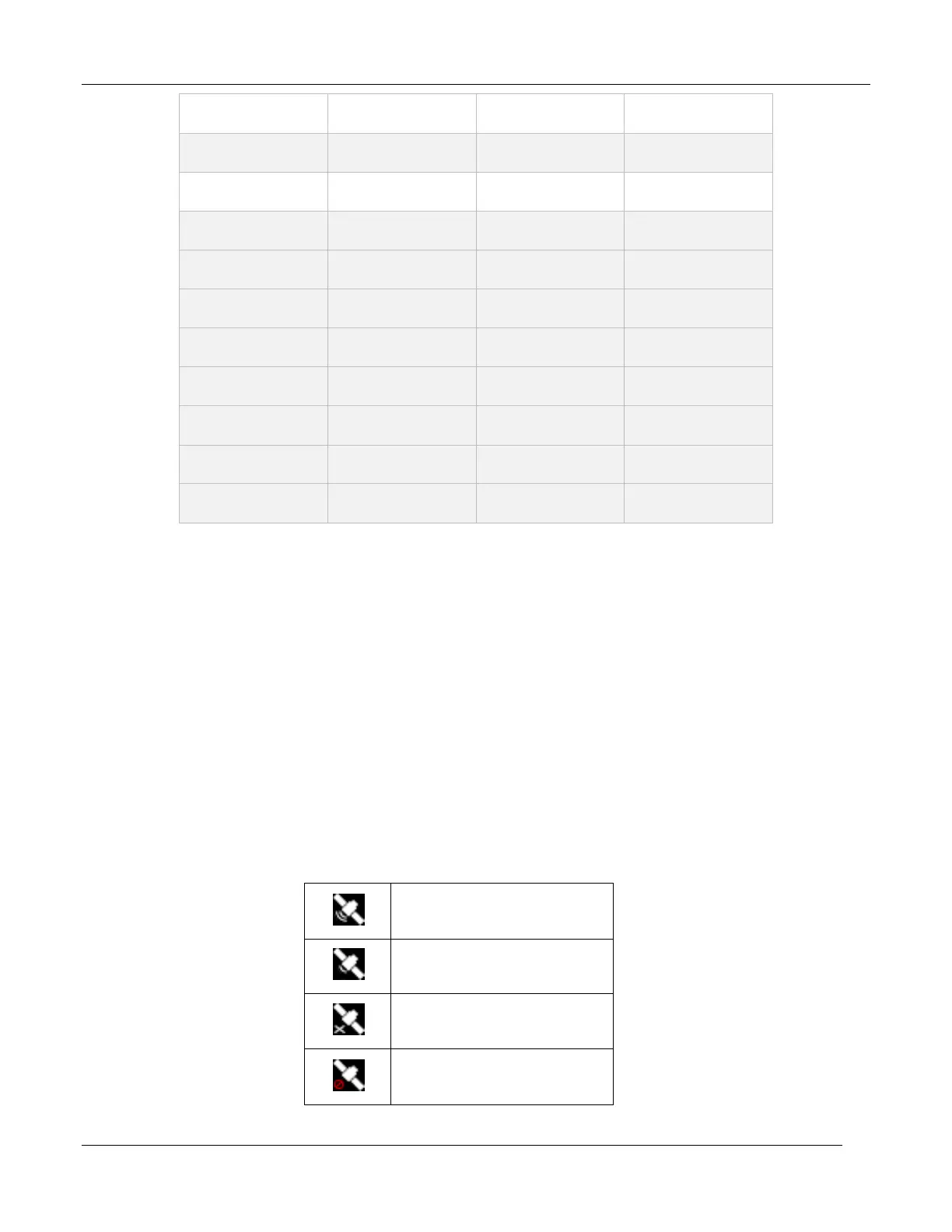
Satellite signals icons:
Strong satellite signals
Normal satellite signals
No satellite signals
(position not fixed)

GPS closed

Related product manuals