9/53
It will enter the data display page once the setting finished.
For better using on C250, please complete more settings as below.
Setting up gps cycling computer
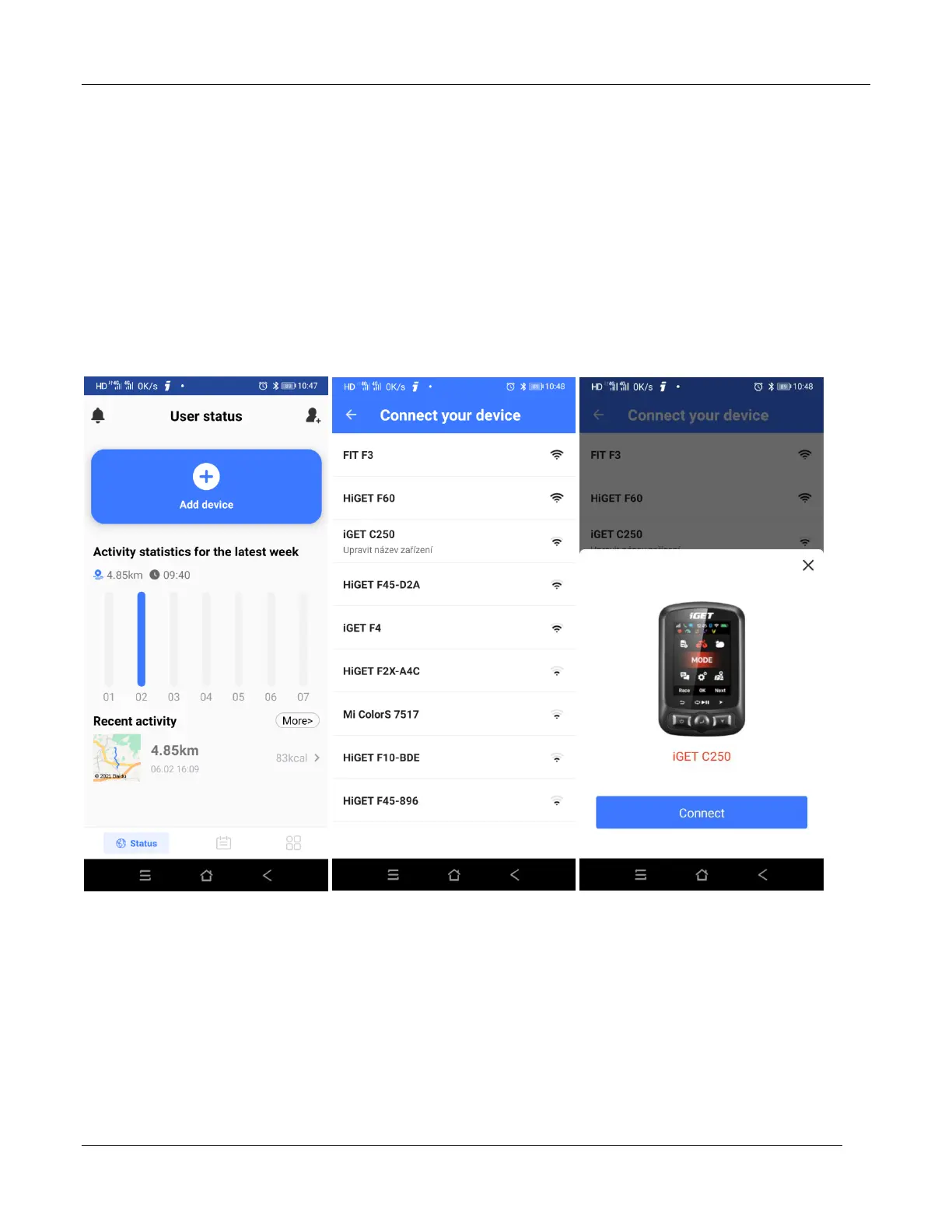
Connect gps cycling computer
Open Bluetooth for both of phone and device, start APP“GPS Bike”, clicks the icon '+' in the middle of
the page, choose the device model iGET C250,enters the search page, and choose the device iGET
C250 to connect, which will enter the device management interface automatically.



 To Next Page