28/53
Advanced setting
Customizing the data screens
iGET C250 support customized setting on data display pages, including page selection, display
columns and data items.
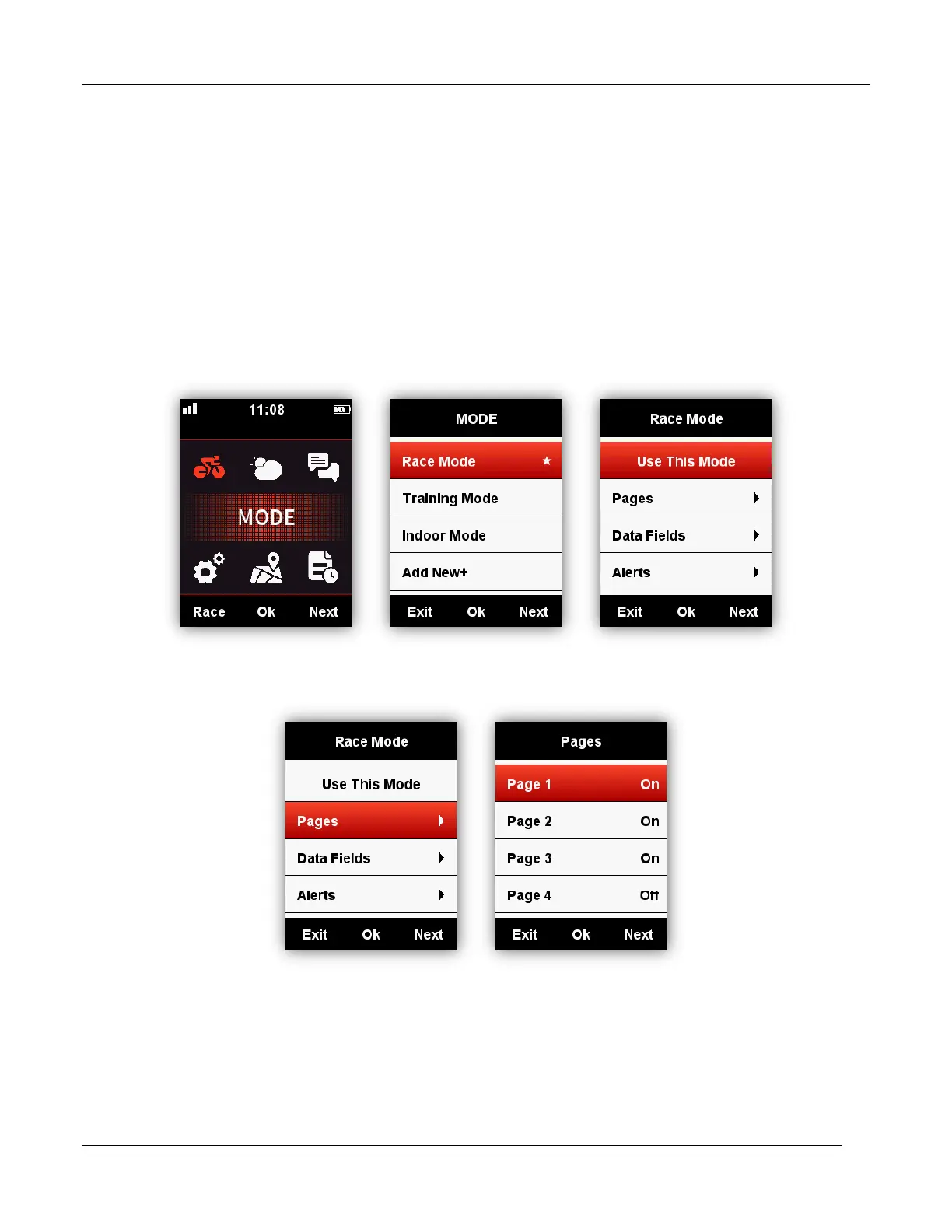
Page selection
Choose MODE, select from Race Mode, Training mode and Indoor mode (or the added new mode,
★ means the selected mode), select middle button to enter the setting, select middle button again to
save the setting.



 To Next Page