27/53
Activity upload
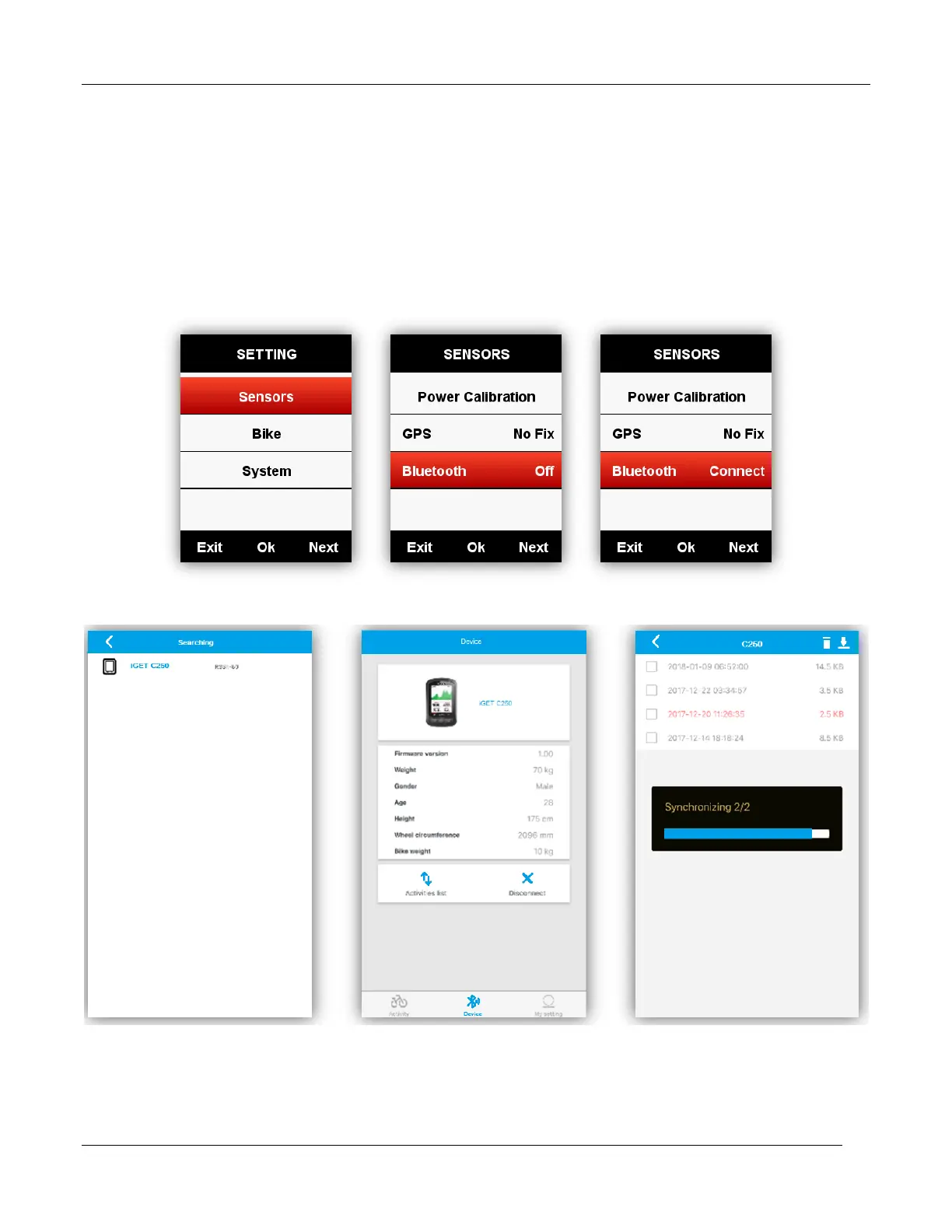
To analyze the activities, please upload them into GPS Bike APP via BLE.
Upload via BLE
Choose SENSORS in main menu, select Bluetooth, select middle button to open the Bluetooth,
search iGET C250 device through the installed application in smart phone, screen will show Connect
once successfully connected, and then you can use GPS Bike APP to upload activities.
( Take iOS APP for example)



 To Next Page