English
23
5.2.1 Send specific MIDI Program Changes numbers, and set Current Program number
iRig Keys I/O can send MIDI Program Changes in two ways:
1. Program Changes are sent sequentially by using the PROG up and PROG down buttons.
2. Program Changes are sent directly by sending a specific Program Change number from within EDIT mode.
After sending a specific Program Change number, the PROG up and down buttons will work sequentially
from that point.
To send a specific Program Change number:
• Enter Edit Mode by pressing the ALT and EDIT buttons;
• The display will show GLO. Press the DATA push-knob to confirm you want to edit a parameter in the global
menu;
• By rotating the DATA knob it will cycle between the parameters of the Global menu;
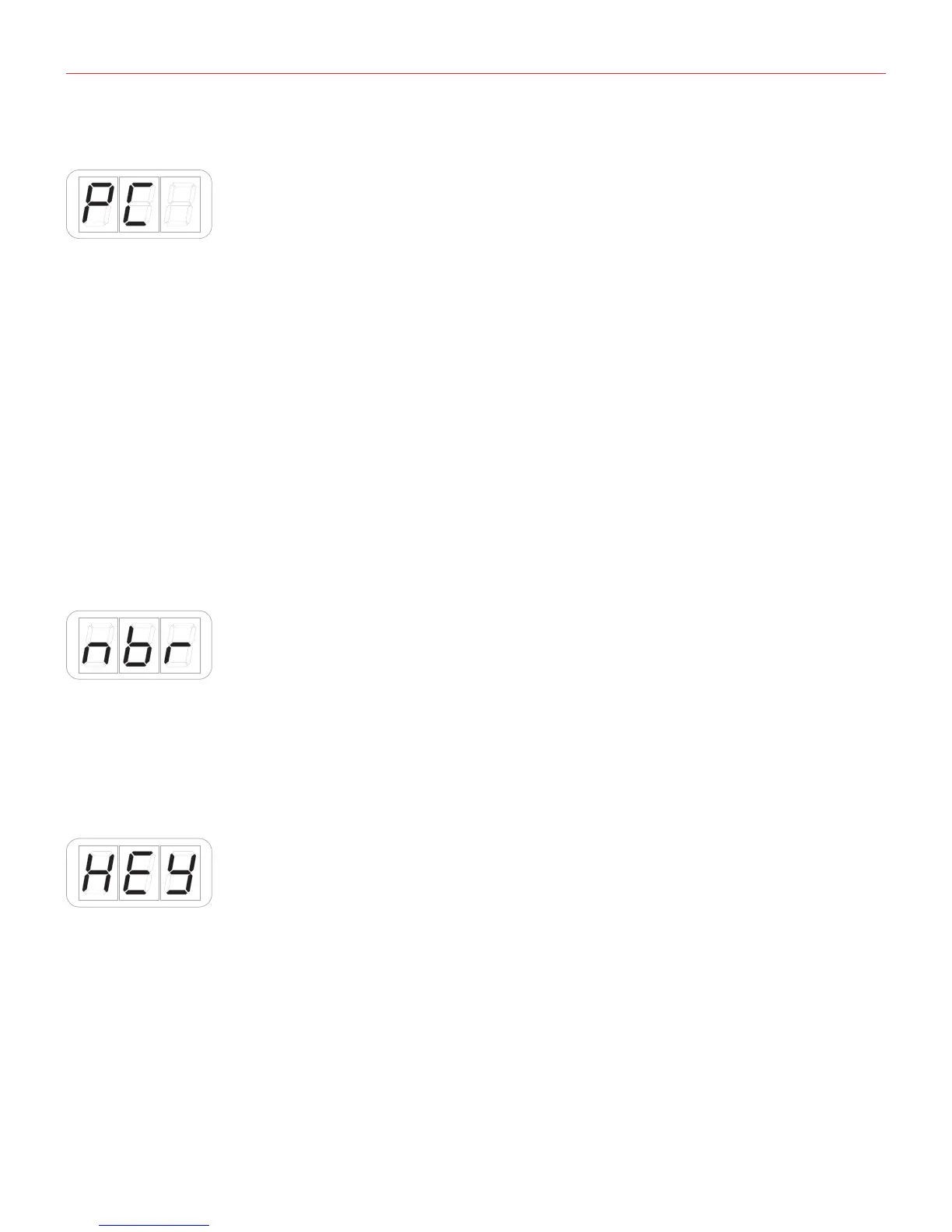
• Reached the PC (programm change) position pess the DATA push-knob to confirm you want to set a
Programm change;
• The display will show NBR (number) to let you insert the PC number. Insert the PC number (from 0 to 127)
with the keys marked from 0 to 9. You can cancel your input with the CANCEL/NO key;
• To confirm your input press the DATA push-knob;
• The keyboard will exit automatically the Edit Mode;
• You can exit the Edit mode any time by pressing the CANCEL/NO key.
5.2.2 Keyboard edit
• Enter Edit Mode by pressing the ALT and EDIT buttons;
• The display will show GLO. Press the DATA push-knob to confirm you want to edit a parameter in the global
menu;
• By rotating the DATA knob you will cycle between the parameters of the Global menu;
• Reached the KEY position pess the DATA push-knob to confirm you want to edit the keyaboard parameters;
• The display will shows CH (MIDI channel) and by rotating the DATA knob it will cycle between VEL (velocity)
-> TRS (transpose).

 To Next Page
 Loading...