High Fidelity Mini Audio System for iPod V10M11_IM_EN_12182007
www.i-Luv.com - 15 -
GETTING STARTED
Antenna Connection
You can achieve acceptable reception if you use the supplied FM pigtail antenna. If so, the
antenna should be elongated and not coiled or bunched up. If it hangs freely, it can be quite
effective.
Speaker Connection
Insert LEFT speaker’s striped wire into LEFT channel’s speaker block (32) by pressing the RED
lever and inserting the striped wire into the open hole. Do the same with the LEFT speaker’s
non-striped wire and the BLACK lever. Repeat for the RIGHT channel SPEAKER block (31)
and the RIGHT speaker’s wire.
AC Power Connection
Connect the power cable (included in the accessories) first to the power socket (29) at the unit
and then insert the power plug into the wall outlet. When you disconnect the plug from a socket,
do not pull the cable, always pull the plug.
Note: As soon as the unit has been connected to AC power, parts of the unit are in operation,
due to the standby function. To switch off the unit completely, remove the plug from the AC
outlet.
Once the unit is plugged in, its time display (3) starts flashing, refer to "Setting the digital
clock" on P.19.
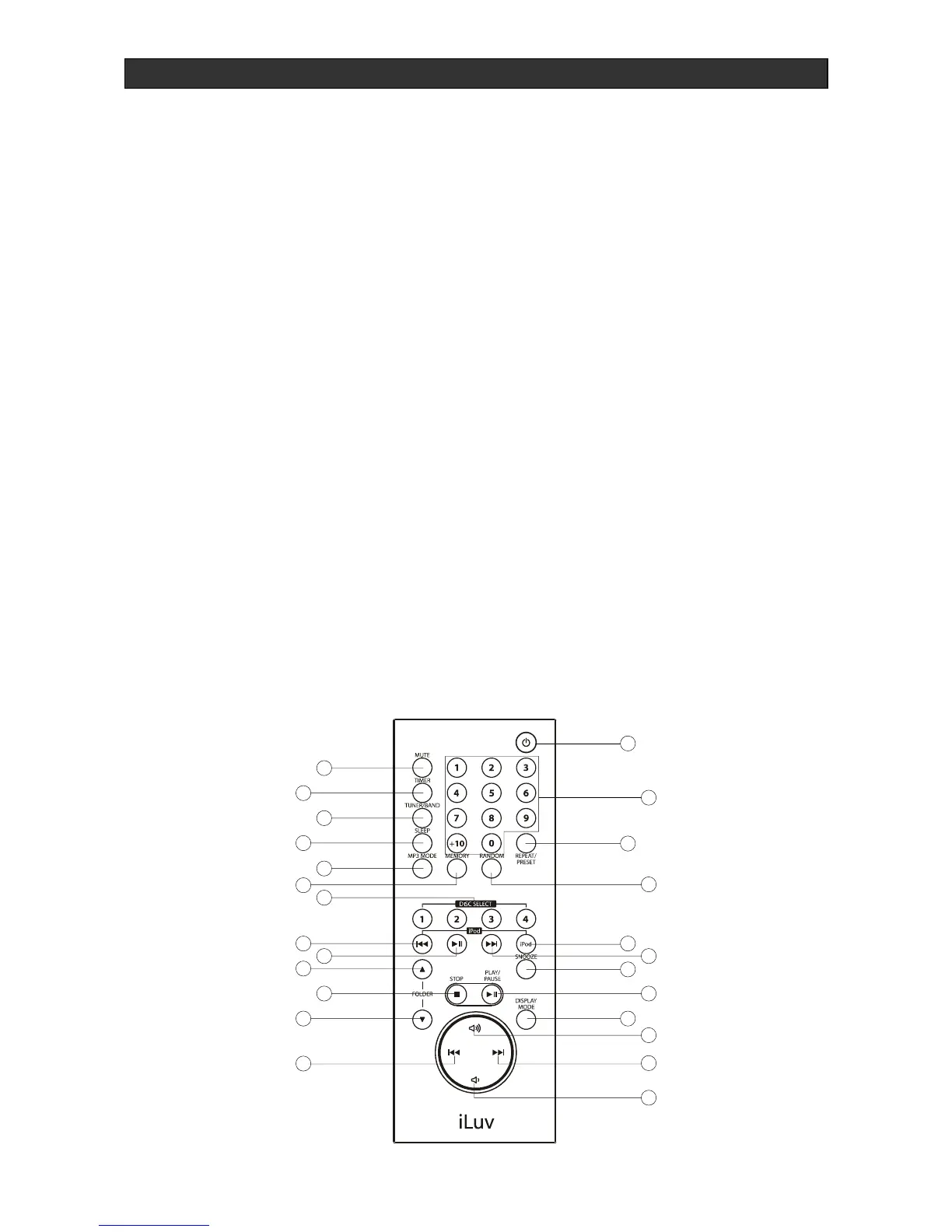
Location of Controls (Remote Control)



 To Next Page