High Fidelity Mini Audio System for iPod V10M11_IM_EN_12182007
www.i-Luv.com - 17 -
GETTING STARTED
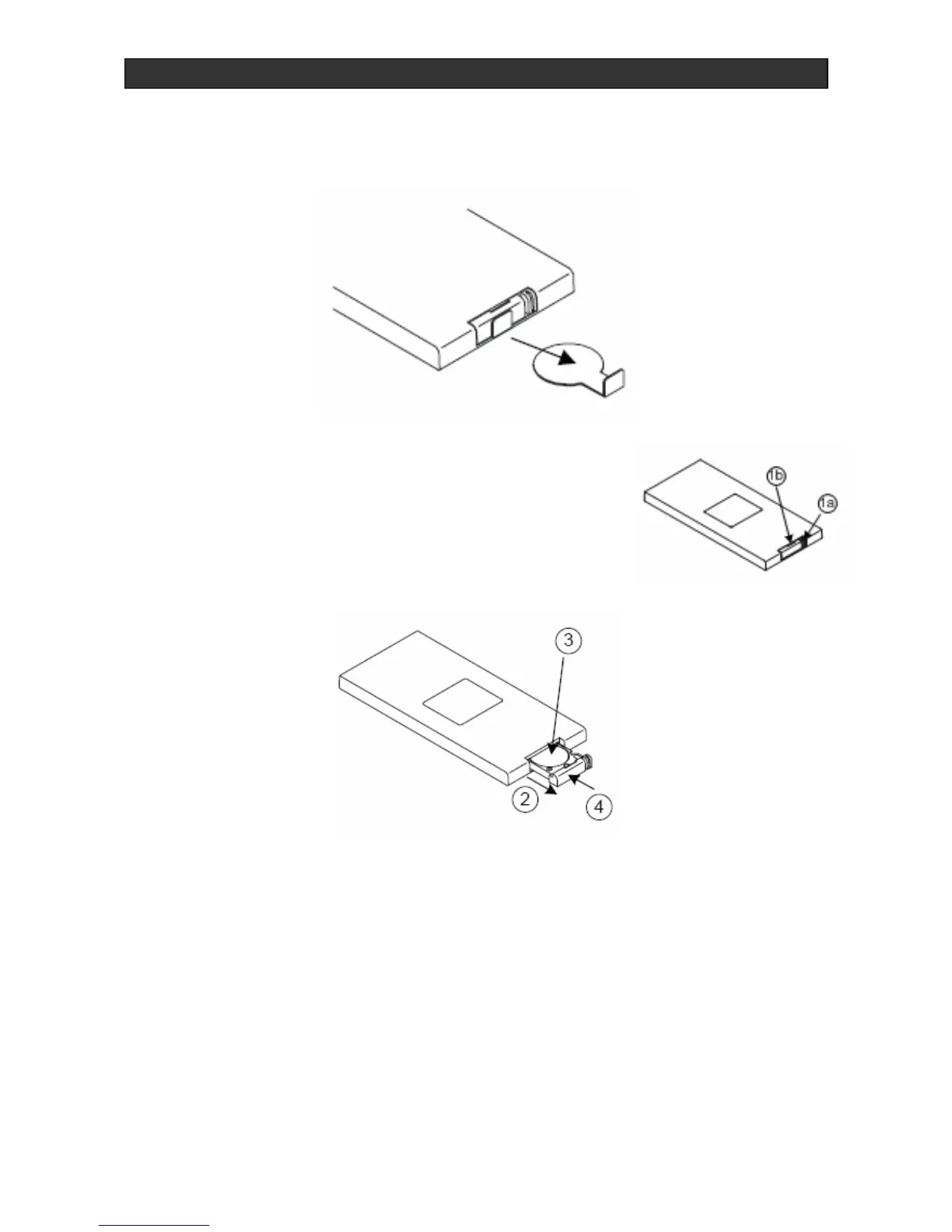
First Time Use of Remote Control
For the first time use, the battery is pre-installed for your convenience. Pull out the insulation
tag from the button battery tray before operating the remote control as shown below.
Battery Installation
1. Remove the battery tray by pressing point (1a) inside, then
sliding area (1b) at the same time.
2. Pull out the battery tray.
3. Install or replace the button-type battery “CR2032” (supplied).
4. Close the battery tray.
Warning: Danger of explosion if battery is incorrectly replaced. Replace only with or equivalent
type.



 To Next Page