OPERATIONAL INSTRUCTIONS
13 | iLuv
The iMM183 is equipped with a Time Sync function which sets the time and date on the clock in
sync with a docked iPhone or iPod.
Using the Time Sync Feature
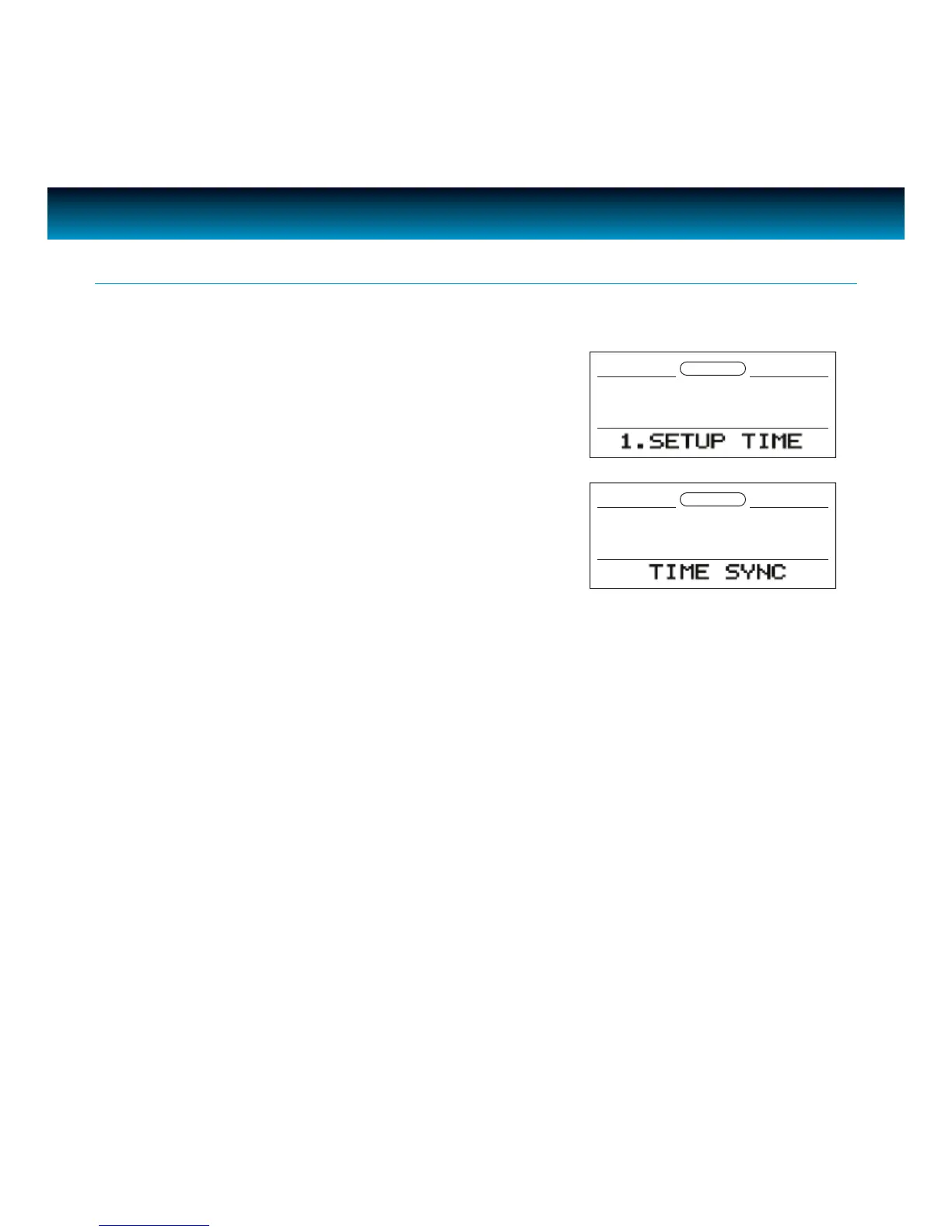
• In the power OFF (Standby) mode, press SETUP on the
unit and rotate the
SEARCH wheel to select "1. SETUP
TIME".
• Press ENTER and "TIME SYNC" will ash on the screen.
Press
ENTER to conrm.
• Press SETUP again to exit clock setting, the "TIME SYNC" icon will display on LCD.
• Dock your iPhone or iPod, the unit will start authentication and will sync time/date from
docked iPhone or iPod.
• As Time Sync is processing, "TIME SYNC" will ash for approximately one (1) minute on the
screen.
• At the end of the Time Sync process, "TIME SYNC" will disappear and "TIME UPDATED" displays
on LCD for one (1) second.
• If Time Sync is turned on while your iPhone or iPod is docked, the iMM183 will automatically
synchronize time and date from the docked iPhone or iPod.
NOTE:
The iMM183 will automatically synchronize the time and date from a docked iPhone or iPod one time only.
To process Time Sync again, run the Time Sync process following the instructions above.



 To Next Page