4-1
CHAPTER 4. Setup of OIU
4.1 OIU
4.1.1 Connecting with BDE
(1) Coaxial cable
Connect the coaxial cable from ADE to N-connector side of relay-coaxial cable (7ZCSC0280)
of OIU, and then connect the TNC connector (opposite side) to BDE.
(2) LAN cable
Connect the LAN connector, ETH(UPLINK to BDE), which located on the behind of OIB,
with Ethernet port of BDE.
(3) Control cable
Connect [BDE COMM] which located on the next to LAN connector, with OIU connector by
attached control cable (7ZCSC0281).
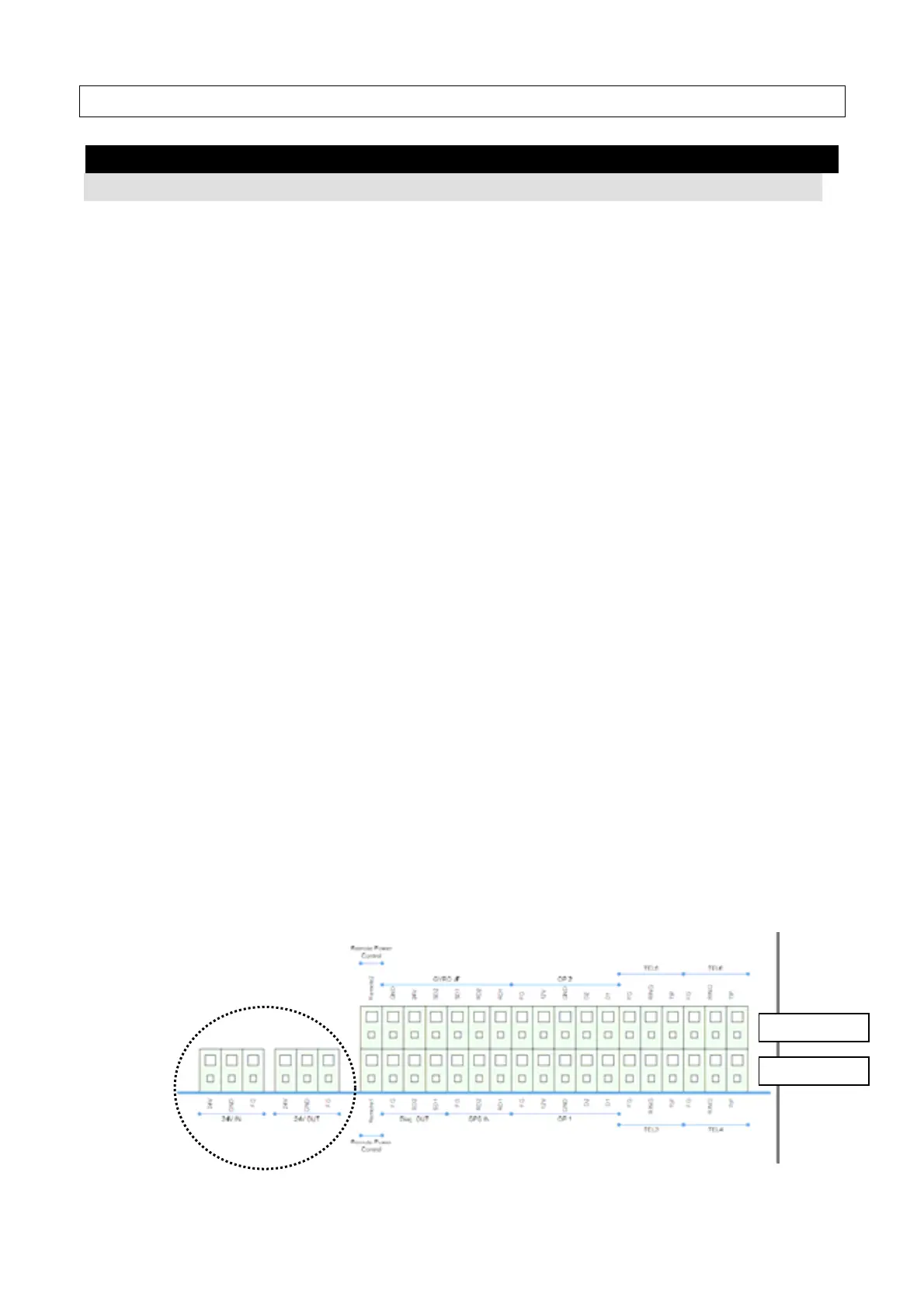
(4) Power source cable
Connect the power source cable (7ZCSC0222B) to J601 to J603 on the terminal block, and
then connect the connector with BDE.
The power source cable can be cut the terminal block side to reduce its length, depending
on the installation condition.
No Signal
J601 DC+24VDC
J602 GND
J603 FG
Connect the power source input (+24VDC) with J604 to J606 on the terminal block.
No Signal
J604 DC+24VDC
J605 GND
J606 FG
J601
J603
J604
J605
J606
Lower row
Upper row



 To Next Page