10-1
CHAPTER 10. Troubleshooting
JUE-500 has various functions shown below, they are useful for maintenance and early
finding of troubles. By [Self Test] menu, the self-diagnosis function checks the internal
circuitry of JUE-500 and displays its result at once. And by [Alarm Pack] menu, its
function automatically stores and displays an alarm data occurred in JUE-500.
10.1 Self Test
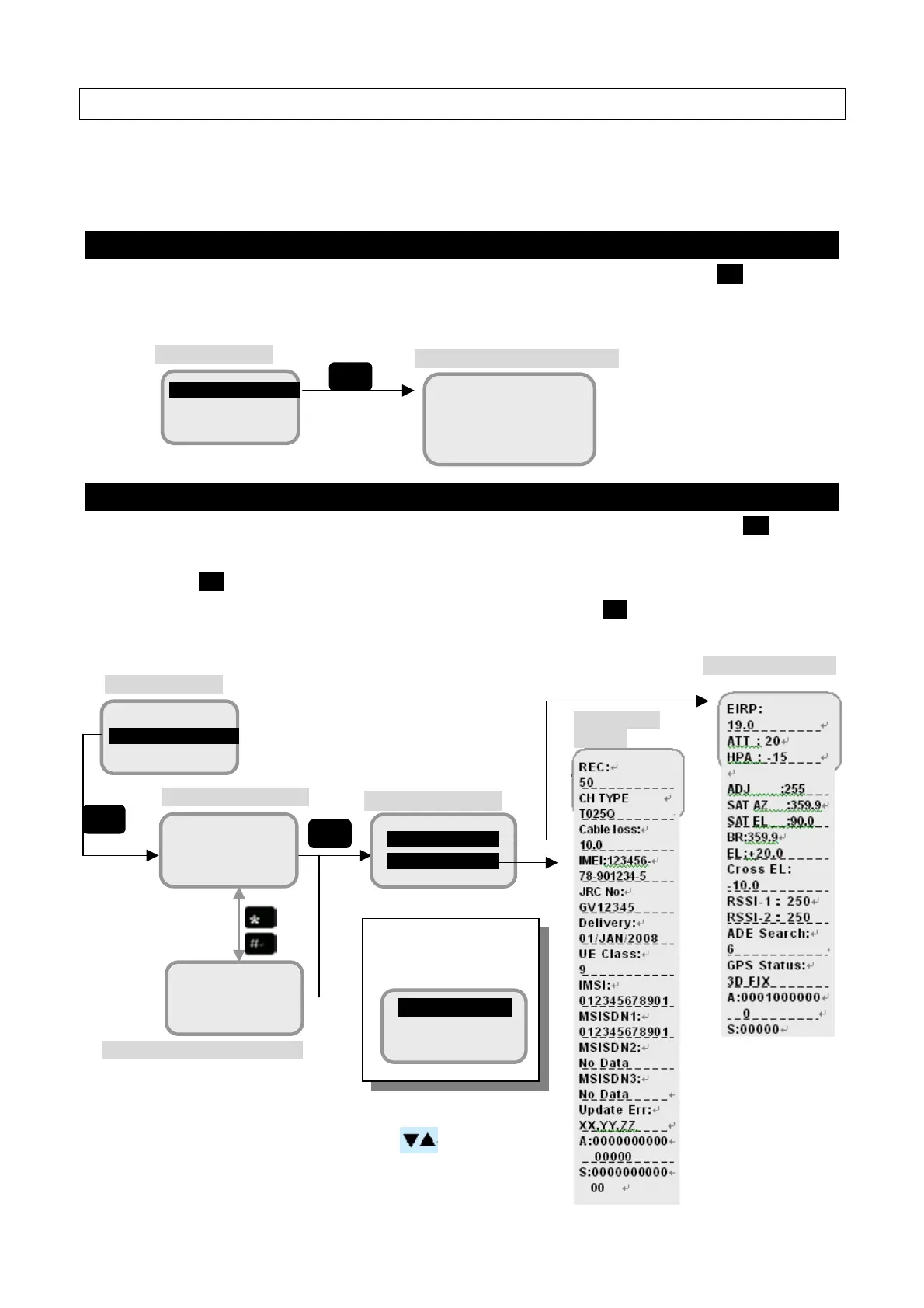
Display [7 Self Test] screen from [Top menu screen] of Handset, then press OK.
A result of the Self Test will be displayed.
10.2 Alarm Pack
Display [8 Alarm Pack] screen from [Top menu screen] of Handset, then press OK.
The latest 10 alarm data are displayed in [Alarm history screen]. Select the data and
press OK, then [Unit selection menu] is displayed with the *mark on the unit, which has
an error. Position the cursor on * marked unit and press OK, then troubled spot and its
cause will be confirmed.
ADE status display
7 Self Test
8 Alarm Pack
Top menu screen
Self Test result display screen
ADE : GOOD
andset : GOOD
OK
Unit selection menu
1 ADE
2 BDE
7 Self Test
8 Alarm Pack
Top menu screen
Alarm history detailed menu
01
01/JAN/2005
Alarm history screen
01
23:33:39
The screen is scrolled line by line with
buttons.
OK
OK
he* mark indicates tha
which unit has an error.
1 ADE*
2 BDE
BDE status
display



 To Next Page