8-3
CHAPTER 8. Service menu
Service menu provides serviceman with various setting and tests. Service menu is entered
by log-in with serviceman authority.
8.1 Service man log-in (HANDSET)
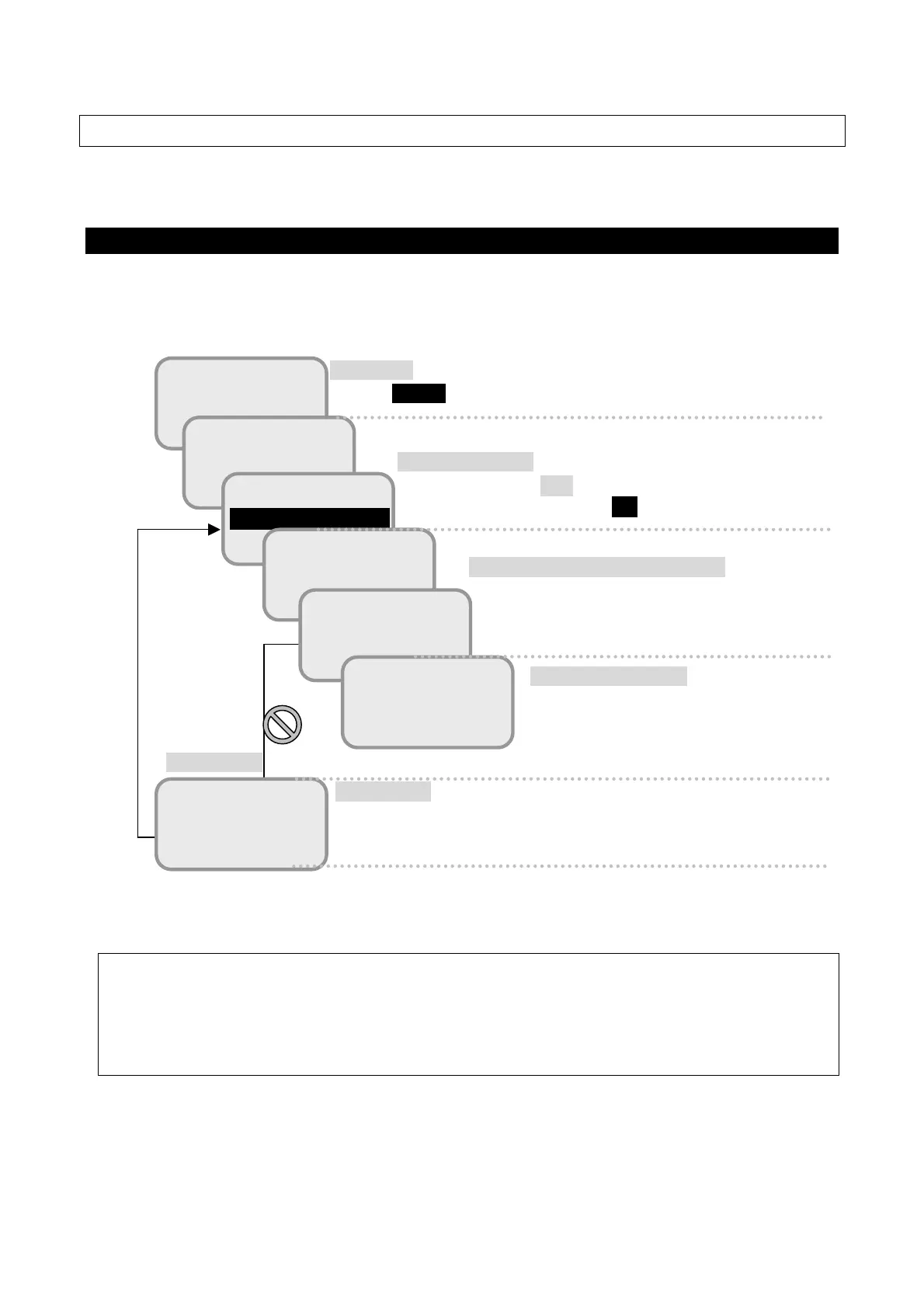
With below sequence, you can log-in Serviceman menu.
Fig. 8.1 Flow of Service man log-in
NOTE
DO NOT disclose [Serviceman] password to the customer.
Incorrect setting may cause malfunction.
!
Error
Error screen
SAT:E143.5
14:03 UTC
READY
1 Status
2 SMS
READY
9 ADMIN
0 SERVICE
READY
Secret Code?
READY
Secret Code?
****
READY
1 Memory CLR
2 TST Config
Service menu screen
This screen is displayed when the secret
code is authenticated.
Idle screen
Press MENU button and open the TOP menu.
Secret code authentication screen
Enter secret code (9998). Entered figure is
echoed as ****.
TOP menu screen
Press arrow key(▲▼)to move the cursor, then select
「0 SERVICE」and press OK.
Error screen
This screen is displayed in a moment, and the screen is returned
to TOP menu screen at once.



 To Next Page