iDrive2 inverters Function Parameters
28
Detailed instruction of parameters
the percentage of the rated current of the inverter.
The setting range of P01.03: 0.0~100.0%
The setting range of P01.04: 0.0~50.0s
The changing mode of the frequency during start-up and
running.
0:Linear type
The output frequency increases or decreases linearly.
0: Decelerate to stop: after the stop command becomes
valid, the inverter decelerates to decrease the output
frequency during the set time. When the frequency
decreases to 0, the inverter stops.
1: Coast to stop: after the stop command becomes valid,
the inverter ceases the output immediately. And the load
coasts to stop at the mechanical inertia.
Starting
frequency of
DC braking
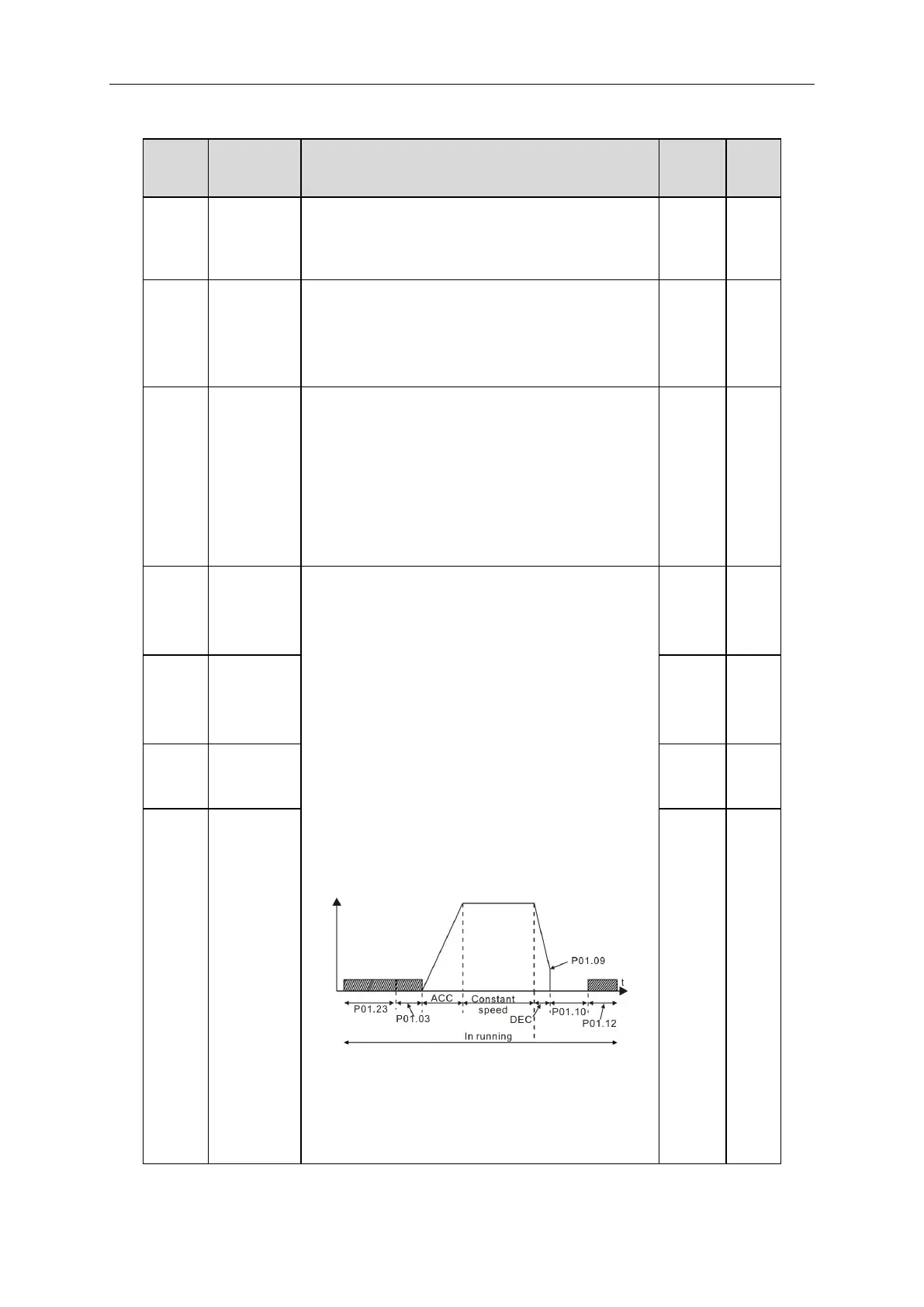
Starting frequency of DC braking: start the DC braking
when running frequency reaches starting frequency
determined by P1.09.
Waiting time before DC braking: Inverters block the
output before starting the DC braking. After this waiting
time, the DC braking will be started so as to prevent
over-current fault caused by DC braking at high speed.
DC braking current : The value of P01.11 is the
percentage of rated current of inverter. The bigger the
DC braking current is, the greater the braking torque is.
DC braking time: The retention time of DC brake. If the
time is 0, the DC brake is invalid. The inverter will stop at
the set deceleration time.
The setting range of P01.09: 0.00Hz~P00.03
The setting range of P01.10: 0.0~50.0s
The setting range of P01.11: 0.0~100.0%
The setting range of P01.12: 0.0~50.0s
Waiting time
before DC
braking



 To Next Page