iDrive2 inverters Function Parameters
29
Detailed instruction of parameters
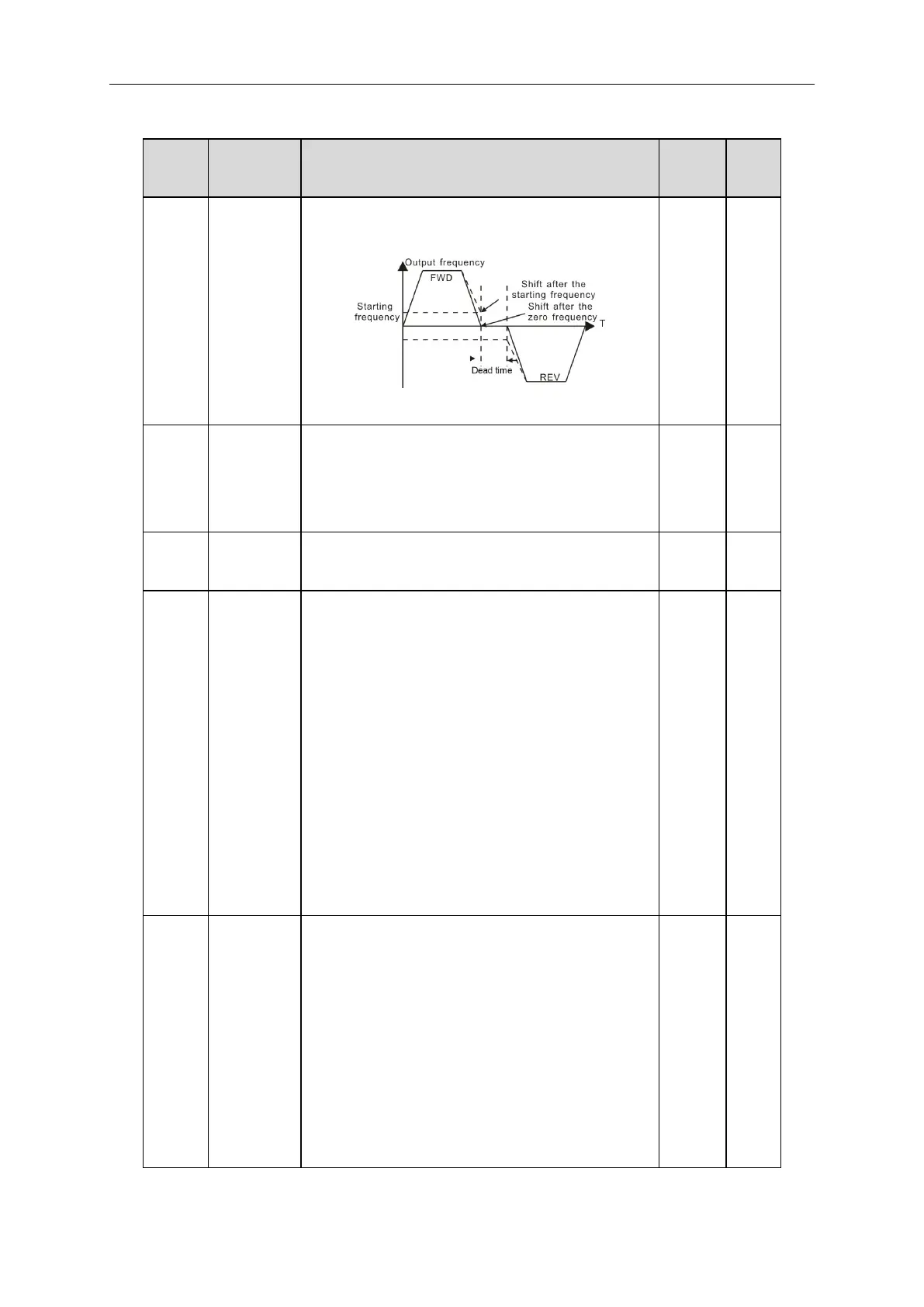
Dead time of
FWD/REV
rotation
During the procedure of switching FWD/REV rotation,
set the threshold by P01.14, which is as the table below:
Setting range: 0.0~3600.0s
Switching
between
FWD/REV
rotation
Set the threshold point of the inverter:
0:Switch after 0 frequency
1:Switch after the starting frequency
2:Switch after a delay time when the inverter stops
Run
protection
when
powering on
When the run command is set to terminal control, the
system will detect the state of the run terminal during
powering on.
0: The terminal run command is invalid when powering
on. Even the running command is detected to be valid
during powering on, the inverter won’t run and the
system keeps in the protection state until the running
command is cancelled and re-enabled.
1: The terminal run command is valid when powering on.
If the run command is detected to be valid during
powering on, the system will start the inverter
automatically after the initialization.
Note: this function should be selected with caution!!
The running
frequency is
lower than
the lower
limit one
(valid if the
lower limit
frequency is
above 0)
This function code determines the running state of the
inverter when the set frequency is lower than the
lower-limit one.
0: Run at the lower-limit frequency
1: Stop
2: Hibernation
The inverter will coast to stop when the set frequency is
lower than the lower-limit one.if the set frequency is
above the lower limit one again and it lasts for the time
set by P01.20, the inverter will return to the running state



 To Next Page