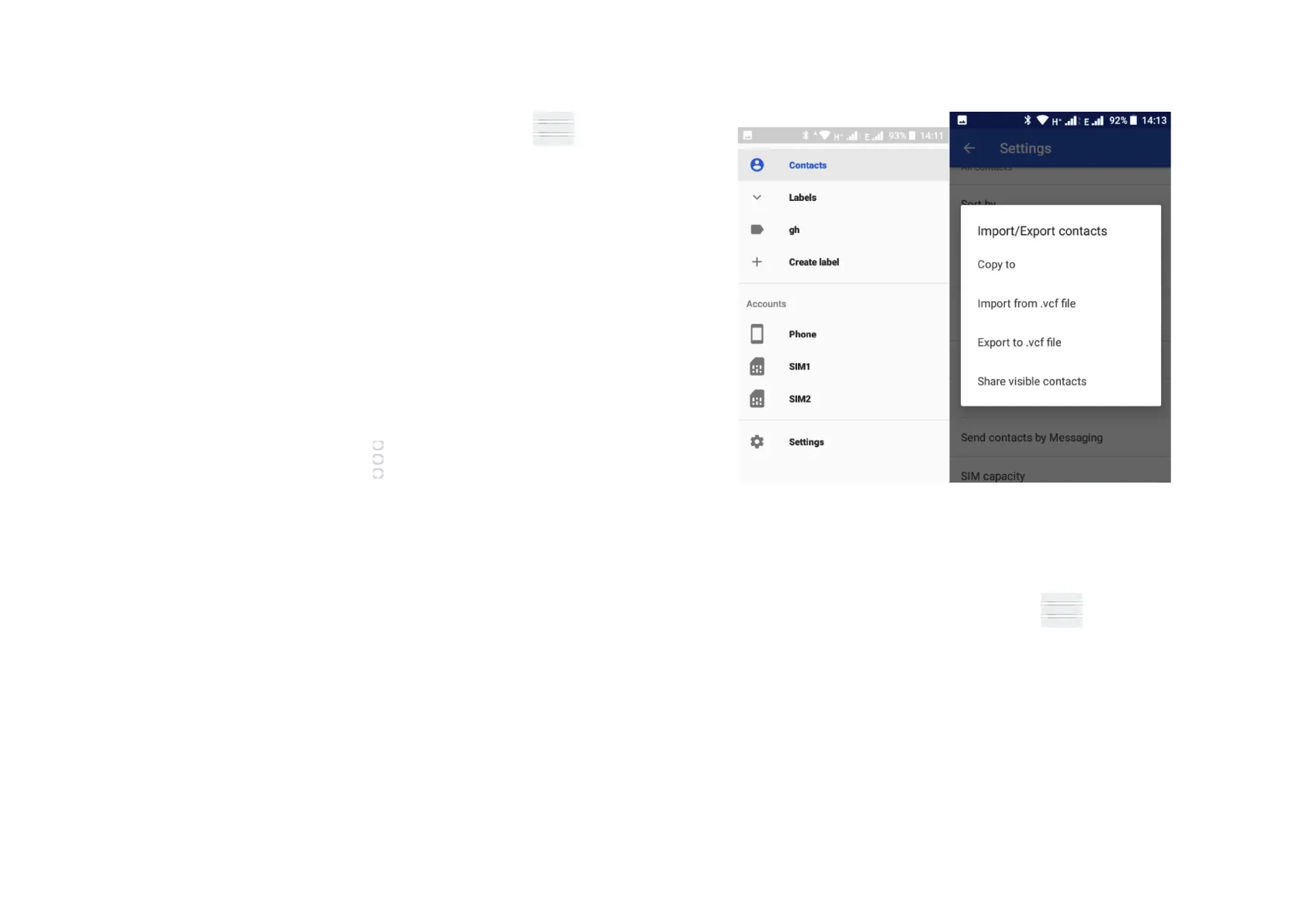
In the Contact display, click on the Menu button , touch
Settings then touch Import/Export contacts to import/export
contacts from/to your SIM card, Phone, Accounts, Internal
storage etc.
To import / export a single contact from / to your SIM card.
Choose an account and SIM card, select the contact you want
and touch OK to confirm.
To import/export all contacts from/to your SIM card, choose
an account, select SIM card, touch Select all and touch OK to
confirm.
You can share a single contact or multiple contacts with
others via Bluetooth, Gmail etc. To do this touch a contact
you want to share, touch and Share. Select how you wish to
share the contact via Messages, Gmail, Bluetooth or other.
4.5 Displaying contacts
You can decide which group of contacts you want to display
in the Contact list. Touch the Menu key then touch
Settings, then Contacts to display from the Contacts list
screen, then you can choose which contacts to display.
4.6 Synchronising contacts in multiple accounts
Contacts, data and other information can be synchronised
across multiple accounts depending on the apps installed on



 To Next Page