- Press and hold while also holding volume
decrease key to take a screenshot .
Home Key:
- Touch to return to the home screen when in any
app or screen.
- Touch and hold to open the Google Assistant for
Android.
Menu Key:
- This shows your recently-used apps. Touch an
image to open it or swipe it up to remove it from
the list
Back Key:
- Touch to go back to the previous screen or to
close a dialogue box, options menu, the
notification panel etc
These buttons are always visible when you use the screen.
Volume Keys:
- Press or hold to increase or decrease the volume
of the earpiece or headset.
- In general mode these keys also adjust the
ringtone volume.
- Can also mute the ringtone of an incoming call.
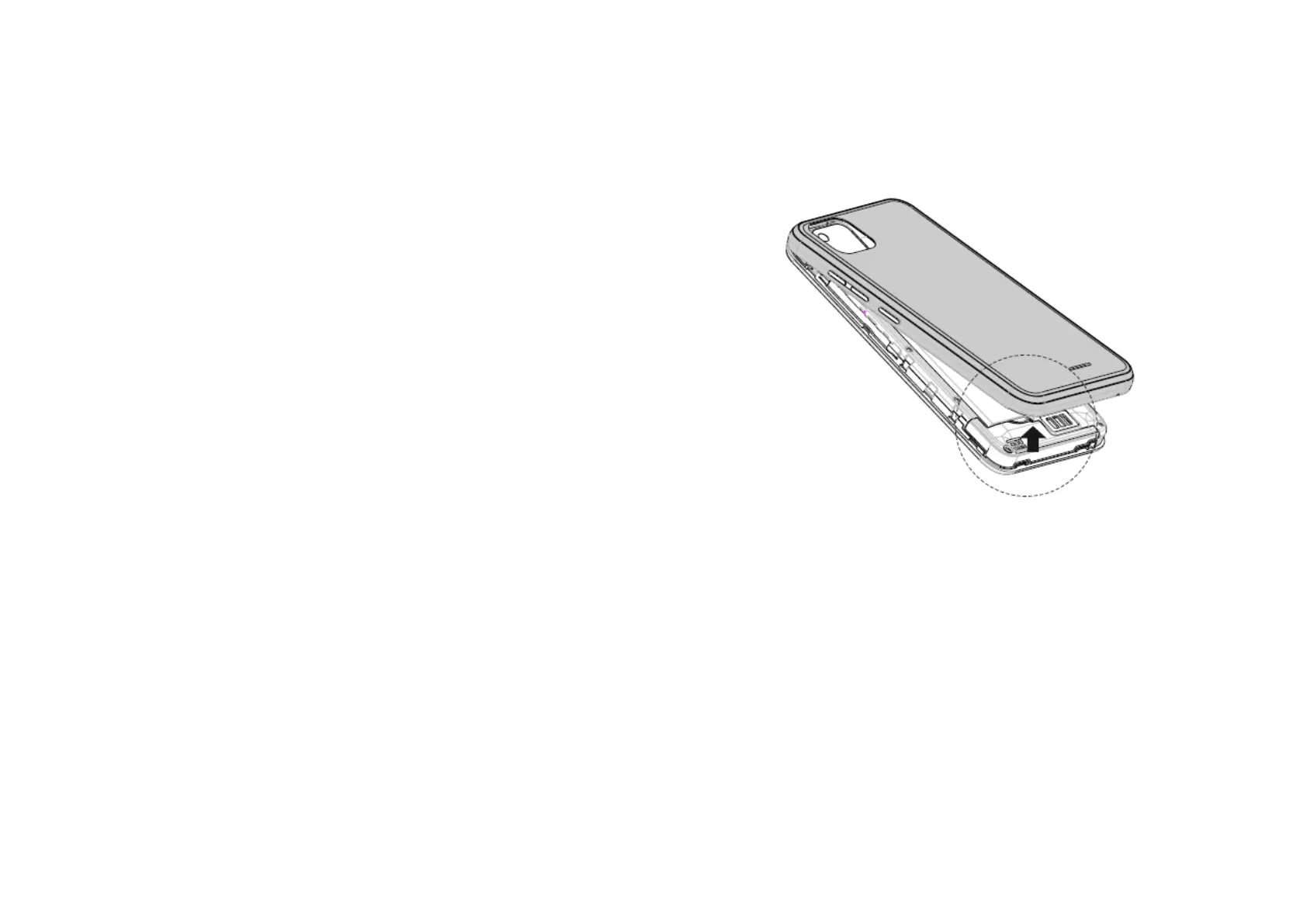
1.2 Removing the back cover
With the screen facing down unclip the back cover of your
IMO Q2 Pro from the bottom left corner. There is a small
indent in the cover to assist you.
1.3 Installing the SIM card
To insert your SIM card, make sure the corner of the SIM card
with the triangular edge missing is on the top left and gold
part facing down. Insert into the slot as shown in the diagram
below.
Your phone only supports nano-SIM card. Do not attempt to
insert other SIM types like micro or mini cards otherwise you
may damage your phone.



 To Next Page