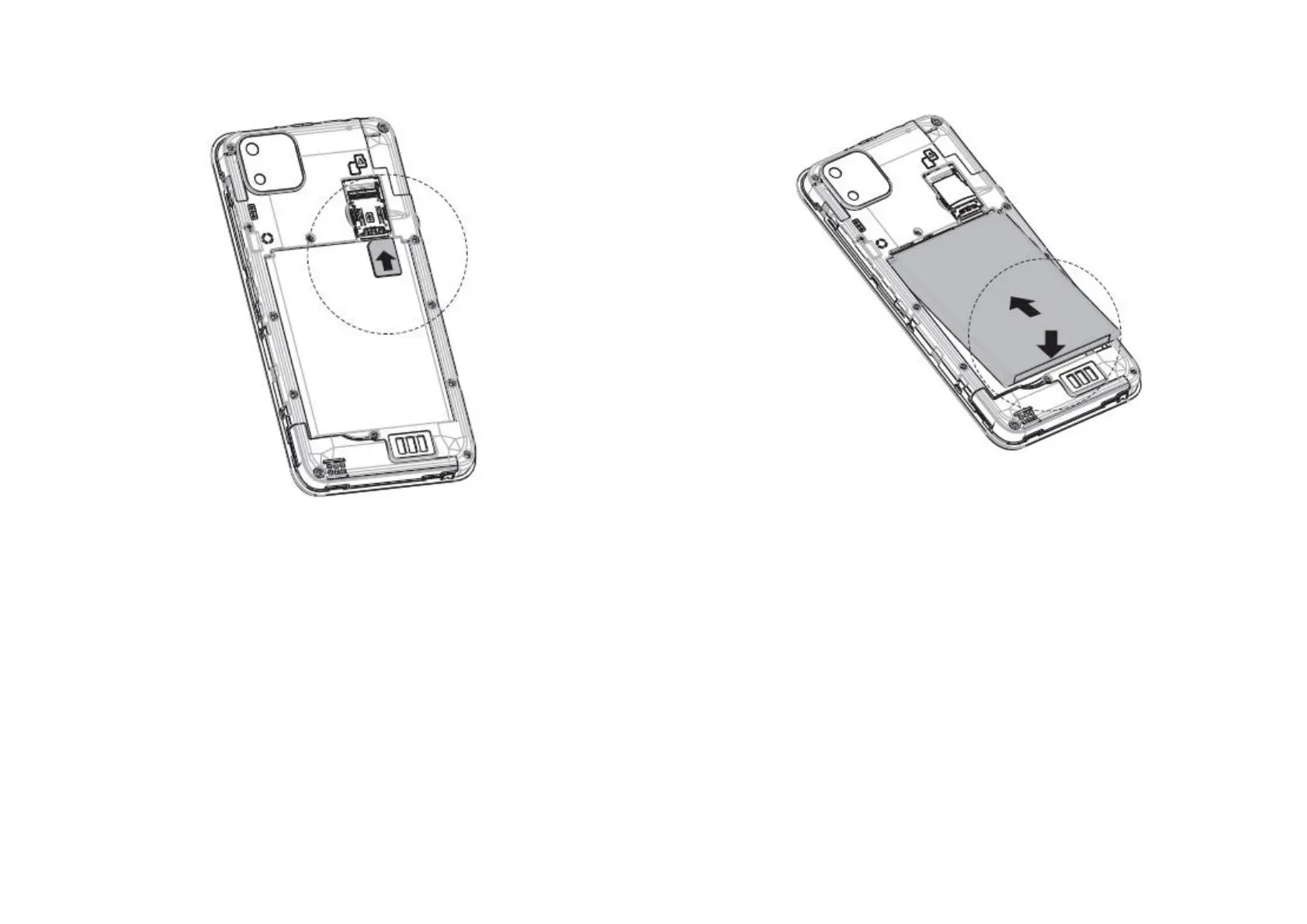
1.4 Installing and charging the battery
After your SIM card has been installed, you can now insert
your battery. Please make sure the 3 gold connecting pins are
aligned on the top left of the battery with the 3 connection
pins on the handset. Now securely clip the back cover back
onto your handset.
To charge the battery, connect the small end of the USB
charging cable to your phone using the Micro USB port at the
top of the phone. Connect the other end to the plug and
insert into mains socket to start charging your phone. We
recommend charging your device fully before you fully set up
your phone. This should take around 1 hour.
To reduce your phone’s power consumption you can switch
off Wi-Fi, GPS, Bluetooth or apps running in the background
when not needed. In settings you can also lower the
brightness of the screen and shorten the length of time
before the screen goes to sleep
1.5 Installing a microSD card (not included)



 To Next Page