Enter Setup
Exit and Save
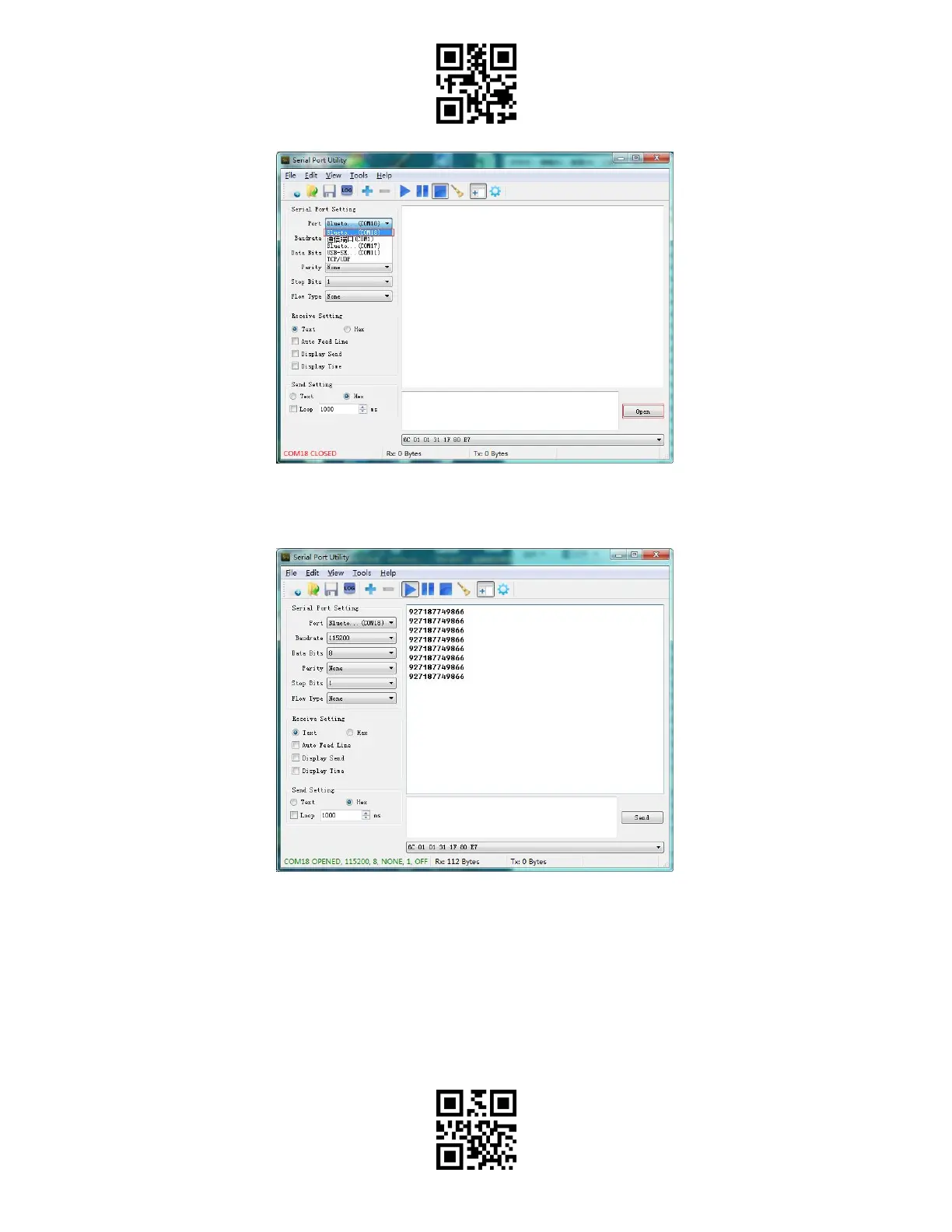
After the successful connection, you can scan the barcodes which will be displayed on the
serial debugging tool as follows:
To disconnect the Bluetooth, just close the serial debugging tool.
To use the Bluetooth SPP mode of BCST-55 on another computer, there is no more
operation needed for BCST-55, just disconnect the BCST-55 on the previous connected
computer, and then the BCST-55 will enter Bluetooth broadcasting mode. Search BCST-55
and pair it on another computer. After successful pairing, you need to run serial debugging
tool on the new computer and follow the steps to open Bluetooth COM Port as mentioned
above.



 To Next Page