49
1
Turn off the projector and unplug the power cord.
2 Wait 60 minutes to allow the projector to cool thoroughly.
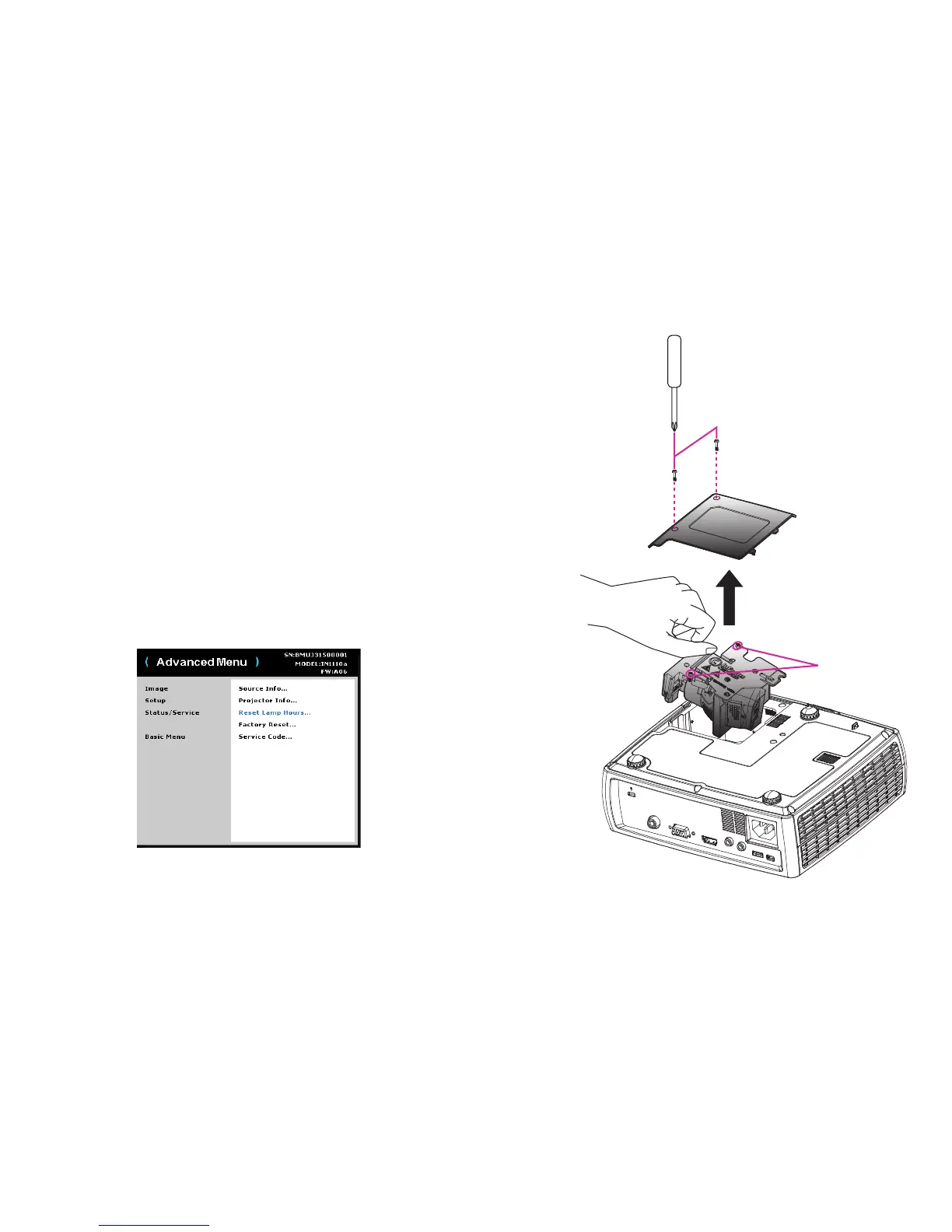
3 Turn the projector upside down on a soft cloth so that the lamp door is facing
you.
4 Loosen the two captive screws on the lamp door and lift the door off.
5 Loosen the two captive screws that attach the lamp housing to the projector.
6 Carefully remove the lamp housing. Dispose of the lamp in an environmentally
proper manner.
7 Install the new lamp housing and tighten the screws.
8 Replace the lamp door.
9 Plug in the power cord and press the Power button to turn the projector back on.
10 To reset the lamp hour timer, navigate to the Advanced > Status/Service menu
and select Reset Lamp Hours. See page 31 for details.


 To Next Page