IN3138HD User’s Manual
Input the command format like the below:
telnet ttt.xxx.yyy.zzz 23 (“Enter” key pressed)
(ttt.xxx.yyy.zzz: IP-Address of the projector)
If Telnet-Connection ready, and user can have RS232 command input, then “Enter” key pressed,
the RS232 command will be workable.
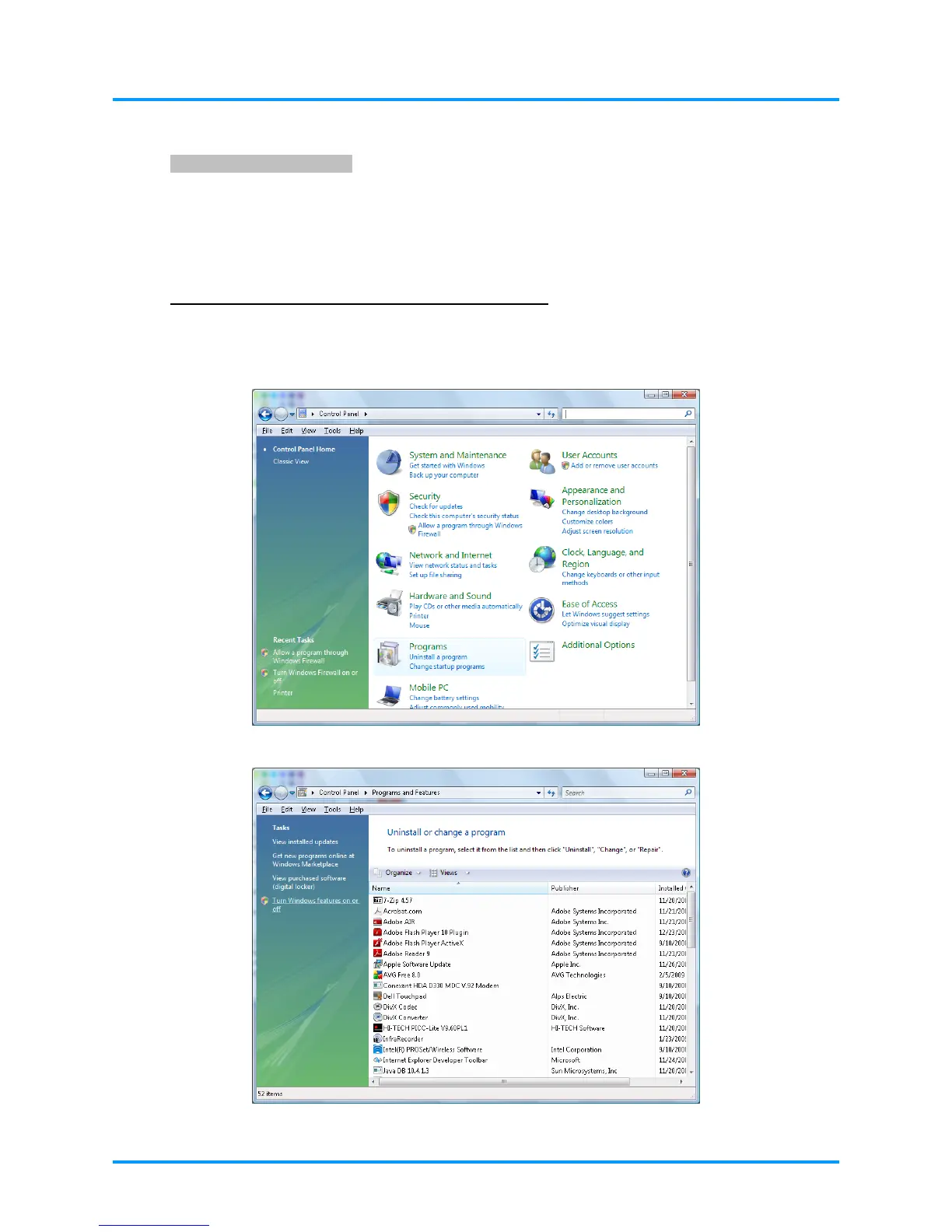
How to have TELNET enabled in Windows VISTA / 7
By default installation for Windows VISTA, “TELNET” function is not included. But end-user can
have it by way of “Turn Windows features On or Off” to be enabled.
Open “Control Panel” in Windows VISTA
Open “Programs”
– 37 –



 To Next Page