3.10 Projector Control (Continued)
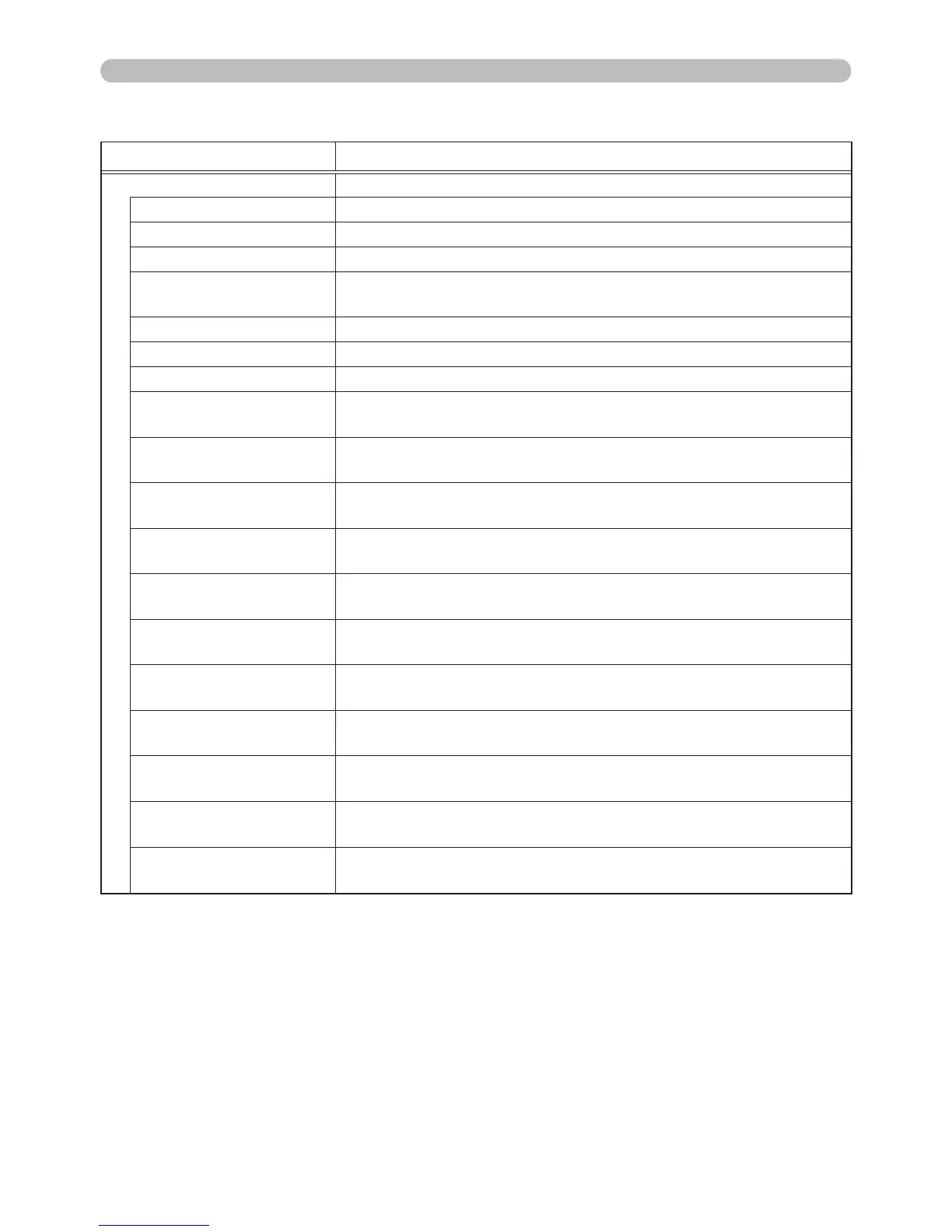
Item Description
SETUP
AUTO KEYSTONE Performs the automatic keystone distortion setting.
KEYSTONE V Adjusts the vertical keystone distortion setting.
KEYSTONE H Adjusts the horizontal keystone distortion setting.
CORNER
CORRECTION
Adjusts the shape of the projected image in each of the
corners and sides.
LOW POWER Selects the low power mode.
CEILING Selects the CEILING mode.
REAR Selects the REAR mode.
POWER SAVING
MODE
Selects the power saving mode.
MONITOR OUT -
COMPUTER IN1
Assigns the MONITOR OUT when the COMPUTER IN1 input
port is selected.
MONITOR OUT -
COMPUTER IN2
Assigns the MONITOR OUT when the COMPUTER IN2 input
port is selected.
MONITOR OUT - LAN
Assigns the MONITOR OUT when the LAN input port is
selected.
MONITOR OUT - USB
TYPE A
Assigns the MONITOR OUT when the USB TYPE A input
port is selected.
MONITOR OUT - USB
TYPE B
Assigns the MONITOR OUT when the USB TYPE B input
port is selected.
MONITOR OUT -
HDMI
Assigns the MONITOR OUT when the HDMI™ input port is
selected.
MONITOR OUT -
COMPONENT
Assigns the MONITOR OUT when the COMPONENT input
port is selected.
MONITOR OUT -
S-VIDEO
Assigns the MONITOR OUT when the S-VIDEO input port is
selected.
MONITOR OUT -
VIDEO
Assigns the MONITOR OUT when the VIDEO input port is
selected.
MONITOR OUT -
STANDBY
Assigns the MONITOR OUT in the power saving mode.
3. Web Control



 To Next Page