5. Messenger Feature
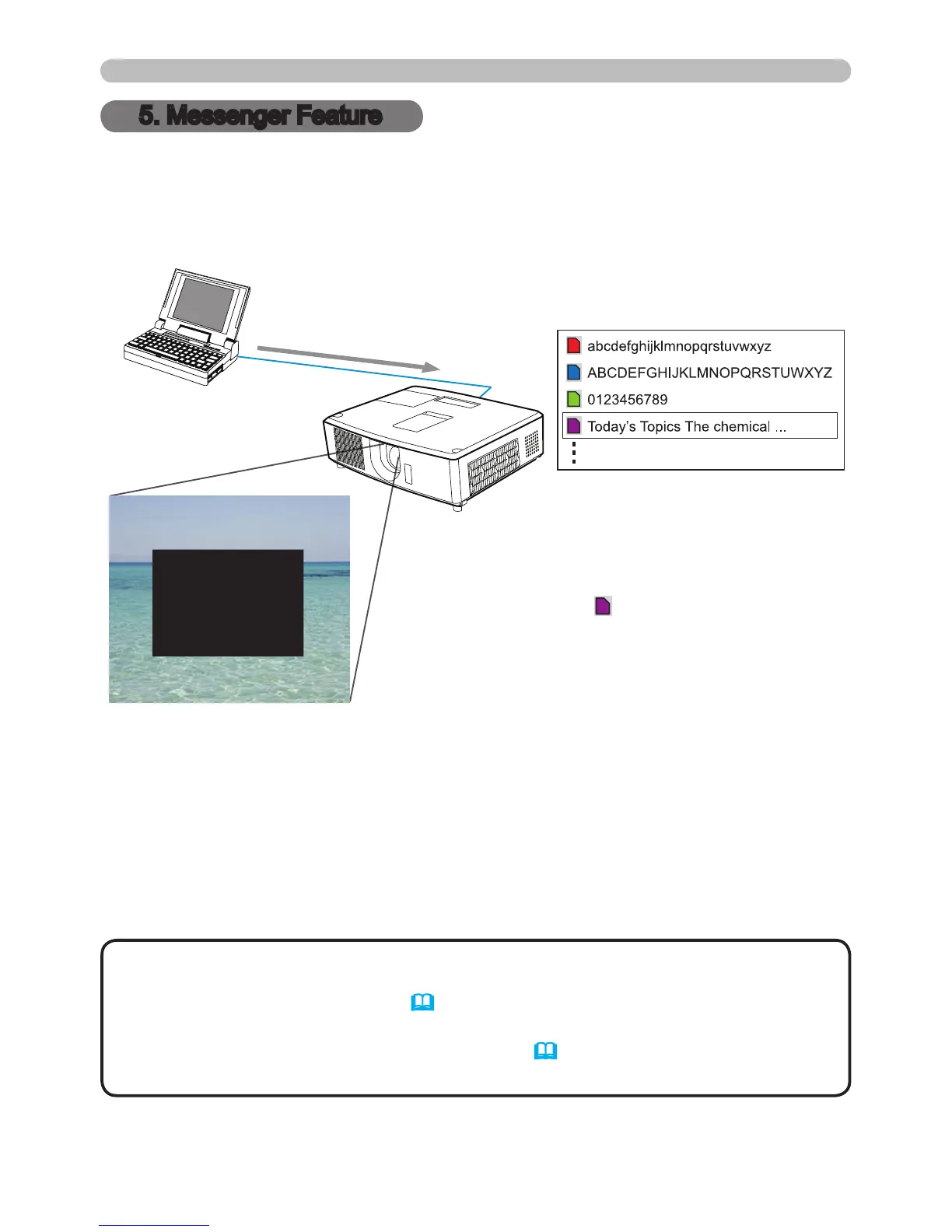
The projector can display text data sent over the network.
Both real-time messages sent from a computer and messages saved on the
projector can be displayed on the screen.
• It is possible to store up to 12 text data messages.
• Messenger text can be turned on or off using the CUSTOM KEY, if it is
associated with MESSENGER. (&OPTION menu in the User’s Manual)
• The text le also can be displayed via the web browser using the Schedule
feature. Refer to item 7.3 Event Scheduling (&80) for the detail.
NOTE
Transfer text data
Display text data (ex.
)
The Messenger feature requires a specic software application for your computer.
To edit, transfer and display text data, use the application available for download
from the InFocus website (http://www.infocus.com/support). Refer to the software
manual for details on the Messenger feature and application instructions.
5. Messenger Feature




 To Next Page