English
19
SETUP AND INSTALLATION
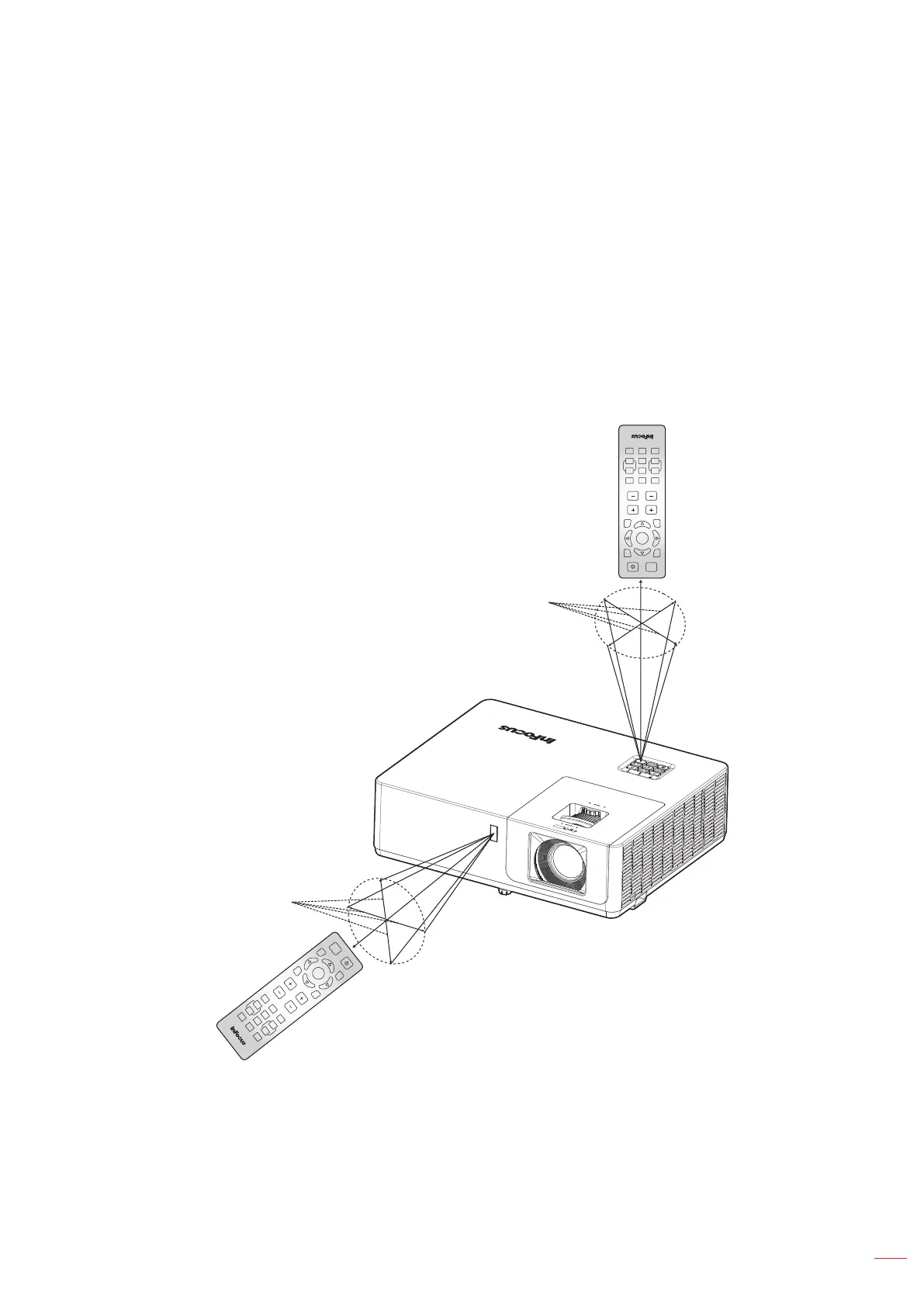
Eective range
Infra-Red (IR) remote control sensor is located on the top and front of the projector. Ensure to hold the remote
control at an angle within 40 degrees perpendicular to the projector’s IR remote control sensor to function correctly.
The distance between the remote control and the sensor should not be longer than 5 meters (16.4 feet).
• Make sure that there are no obstacles between the remote control and the IR sensor on the projector
that might obstruct the infra-red beam.
• Make sure the IR transmitter of the remote control is not being illuminated by sunlight or uorescent
lamps directly.
• Keep the remote control more than 2 meters away from uorescent lamps or it may not function.
• When you aim at the screen the eective distance is 5 meters or less from the remote to the screen
then back to the projector. The range will be dierent based on the reectivity of the screen.
Enter
AV Mute
Volume
Keystone
Source
ECO
Re-Sync
Menu
VGA
1
Video
2
HDMI
3
+4
Aspect
5
+6
Page
-7
Freeze
8
Zoom
-9
Mouse
Picture
0
Mute
Enter
AV Mute
VolumeKeystone
Source
ECO
Re-Sync
Menu
VGA
1
Video
2
HDMI
3
+4
Aspect
5 +6
Page
-7
Freeze
8
Zoom
-9
Mouse
Picture
0
Mute
Approx. ±20°
Approx. ±20°



 To Next Page