English
39
USING THE PROJECTOR
Change Password
Sets or modies the security password.
Note: Password default value is “1234” (rst time).
Setup HDMI CEC menu
Note:
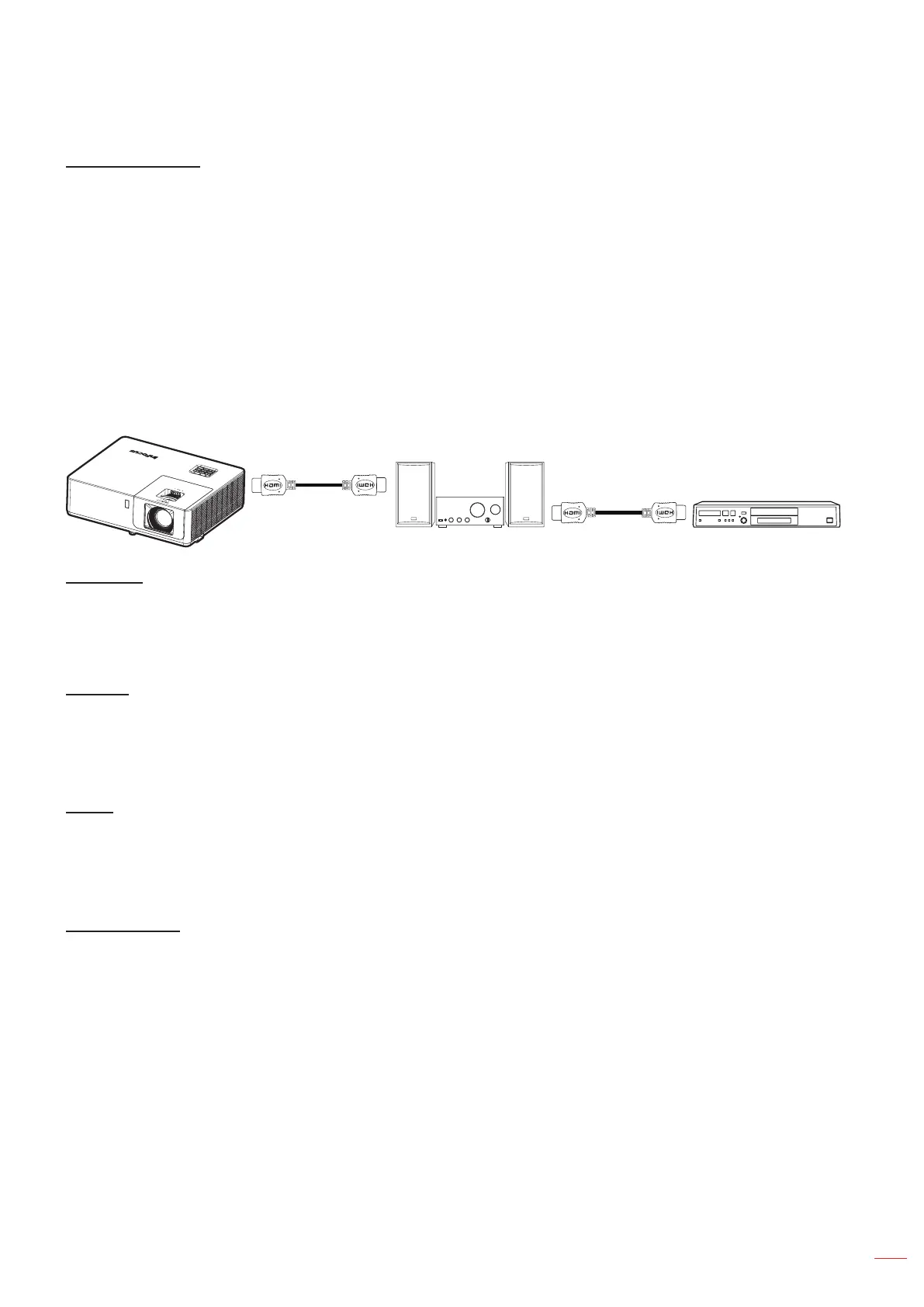
• When you connect HDMI CEC-compatible devices to the projector with HDMI cables, you can control
them on the same power on or power o status using the HDMI Link control feature in the projector’s
OSD. This lets one device or multiple devices in a group power on or power o via HDMI Link Feature
in a typical conguration, your DVD player may be connected to the projector through an amplier or
home theater system.
HDMI
Amplier
HDMI
DVD Player
HDMI CEC
Default is O. Select “On” to enable HDMI CEC function.
Setup HDBaseT control settings menu
Ethernet
Enable or disable the Ethernet feature.
• On: Choose “On” to enable HDBaseT port connection and disable LAN port connection.
• O: Choose “O” to use LAN port connection.
RS232
Enable or disable the RS232 feature.
• On: Choose “On” to enable HDBaseT port connection and disable RS232 port connection.
• O: Choose “O” to use RS232 port connection.
HDBaseT Mode
Set the HDBaseT mode setting:
• Auto: The HDBaseT Rx of projector will automatically switch between HDBaseT mode/ Lower power
mode/Fallback mode when it detects a signal from the HDBaseT port.
• HDBaseT: The source must be selected manually.



 To Next Page