English
42
USING THE PROJECTOR
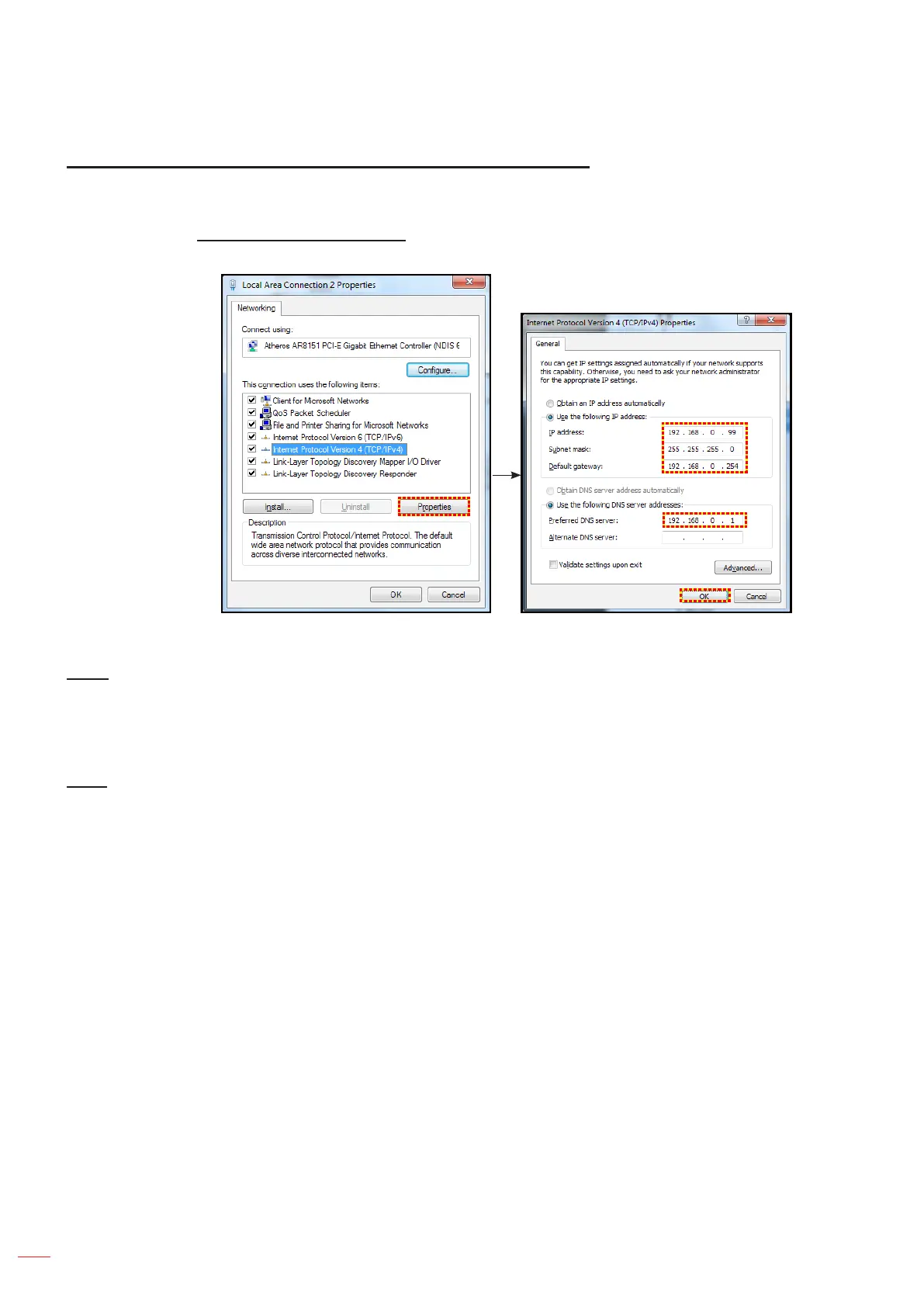
Making a direct connection from your computer to the projector*
1. Turn “O” the DHCP option on the projector.
2. Congure the IP address, Subnet Mask, Gateway, and DNS on projector (“Network > LAN”).
3. Open Network and Sharing Center page on your PC, and assign the identical network parameters to
your PC as set on projector. Click “OK” to save the parameters.
4. Open the web browser on your PC and type in to the URL eld the IP address, assigned in step 3.
Then press “Enter” key.
Reset
Reset all values for LAN parameters.
Network control menu
HTTP
Use this function to select the network function (port:80).
• On: Enables projector network control using the internal interface.
• O: Disables projector network control using the internal interface. Telnet control is still available.



 To Next Page