INFOSEC UPS SYSTEM – 15, rue du Moulin – 44880 Sautron – France – www.infosec-ups.com
hotline : +33 (0)2 40 76 15 82 – fax : +33(0)2 40 94 29 51 – hotline@infosec.fr – 07 19 AA 59 205 03
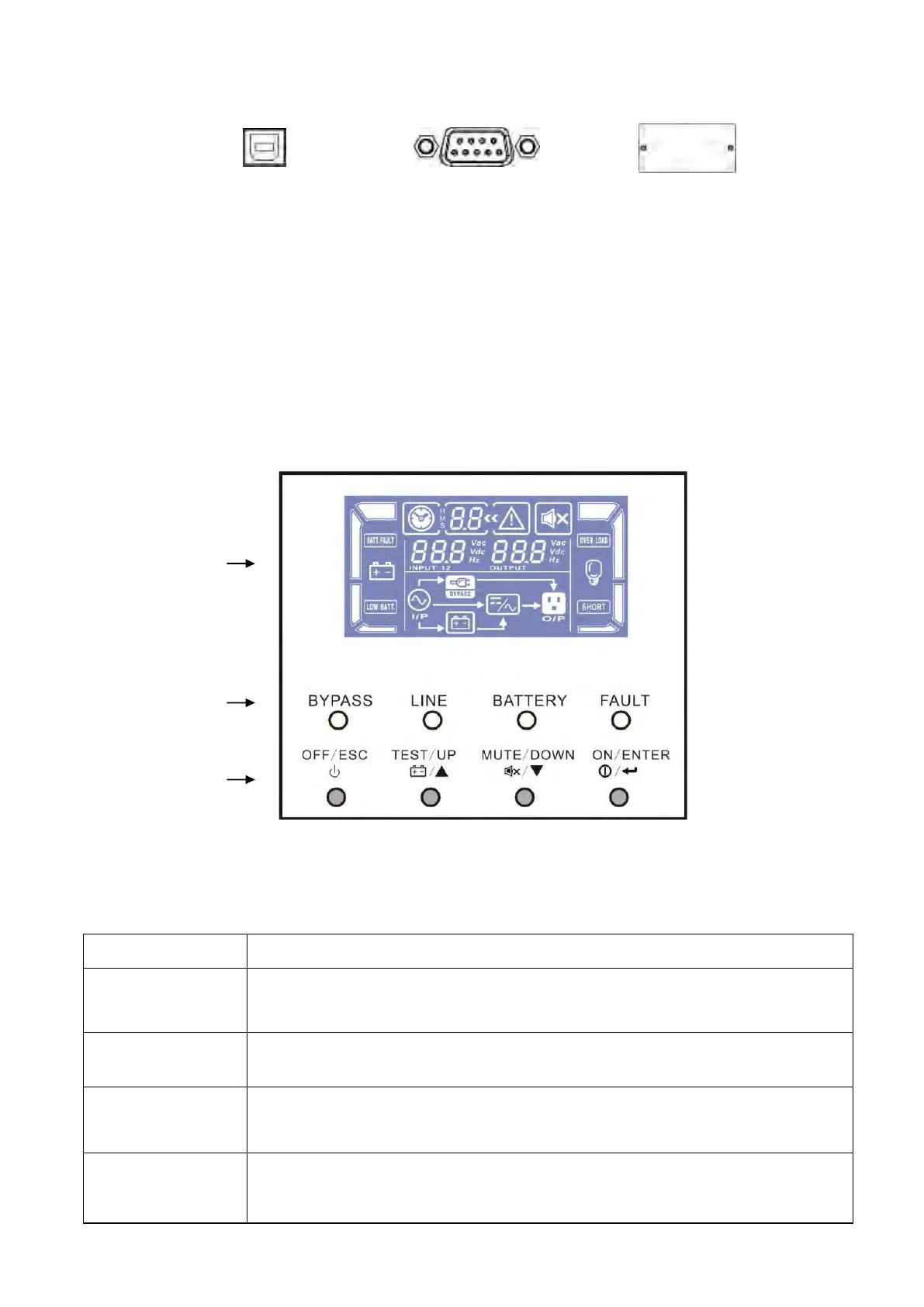
USB port RS-232 port Intelligent slot
To allow for unattended UPS shutdown/start-up and status monitoring, connect one end of the
communication cable to the USB/RS-232 port and the other to the communication port of your PC. With the
monitoring software installed, you can schedule UPS shutdown/start-up and monitor UPS status on your
PC.
The UPS is equipped with an intelligent slot, ideal for either an SNMP or AS400 card. When installing either
an SNMP or AS400 card in the UPS, it will provide advanced communication and monitoring options.
Note: A USB port and RS-232 port cannot work at the same time.
Indicators and LCD Panel
Switch on the UPS: Press and hold the button more than 1s to switch on the
UPS.
Enter Key: Press this button to confirm the selection in the setting menu.
Turn off the UPS: Press and hold the button more than 2s to turn off the UPS.
Esc key: Press this button to return to last menu in the setting menu.
Battery test: Press and hold the button more than 1s to test the battery while in
AC mode, or CVCF mode.
UP key: Press this button to display next selection in the setting menu.
Mute the alarm: Press and hold the button more than 1s to mute the buzzer.
Please refer to section 3-4-8 for details.
Down key: Press this button to display previous selection in the setting menu.



 To Next Page
 Loading...






