INFOSEC UPS SYSTEM – 15, rue du Moulin – 44880 Sautron – France – www.infosec-ups.com
hotline : +33 (0)2 40 76 15 82 – fax : +33(0)2 40 94 29 51 – hotline@infosec.fr – 07 19 AA 59 205 03
Test/Up +
Mute/Down Button
Press and hold the two buttons simultaneously more than 1s to enter/exit the
setting menu.
* AC mode means normal mode, CVCF mode means frequency converter mode.
There are 4 LEDs on the front panel to show the UPS working status:
Note: ● means LED is ON, and ○ means LED is OFF.
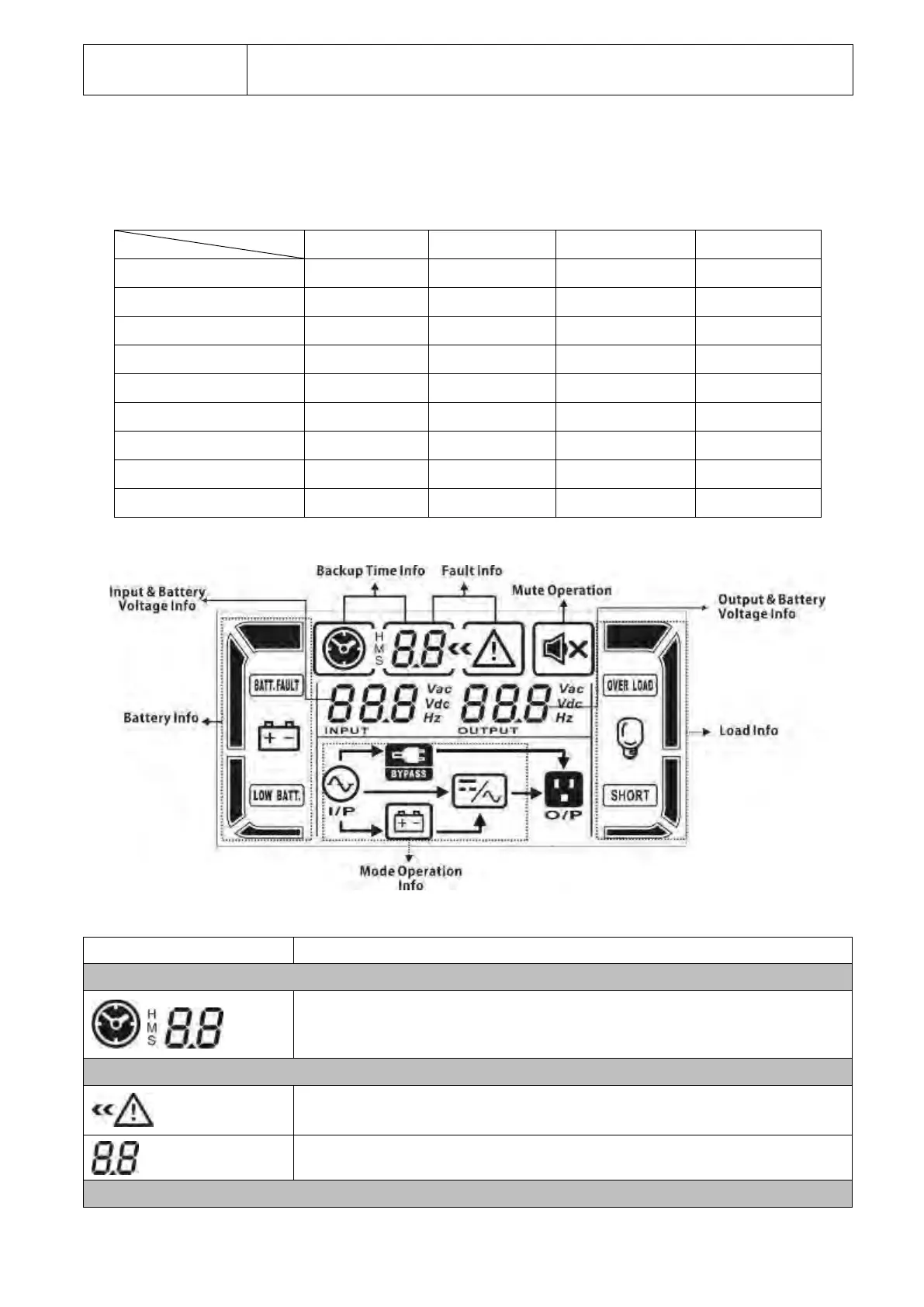
LCD Panel
Indicates backup time in numbers when the UPS is in battery mode
H: hours, M: minutes, S: seconds
Indicates that the warning and fault occurs.
Indicates fault codes (listed in details in section 3-8).



 To Next Page
 Loading...






