2-2-2. Setup the UPS
Step 1: UPS input connection
Plug the UPS into a two-pole, three-wire, grounded receptacle only. Avoid using extension
cords.
Step 2: UPS output connection
For socket-type outputs, there two kinds of outputs: programmable outlets and general outlets.
Please connect non-critical devices to the programmable outlets and critical devices to the
general outlets. During power failure, you may extend the backup time to critical devices by
setting shorter backup time for non-critical devices.
Step 3: Communication connection
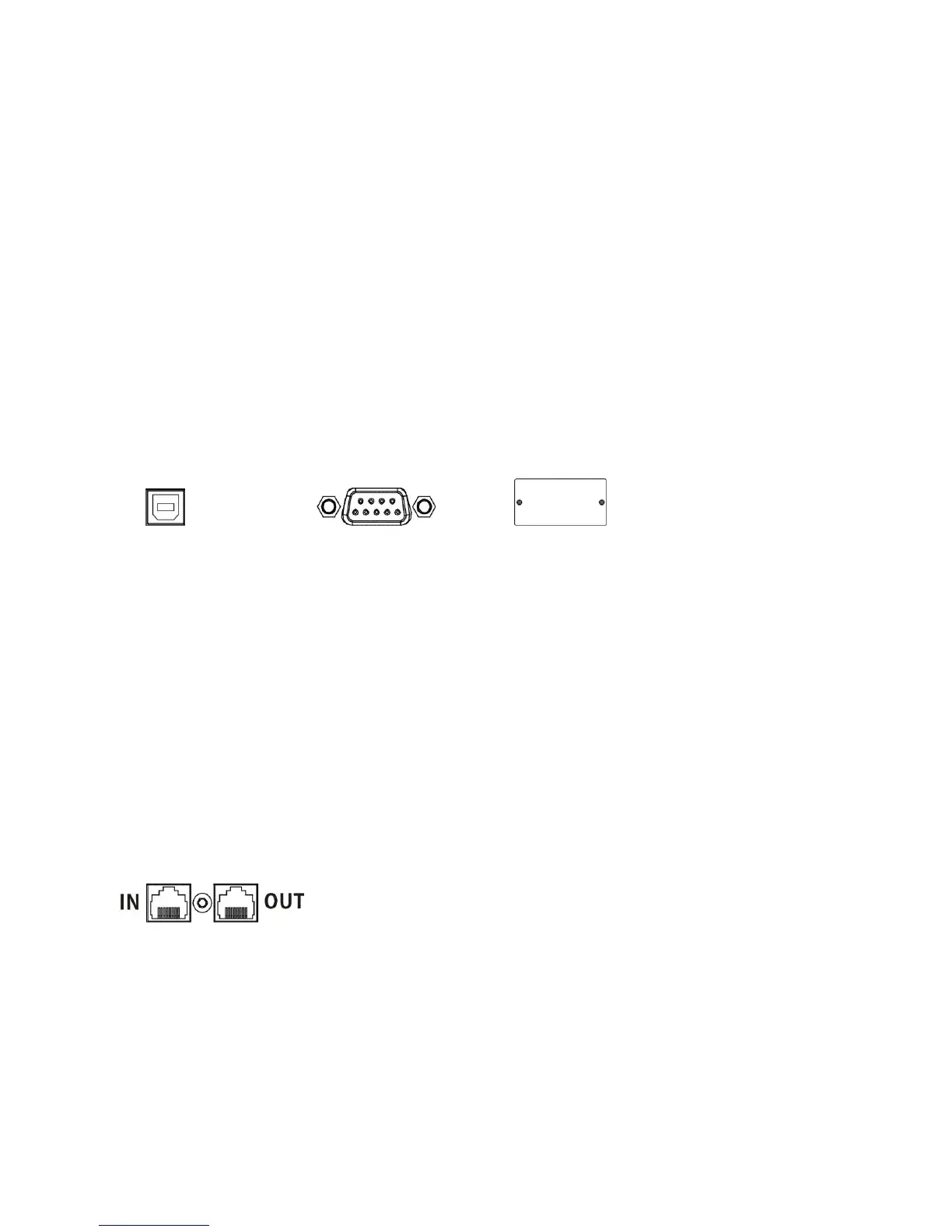
Communication port:
USB port RS-232 port Intelligent slot
To allow for unattended UPS shutdown/start-up and status monitoring, connect the
communication cable one end to the USB/RS-232 port and the other to the communication
port of your PC. With the monitoring software installed, you can schedule UPS
shutdown/start-up and monitor UPS status through PC.
The UPS is equipped with intelligent slot perfect for either SNMP or AS400 card. When
installing either SNMP or AS400 card in the UPS, it will provide advanced communication and
monitoring options.
PS. USB port and RS-232 port can’t work at the same time.
Step 4: Network connection
Network/Fax/Phone surge port
Connect a single modem/phone/fax line into surge-protected “IN” outlet on the back panel of
the UPS unit. Connect from “OUT” outlet to the equipment with another modem/fax/phone line
cable.















 To Next Page