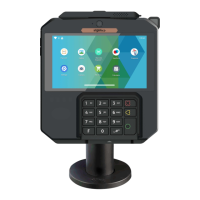
5.2 Security of your terminal
Your device fulfills current applicable PCI PTS security requirements.
Upon receipt of your terminal you should check for signs of tampering of the
equipment. It is strongly advised that these checks are performed regularly
after receipt. You should check, for example: that the keypad is firmly in
place; that there is no evidence of unusual wires that have been connected
to any ports on your terminal or associated equipment, the chip card reader,
or any other part of your terminal. Such checks would provide warning of any
unauthorized modifications to your terminal, and other suspicious behavior of
individuals that have access to your terminal. Your terminal detects any
“tampered state”. In this state the terminal will repeatedly flash the message
“Warning Detected” and further use of the terminal will not be possible. If you
observe the “Warning Detected” message, you should contact the terminal
helpdesk immediately.
You are strongly advised to ensure that privileged access to your terminal is
only granted to staff that have been independently verified as being
trustworthy. The terminal must never be put in or left at a location where it
could be stolen or replaced by another device.
22
AXIUM DX4000 Portable
10/24
Copyright© 2022 Ingenico –
Banks and Acquirers International Holding SAS
All rights reserved



 To Next Page
 Loading...