EasyManua.ls Logo

Ingersoll-Rand Intellisys System Controller - User Manual

Ingersoll-Rand Intellisys System Controller
42 pages
Print Icon
To Next Page IconTo Next Page
Loading...
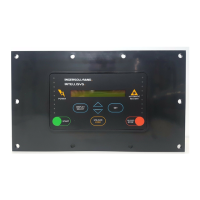
INTELLISYS SYSTEM
CONTROLLER
OPERATORS/
INSTRUCTION MANUAL
PARTS LIST
Before installation or starting the Intellisys System Controller
for the first time, this manual should be studied carefully to
obtain a clear knowledge of the unit and or the duties to be
performed while operating and maintaining the unit.
RETAIN THIS MANUAL WITH UNIT. This Technical manual con-
tains IMPORTANT SAFETY DATA and should be kept with the
Intellisys System Controller at all times.
FORM: APDD 565B
April 2002
More Than Air. Answers.
Online answers: http://www.air.irco.com
PHONE: 1-800-526-3615
CCN#: 80440290

Questions and Answers

  • R
    Rachel DickersonAug 4, 2025
    What to do if the Ingersoll-Rand Controller ALARM light is on?
    • G
      George SmithAug 4, 2025
      If the Ingersoll-Rand Controller's ALARM light is on, first check the status of each compressor using the COMPRESSOR STATUS button to identify any compressor showing “#n COMM FAILURE” or “#n ALARM”. If a compressor shows “#n COMM FAILURE”, refer to the communication problem troubleshooting steps. If it shows “#n ALARM”, go to that compressor and resolve its alarm. Also, refer to the “SENSOR FAILURE” troubleshooting steps.
  • C
    Cory McdonaldAug 11, 2025
    Why are the air pressure readings bad on my Ingersoll-Rand Intellisys System?
    • T
      Troy WilsonAug 11, 2025
      To troubleshoot bad system air pressure readings on your Ingersoll-Rand Controller, especially if you're getting a zero pressure reading when pressure is present: * Check for a defective ISC air system pressure transducer, bad connections, or broken wires. * Verify that the air system pressure transducer isolation valves allow system air to reach the transducer. * Ensure the transducer isolation valves are venting the transducer to the atmosphere.
  • V
    vasquezbrandonAug 18, 2025
    How to fix communication problem on Ingersoll-Rand Controller compressor?
    • A
      Ashley HoffmanAug 19, 2025
      To address a communication problem with a compressor (#n) on your Ingersoll-Rand Controller: 1. Check the compressor to ensure it has power and its controller is operating. 2. Inspect all communication channel wiring between the ISC and the compressor.
  • S
    Steven SmithAug 26, 2025
    What to do if Ingersoll-Rand Intellisys System ISC POWER light is off?
    • R
      Ricky JohnsonAug 26, 2025
      If the ISC POWER light on your Ingersoll-Rand Controller is off: 1. Check the fuse and wiring connections. 2. Check the power source disconnect box.

Summary

0.0 Safety and Warnings

1.0 Introduction

3.0 Installation

4.0 Operation

4.2.2 Pressure Set Up and Control

Details how to configure pressure settings and control parameters for system pressure.

4.2.3 Sequence Set Up

Explains how to define the order of compressor loading and unloading.

4.2.5 Sequence Rotation Modes

Describes methods for rotating compressor sequences (Timed, Event, Manual).

4.3 Starting and Stopping

Procedures for safely starting and stopping the ISC and its controlled compressors.

4.6 Alarms

Explains the meaning of alarm conditions and how the ISC indicates them.

5.0 ISC Trouble Shooting Chart

7.0 Parts List

Ingersoll-Rand Intellisys System Controller Specifications

General IconGeneral
BrandIngersoll-Rand
ModelIntellisys System Controller
CategoryController
LanguageEnglish

Related product manuals