17 / 68
The SmartKey is small and portable. Dock it on the INMOTION SCV to view riding data during your journey.
The SmartKey is paired with the INMOTION SCV when leaves the factory. If you lose your SmartKey please contact an
authorized distributor or dealer to buy a new one and get instuctions on how to pair it with your INMOTION SCV.
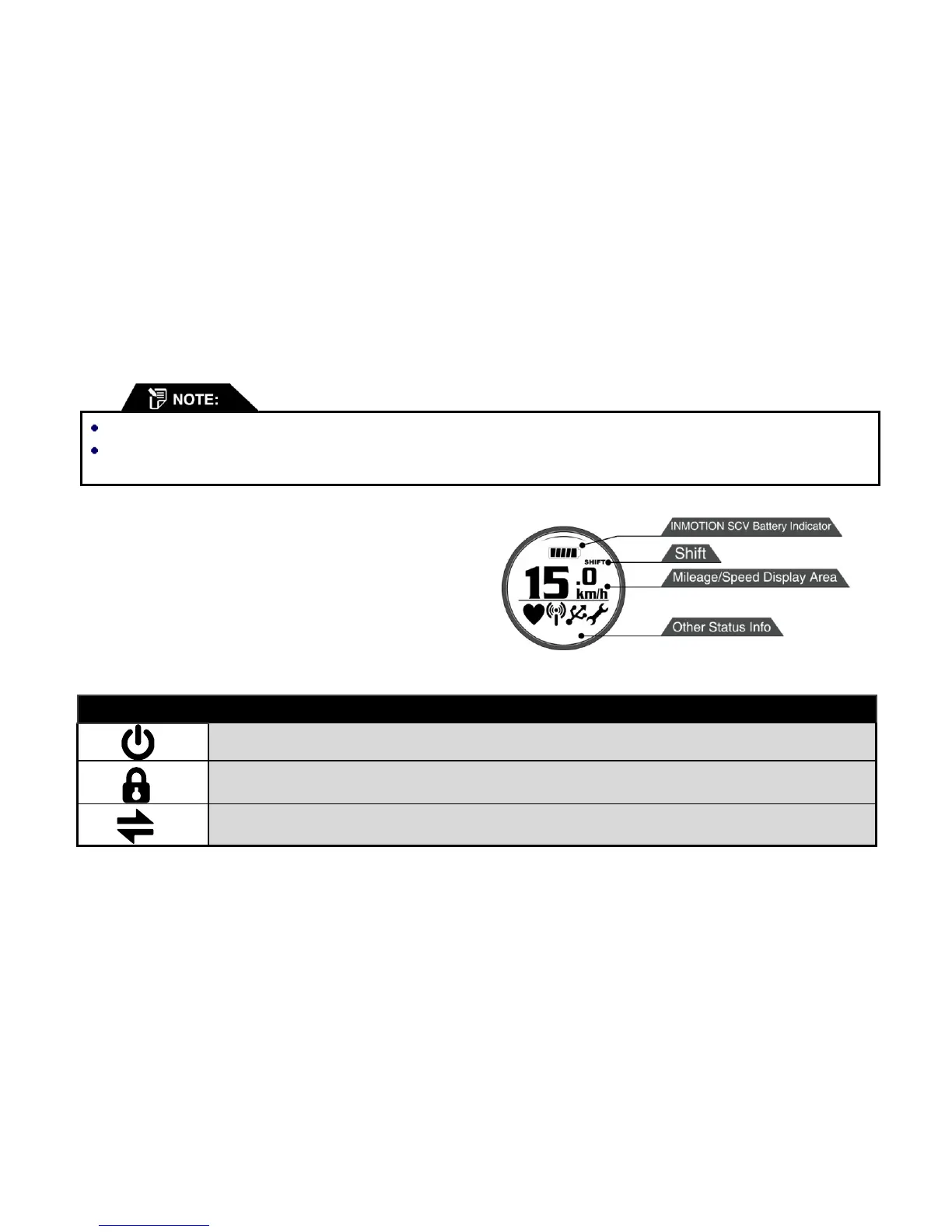
2.6.1. SmartKey Buttons and Display
The display area shows the operational state of the
INMOTION SCV and information including your speed,
distance, and battery state.
SmartKey Button Functions:


 To Next Page
 Loading...