User’s Manual
INNO Instrument, Inc.
35
PAGE
Monitor Position
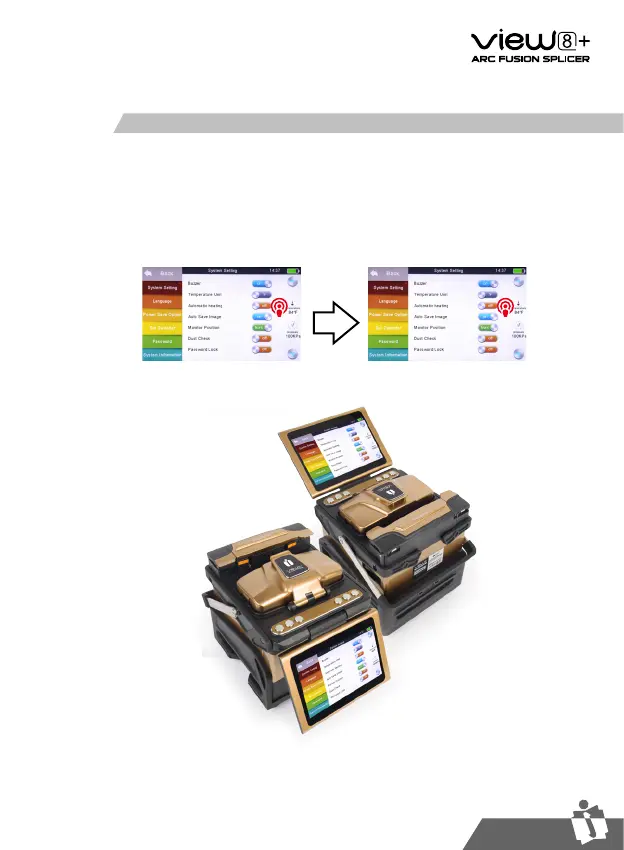
The splicer is shipped from the factory with settings for the [Monitor Front] operation
style. This can be changed to [Monitor Rear] operation style.
Changing monitor position
①
Enter [System Setting], then you can see the option of [Monitor Position].
②
Change monitor angle as needed (front, or rear).


 To Next Page