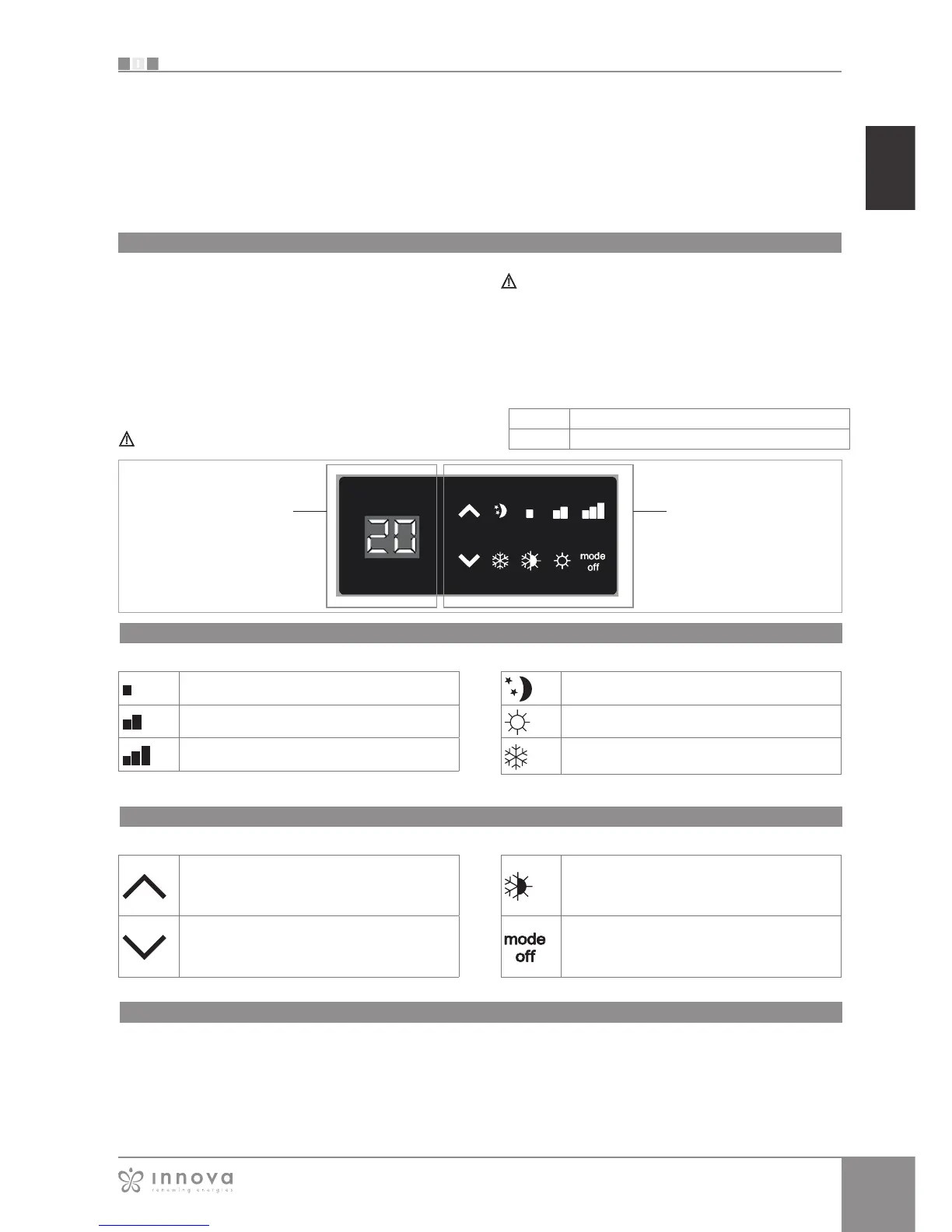
LED indications
Key function
The controller makes the regulation of room temperature
entirely automatic using the set point setting which can be
adjusted between 5°C and 40°C, to one of the 4 speeds
and the summer/winter setting.
As it is connected to the water temperature probe, in
the battery it has the function of detecting the minimum
temperature in winter (30°C) and maximum temperature
in summer (20°C).
The control panel has a memory, so settings will not be lost
if the appliance is switched off or in the power supply is cut.
Controls cannot be installed on the SLI and RSI versions.
After 20 seconds from the last action, the panel
brightness will be reduced for improved night-time
comfort, and the room temperature will appear on the
display. Press any key to restore maximum brightness.
The various functions are set using 4 keys:
The 6 LEDs display the operational states:
Green symbol minimum speed
Green symbol medium speed
Green symbol maximum speed
Green symbol Super silent function
Red symbol heating
Blue symbol cooling
Display
Keys and LEDs
Temp + is for increasing the set temperature
Temp - is for decreasing the set temperature
Heating / Cooling: for changing the operation
mode between heating and cooling (2
seconds)
For activating the device, for selecting one
of the 4 speeds or for placing in stand-by (2
seconds).
E2T543
General On Switch
In order to manage the fan coil via the control panel, this
must be connected to the mains electricity.
If a general switch is installed on the power line, this must
also be switched on.
- Turn the device on by activating the general switch
5.1
4-speed on board LCD electronic control panel








 To Next Page