Chapter: Function of controls
52 M10-17318-EN
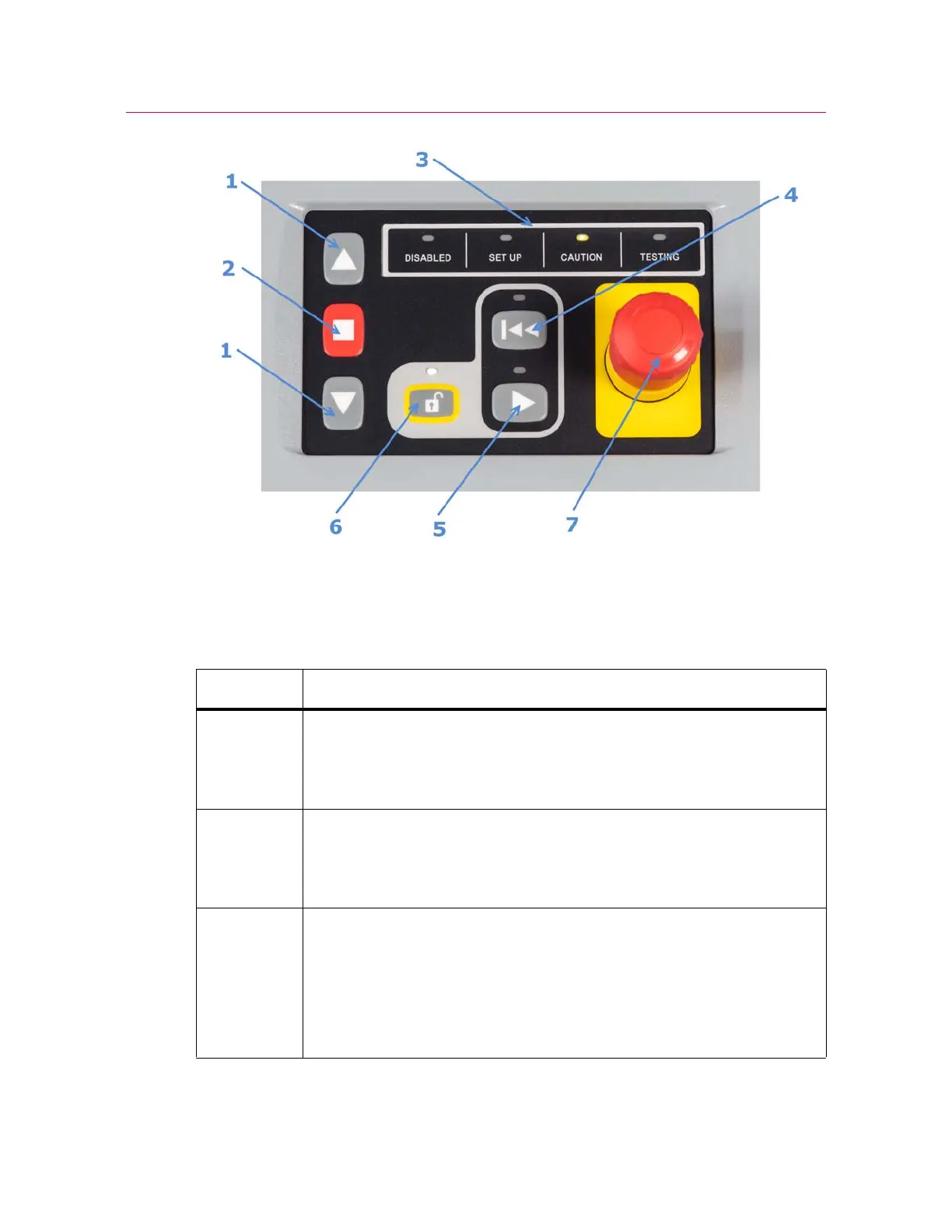
Figure 16. Frame Control Panel
Legend for Figure 16
Label Description
1 JOG buttons
When in SET UP mode, the jog speed is restricted to 600 mm/min or less.
When in CAUTION or TESTING mode, the jog speed is unrestricted, i.e. any
speed up to the maximum speed for the frame.
2 STOP button
Stops crosshead motion, e.g. during jogging, testing, or returning to zero.
If you need to disable the frame, press and hold the STOP button for
2 seconds.
3 Mode indicators - different color LEDs that indicate the current mode of the
frame.
• DISABLED (white)
• SET UP (blue)
• CAUTION (yellow)
• TESTING (red)



 To Next Page