Configuration section) if the position is too close or too far
away to the load rod.
13. Center and align the loading rod and the top plate of the
jig.
14. Ensure that the nuts on top and bottom of the reaction bar
are tight.
15. Check that a USB storage device has been inserted into
one of the USB slots so the data can be saved.
16. Press to start the test.
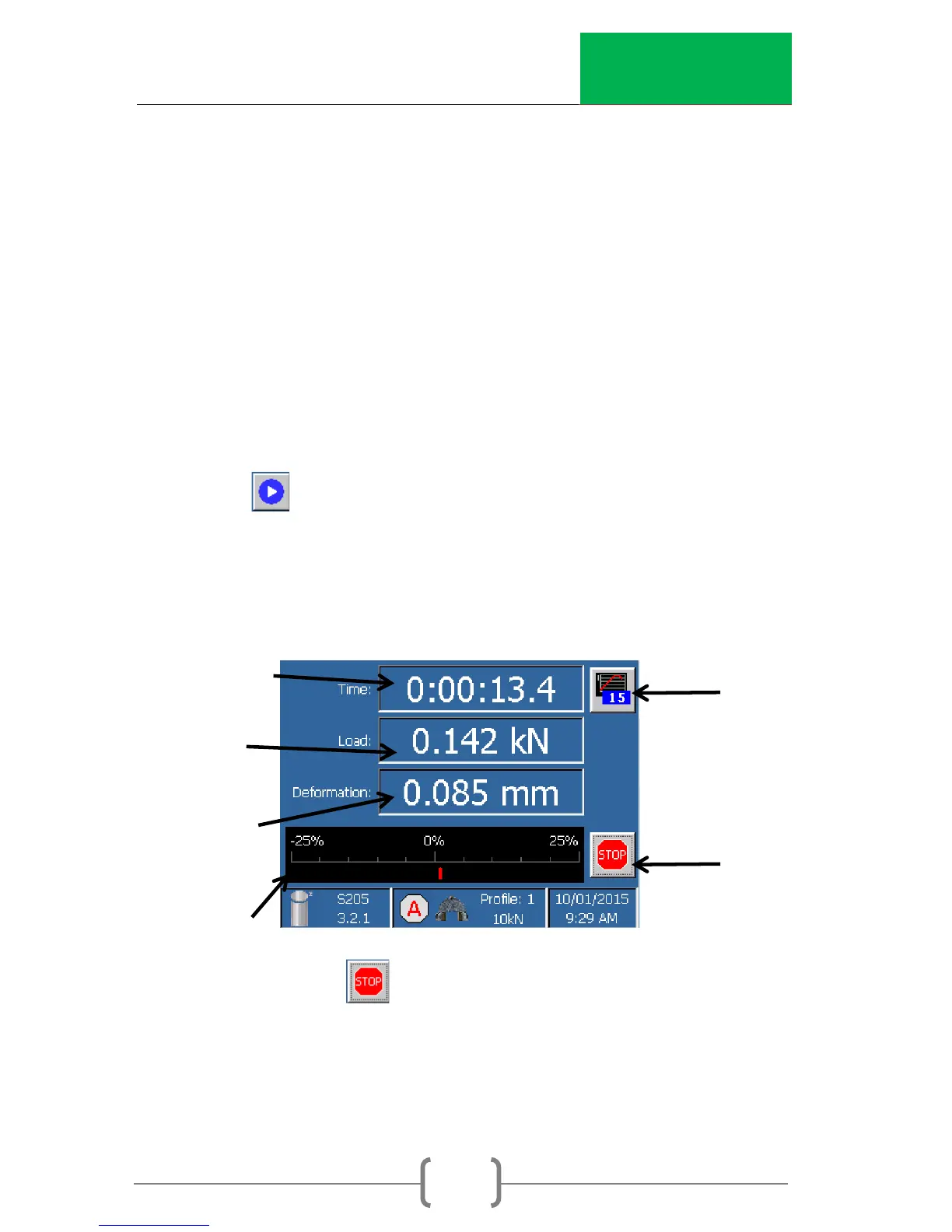
17. The test status will be displayed on the screen below. The
following figure is labeled to describe what each item
represents. The values will change as the test progresses.
1. Press at any time to stop the test.



 To Next Page