Home
InstroTek
Test Equipment
Auto_SCB
Page 35 (Alarm Management)
InstroTek Auto_SCB - Alarm Management; Confirm and Reset Alarms
49 pages
Manual
Save Page as PDF
To Next Page
To Next Page
To Previous Page
To Previous Page
Loading...
InstroTek
29
14. Alarms
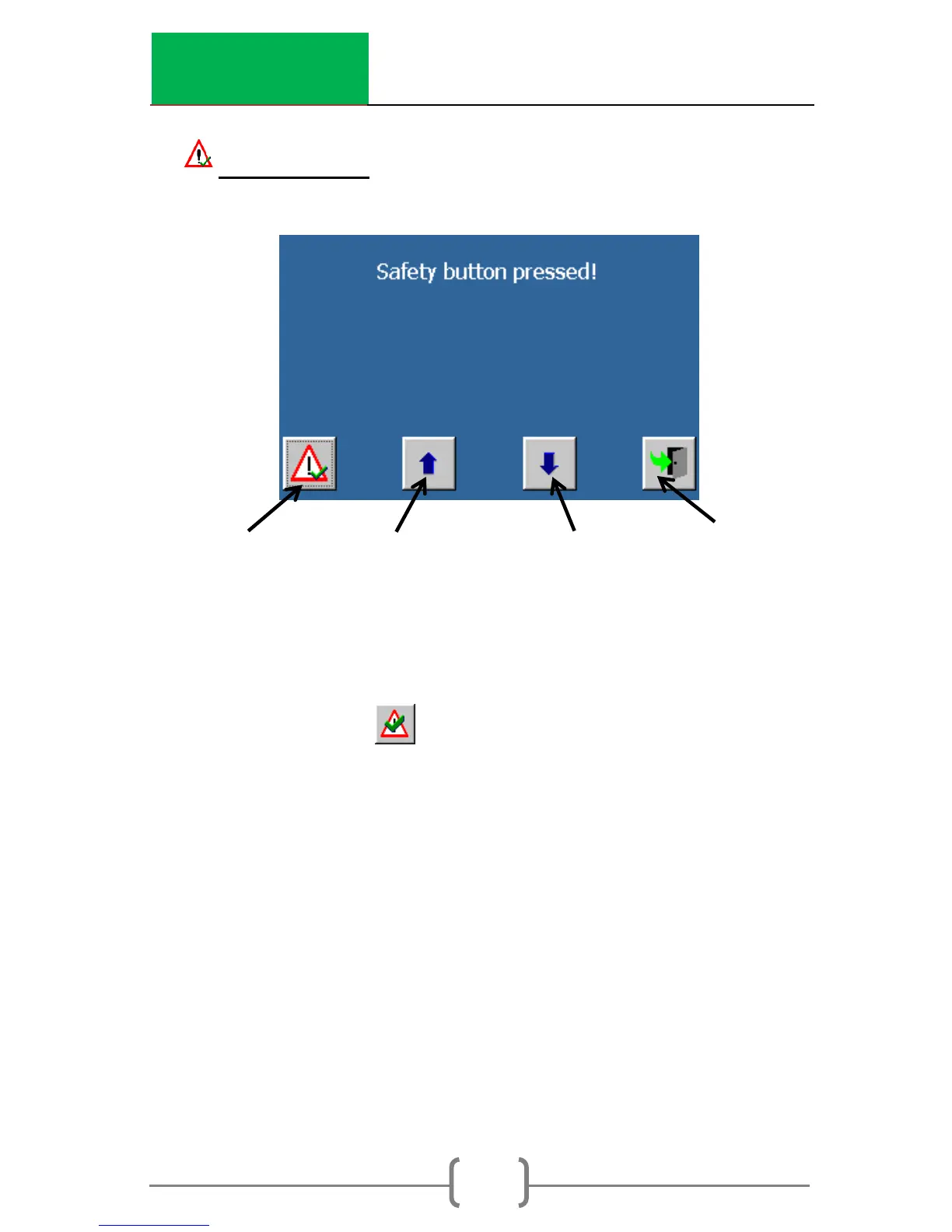
How to confir
m and res
et an alarm
1.
Scroll
through
the
list
of
t
he
active
alarms
until the desired a
larm is shown
.
2.
Press
t
o confirm and reset
the alarm.
3.
If
the
alarm
cannot
be
cleared,
c
onta
ct
InstroTek for instruct
ions.
Re
tur
n
to
m
ai
n
m
enu
Reset
alarm
Previous alarm
Next alarm
Return to
main
menu
34
36
Table of Contents
Main Page
Table of Contents
7
Introduction
8
System Location
11
System Specifications
11
System Setup
12
Jig Setup
15
Main Menu
16
Status Bar & Symbols
18
Operation
19
Running the Test
22
Results
27
Device Configuration
28
Channel Allocation
30
Data Storage & Printing
33
Alarms
35
Manually Positioning the Ram
36
Test Archive
37
System Configuration & Calibration
37
Channel Configuration & Calibration
40
Control Panel
43
Maintenance
44
Index
45
Warranty
47
Related product manuals
InstroTek ValiDator
45 pages



 To Next Page