9. Running the Test
1. Press to begin setting up a test.
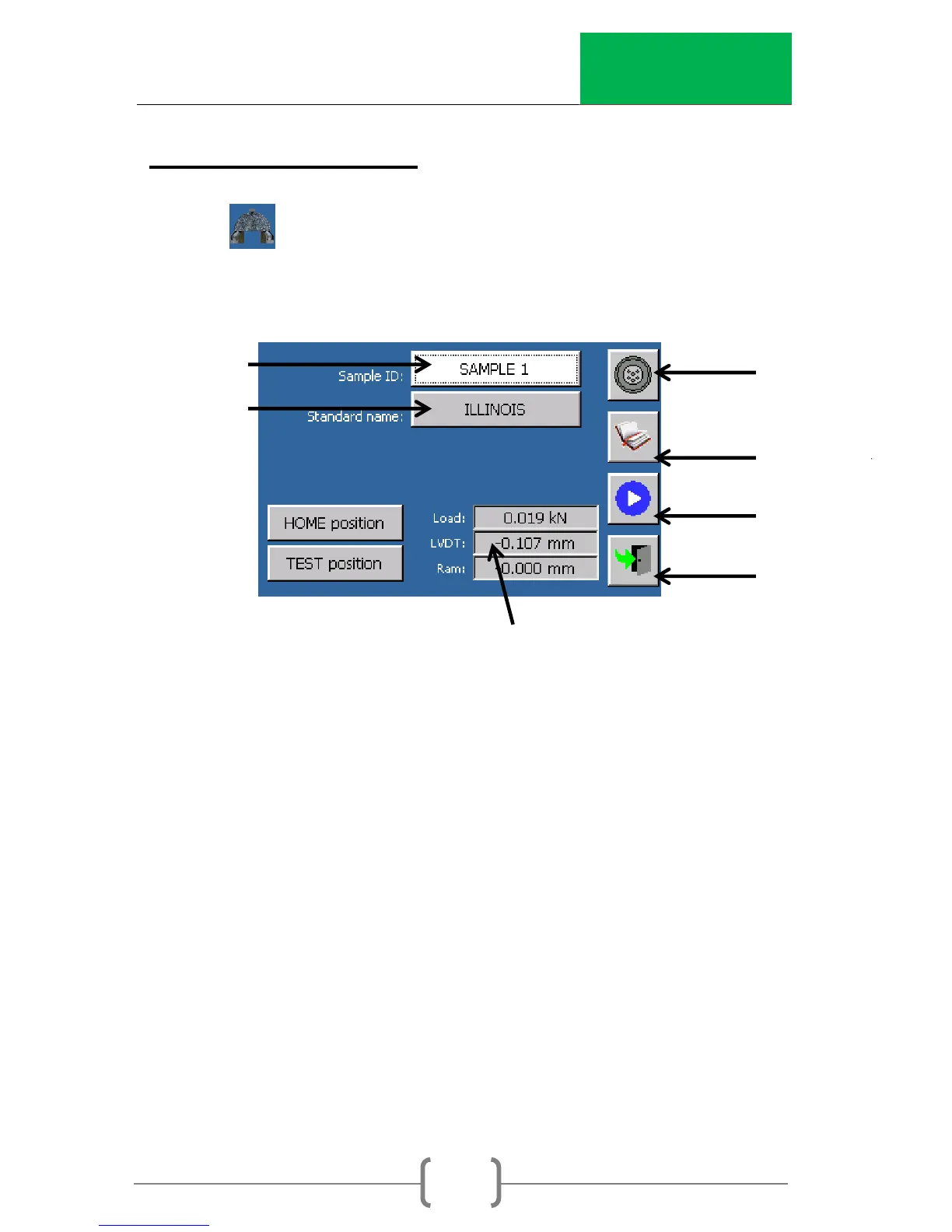
2. The main test screen will be displayed (as seen below).
3. Press the “HOME position” button to lower the ram to the
home position where the jig can be inserted with a
specimen already in the jig.
NOTE: After “HOME position” is pressed, the ram will lower to
the bottom of the stroke and then find the home position.
4. Insert a specimen into the test jig (Figure 3).
a. SCB - Adjust the horizontal alignment bolt such that the
specimen is centered on the roller supports. Raise the
perpendicular alignment bar into the notch cut into the
specimen to align the specimen perpendicularly to the
horizontal alignment bolt.



 To Next Page