20
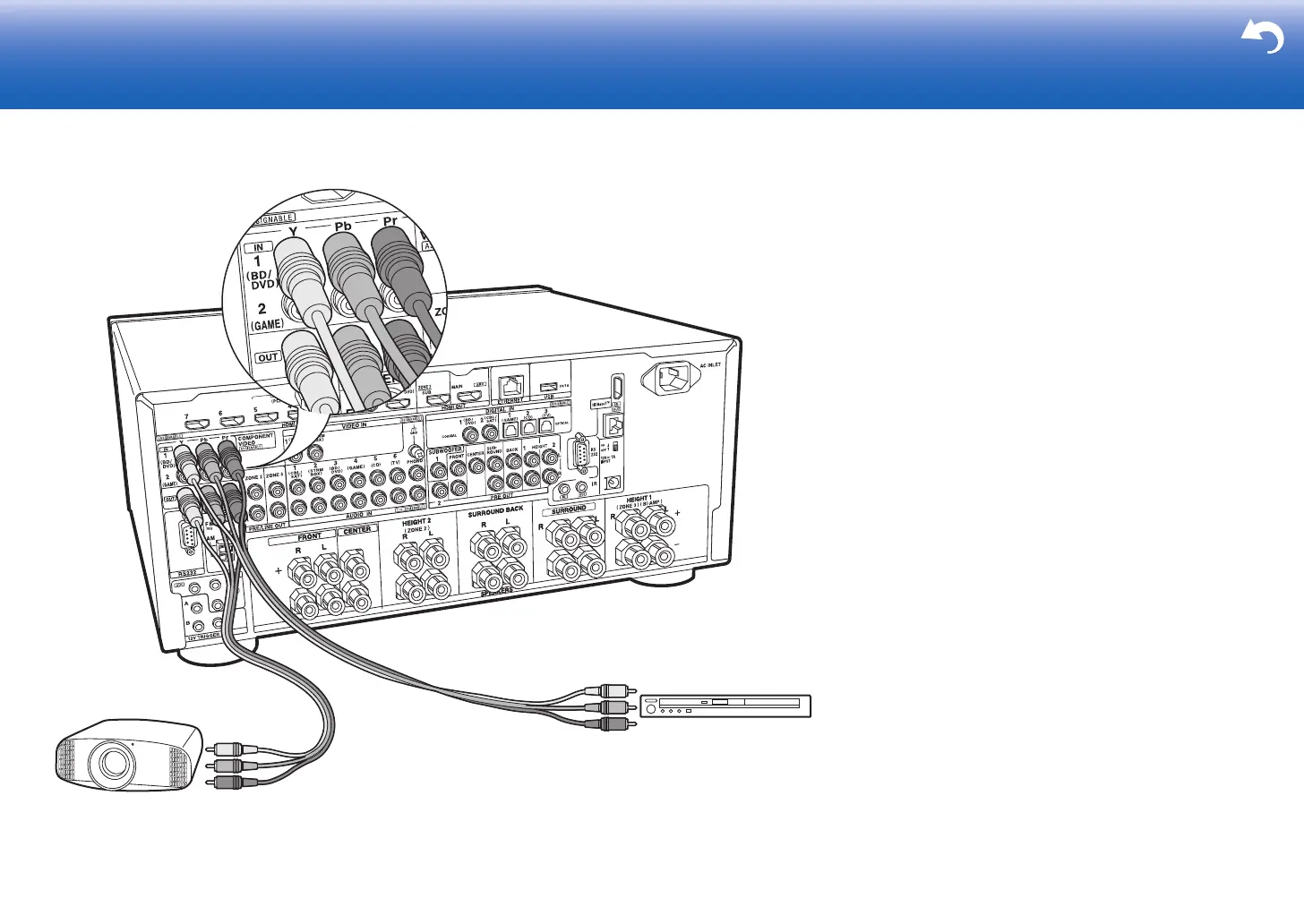
5. Connect the Component Video Monitor
Use a component video cable to connect a TV or projector
that has component video input jacks rather than an HDMI
input jack. To output video from the COMPONENT VIDEO
OUT jacks, you must connect the external AV components
using a component video cable.
> Before Start > Part Names >Install > Initial Setup > Playback > Advanced Manual
Troubleshooting | Supplementary Information, etc.
BD/DVD
a


 To Next Page