EasyManua.ls Logo

Integra DTM-6 - User Manual

Integra DTM-6
52 pages
Print Icon
To Next Page IconTo Next Page
Loading...
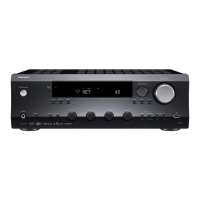
DTM-6
Network Stereo Receiver
En
Instruction Manual
SN29403237_DTM-6_En_1707XX.book 1 ページ 2017年7月27日 木曜日 午後1時39分

Questions and Answers

  • C
    Claudia HernandezAug 17, 2025
    Why does a speaker produce no sound with my Integra DTM-6?
    • P
      pthorntonAug 17, 2025
      If you're not getting any sound from a speaker connected to your Integra Receiver, first ensure the polarity of the speaker cables (+/-) is correct and that no bare wires are touching the metal part of the speaker terminals. Also, check to make sure that the speaker cables haven't shorted and that the speakers are correctly connected.
  • J
    Jamie PearsonAug 19, 2025
    What to do if there is no sound from a connected external device on Integra Receiver?
    • N
      Nicole HartmanAug 19, 2025
      If you're not getting any sound from an external device connected to your Integra Receiver, first, change the input selector on the unit to match the terminal where the external device is connected. Next, check the digital audio output setting on the connected component; some devices, like game consoles, may have the default setting turned off. Lastly, remember that only PCM audio is supported for input through the DIGITAL IN OPTICAL/COAXIAL jacks, so set the audio output on the external device to output PCM.
  • J
    Joel BennettAug 22, 2025
    Why does the sound suddenly reduce on my Integra Receiver?
    • E
      eric31Aug 22, 2025
      If your Integra Receiver suddenly reduces sound, it may be due to the unit's internal temperature exceeding a certain level for an extended period. The volume may be reduced automatically to protect the circuits.
  • M
    Michelle OconnellAug 25, 2025
    What to do if my Integra Receiver produces smoke, smell, or abnormal noise?
    • D
      Denise WhiteAug 26, 2025
      If smoke, an unusual smell, or abnormal noise comes from your Integra Receiver, immediately unplug the power cord from the wall and contact your dealer or customer support.
  • T
    Timothy McclainAug 27, 2025
    Why does my Integra DTM-6 Receiver turn off unexpectedly?
    • K
      Kevin BoyerAug 28, 2025
      If your Integra Receiver turns off unexpectedly, a few things could be happening. First, check the "Auto Stby" setting in the Setup menu, as the unit may be automatically switching to standby. Also, the protective circuit might be activated, indicated by a "CHECK SP WIRE" message on the display, which means speaker cables may be short-circuited. Ensure no bare speaker wires are touching each other or the back panel, then try turning the unit on again. Finally, overheating can also trigger the protective circuit. Ensure the unit has adequate ventilation, let it cool down, and then try again.
  • M
    Michael AndrewsAug 30, 2025
    How to improve radio reception on my Integra Receiver?
    • J
      jthorntonAug 30, 2025
      If you're experiencing poor radio reception or excessive noise with your Integra Receiver, start by re-checking the antenna connection. Then, separate the antenna from speaker cables and the power cord. Moving the unit away from your TV or PC can also help. Keep in mind that external factors like passing cars and airplanes can cause interference, and concrete walls weaken radio signals. As a last resort, try listening to the station in mono.
  • A
    angelabyrdSep 2, 2025
    Why can noise be heard from my Integra DTM-6 Receiver?
    • N
      Noah ChavezSep 2, 2025
      If you're experiencing noise issues with your Integra Receiver, avoid bundling analog audio cables, power cords, and speaker cables together with cable ties, as this can degrade audio performance. Also, an audio cable might be picking up interference, so try repositioning your cables.
  • P
    Pamela FernandezSep 5, 2025
    Why is music playback unavailable on my Integra DTM-6 after successful Bluetooth connection?
    • J
      Jason GomezSep 5, 2025
      If music playback is unavailable on your Integra Receiver even after a successful BLUETOOTH connection, first, check the audio volume on your BLUETOOTH wireless technology enabled device and turn it up, as a low volume setting can prevent playback. Also, some BLUETOOTH devices have a Send/Receive selector switch; make sure it's set to Send mode.
  • M
    monicasilvaSep 7, 2025
    What to do if USB storage device is not displayed on Integra DTM-6 Receiver?
    • J
      johnsonmarcusSep 8, 2025
      If your USB storage device is not being displayed on your Integra Receiver, first, check that the USB storage device or USB cable is correctly inserted into the unit's USB port. If it is, try disconnecting and reconnecting the USB storage device. Note that the performance of hard disks powered by the unit's USB port is not guaranteed. Also, depending on the format, playback may not be normal, so check the supported file formats. Finally, USB storage devices with security functions may not be playable.
  • D
    Diana PattersonSep 10, 2025
    Why can't I access wireless LAN network on my Integra DTM-6 Receiver?
    • A
      April CastilloSep 12, 2025
      If you cannot access a wireless LAN network with your Integra Receiver, the wireless LAN router setting may be switched to Manual; return the setting to Auto. You can also try the manual setup. If the wireless LAN router setting is at stealth mode (hiding the SSID key) or ANY connection is off, the SSID won't be displayed, so change the setting and try again. Ensure the SSID and encryption (WEP, etc.) settings are correct and that the network settings on the unit are properly set. Finally, connection to an SSID that includes multi-byte characters is not supported; use single-byte alphanumeric characters for the wireless LAN router's SSID.

Summary

Part Names and Controls

Front Panel Controls and Indicators

Identifies and describes the front panel controls and indicators of the unit.

Rear Panel Connections

Identifies and describes the rear panel connection terminals.

Remote Controller Operation

Installation Guide

Connecting Speakers

Provides instructions on how to connect speaker systems to the unit.

Connecting External Devices

Guides users on connecting external audio/video devices using digital connections.

Initial Setup and Configuration

Initial Setup Wizard

Guides users through the initial setup process using the auto start-up wizard.

Wi-Fi Network Configuration

Instructions for configuring the Wi-Fi network connection.

Playback Functions and Features

Bluetooth Audio Playback

Instructions for wirelessly playing audio via Bluetooth connection.

Internet Radio Access

Guides users on accessing and playing internet radio stations.

Spotify Connect Playback

Details how to use Spotify Connect for music playback.

AirPlay Wireless Music

Instructions for playing music wirelessly from Apple devices via AirPlay.

USB Storage Device Playback

How to play music files stored on a USB storage device.

AM;FM Radio Tuning

Guides on how to tune into and listen to AM and FM radio stations.

Network Music Server Access

How to stream music files from PCs or NAS devices on the network.

Advanced Setup Menu

Network Configuration Settings

Network configuration settings, including Wi-Fi and IP address setup.

Firmware Update Procedures

Information and procedures for updating the unit's firmware.

System Firmware Updates

Network Firmware Update Process

Step-by-step guide for updating firmware over a network connection.

USB Firmware Update Process

Step-by-step guide for updating firmware using a USB storage device.

Troubleshooting Common Issues

Troubleshooting Power Problems

Troubleshooting steps for power-related issues, including the unit not turning on.

Troubleshooting Audio Issues

Troubleshooting common audio problems and connection issues.

No Sound from External Devices

Steps to resolve issues when no sound is output from connected devices.

Integra DTM-6 Specifications

General IconGeneral
BrandIntegra
ModelDTM-6
CategoryReceiver
LanguageEnglish

Related product manuals