EasyManua.ls Logo

Integra DTM-5.3 - User Manual

Integra DTM-5.3
32 pages
Print Icon
To Next Page IconTo Next Page
Loading...
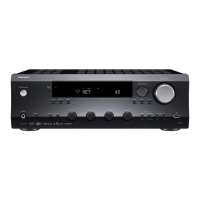
AV Receiver
DTM-5.3
Instruction Manual
Thank you for purchasing the Integra AV Receiver.
Please read this manual thoroughly before mak-
ing connections and plugging in the unit.
Following the instructions in this manual will
enable you to obtain optimum performance and
listening enjoyment from your new AV Receiver.
Please retain this manual for future reference.
Contents
Before using
Important Safeguards..........................2
Precautions ...........................................3
Features.................................................4
Supplied accessories ...........................4
Facilities and connections
Remote controller description ............5
Front panel description........................6
Rear panel description ........................8
Connecting components .................10
Connecting speakers ........................12
Connecting antennas .......................13
Connecting the remote zone
(Zone 2) ............................................14
Operating components not
reached by the remote
controller signals (IR IN/OUT) ..........15
Connecting the power......................16
Installing the remote controller
batteries ...........................................17
Setup and operation
Basic operations .................................18
Receiving stations ..............................20
Entering station names ......................23
Recording a source ...........................24
Using Tape 2 Monitor .........................26
Enjoying music in the remote zone
...27
Remote controller
Using the remote controller...............28
Controlling other components .........29
Appendix
Troubleshooting guide.......................31
Specifications ..........back cover page

Other manuals for Integra DTM-5.3

Questions and Answers

  • P
    Preston DennisAug 19, 2025
    What to do if my Integra DTM-5.3 Receiver has power but no sound?
    • P
      Peter FieldsAug 19, 2025
      If your Integra Receiver has power but no sound, first check if the T-2 MONITOR indicator is flashing and turn the Tape 2 Monitor off. Also, ensure the AUDIO MUTE indicator is not lit by muting off with the remote controller. Finally, check all connection cables and speaker wires for any bad or incorrect connections.
  • M
    Margaret ReedAug 21, 2025
    How to troubleshoot Integra DTM-5.3 Receiver when there is no power?
    • J
      Jimmy CarterAug 21, 2025
      If your Integra Receiver has no power, ensure the power cord is securely connected. If it is, and there is still no power, there may be external noise in the unit's circuits. Try turning the power switch off and then on again, or remove the AC plug from the outlet and then plug it back in.
  • C
    Christopher LaraAug 23, 2025
    Why isn't my Integra DTM-5.3 Receiver remote controller working?
    • M
      Michael RichardsonAug 23, 2025
      If the front panel controls on your Integra Receiver are working, but the remote controller isn't, first check if there are batteries in the remote controller and insert them if missing. If batteries are present, they may be worn out, so replace them with new ones.
  • W
    wjohnstonAug 26, 2025
    What causes crackling noise on AM or FM on Integra DTM-5.3 Receiver?
    • O
      ojonesAug 26, 2025
      If you are experiencing crackling noise on AM or FM with your Integra Receiver, it could be due to noise from a fluorescent lamp being turned on and off. Move the antenna as far as possible from the fluorescent lamp. It could also be noise from automobile ignition. In this case, install an FM outdoor antenna as far as possible from the automobile. You can also try changing the position or direction of the outdoor antenna.
  • A
    Andrew RichardsonAug 28, 2025
    How to fix hum or low-frequency noise on Integra DTM-5.3?
    • R
      Robert StokesAug 28, 2025
      If you're getting a hum or low-frequency noise from your Integra Receiver, check the outer conductor of the input plugs for a poor or no input ground. Also, check for a proper ground connection for the phono motor if you're using a turntable. Additionally, adjust the placement of the audio connection cables on the rear panel to reduce hum.
  • C
    clarkbethanyAug 30, 2025
    What causes high-pitched noise or buzzing noise on AM on Integra DTM-5.3 Receiver?
    • G
      Gregg OdonnellAug 30, 2025
      If you're experiencing a high-pitched or buzzing noise on AM with your Integra Receiver, it may be due to noise from your TV set. Try placing the AM loop antenna as far as possible from the TV or move the unit away from the TV set.
  • R
    Ruth AndersonSep 1, 2025
    Why is my Integra DTM-5.3 making a buzzing noise on AM?
    • J
      jillsmithSep 1, 2025
      If you're getting a buzzing noise on AM with your Integra Receiver, especially at night or with weak stations, it could be due to electrical apparatus such as a fluorescent lamp. Try moving the AM loop antenna as far as possible from the TV or move the unit away from the TV set.
  • K
    Kelly FranklinSep 4, 2025
    Why do the TUNED and STEREO indicators flicker on my Integra DTM-5.3 Receiver?
    • K
      Kevin SheaSep 4, 2025
      If the TUNED and STEREO indicators on your Integra Receiver are flickering and you hear hiss on FM, it means the station is too weak. You should install an outdoor FM antenna or change the position or direction of the outdoor antenna, as stereo FM broadcasts cover only about half the distance of an ordinary broadcast.
  • A
    Angela BairdSep 6, 2025
    Why is the sound distorted on my Integra DTM-5.3 Receiver even when TUNED and STEREO indicators are lit?
    • A
      adanielsSep 6, 2025
      If the TUNED and STEREO indicators light up but the sound from your Integra Receiver is distorted and stereo separation is bad, the station might be too strong. Try changing to an FM indoor antenna. Alternatively, multiple reflection of radio waves because of tall buildings or mountains can cause this issue, so use an antenna that has better directivity and select a point at which the distortion is least.
  • T
    tinahallSep 8, 2025
    How to fix Integra DTM-5.3 when AM stations cannot be received?
    • W
      Wesley StewartSep 9, 2025
      If you are unable to receive AM stations on your Integra Receiver, ensure that the included AM loop antenna is connected to the AM antenna terminals.

Summary

Before using

Important Safeguards

Essential safety instructions for operating the AV receiver to prevent hazards and ensure user safety.

Precautions

Advice and warnings for safe and proper operation, maintenance, and environmental considerations.

Features

Overview of the key functionalities and capabilities of the Integra DTM-5.3 AV receiver.

Supplied accessories

List of all items included in the product packaging with the AV receiver.

Facilities and connections

Remote controller description

Detailed explanation of all buttons and functions on the provided remote control.

Front panel description

Identification and explanation of controls, indicators, and displays on the receiver's front.

Rear panel description

Description of all input/output terminals and connectors on the rear of the receiver.

Connecting components

Guidance on connecting various external audio and video sources to the receiver.

Connecting speakers

Instructions for correctly wiring and connecting speaker systems to the receiver.

Connecting antennas

Steps for attaching and positioning FM and AM antennas for optimal radio reception.

Connecting the remote zone (Zone 2)

How to set up and connect a separate audio system for a second listening area.

Operating components not reached by the remote controller signals (IR IN;OUT)

Using IR IN/OUT for remote control of components in inaccessible locations.

Connecting the power

Procedure for plugging the AV receiver into a power outlet and initiating standby mode.

Installing the remote controller batteries

Guide on opening the compartment and inserting AA batteries into the remote control.

Setup and operation

Basic operations

Core functions like source selection, speaker output, volume, tone, and balance adjustments.

Receiving stations

Instructions for tuning FM and AM radio broadcasts, including manual and direct tuning methods.

Entering station names

How to assign custom alphanumeric names to stored radio presets.

Recording a source

Steps for recording audio from various sources and performing tape-to-tape dubbing.

Using Tape 2 Monitor

Monitoring audio during recording or using a connected graphic equalizer.

Enjoying music in the remote zone

Instructions for controlling and listening to audio in a second room (Zone 2).

Remote controller

Using the remote controller

Procedure for setting the remote controller's ID number to match the unit for proper control.

Controlling other components

Operating connected Integra/Onkyo CD players, DVD players, and cassette decks via RI.

Appendix

Troubleshooting guide

Common issues, their causes, and recommended solutions for the AV receiver.

Specifications

Detailed technical data, including power output, dimensions, and frequency responses.

Integra DTM-5.3 Specifications

Amplifier Section IconAmplifier Section
power output100 Watts per channel
dynamic power output at 2 ohms2 × 170 Watts
dynamic power output at 4 ohms2 × 135 Watts
dynamic power output at 8 ohms2 × 140 Watts
total harmonic distortion at rated power0.08%
IM distortion at rated power0.08%
damping factor60 at 8 ohms
phono input sensitivity and impedance2.5 mV, 50 kohms
line input sensitivity and impedance150 mV, 50 kohms
video input sensitivity and impedance1 Vp-p, 75 ohms
phono overload120 mV RMS at 1 kHz
Tuner Section FM IconTuner Section FM
tuning range87.5 to 108.0 MHz
usable sensitivity mono11.2 dBf, 1.0 µV
usable sensitivity stereo17.2 dBf, 2.0 µV
signal-to-noise ratio mono76 dB
signal-to-noise ratio stereo70 dB
total harmonic distortion mono0.15%
total harmonic distortion stereo0.25%
Tuner Section AM IconTuner Section AM
tuning range530 to 1, 710 kHz
usable sensitivity30 µV
image rejection ratio40 dB
signal-to-noise ratio40 dB
total harmonic distortion0.7%
General IconGeneral
power supplyAC 120 V, 60 Hz
power consumption2.8 A
dimensions17-1/8" × 5-7/8" × 13-7/16"
weight19.8 lbs.

Related product manuals