55
Still Frame/Slow Play
The video images on DVD and Video CD can be viewed
as a still frame, played back at slow speeds and even
advanced frame by frame.
S
e
n
d
O
n
S
t
a
n
d
b
y
O
p
e
n
/
C
l
o
s
e
2
T
-
D Setup
IPM
SW Mode
Distance
T
-
D/
ST
A
-
B
Surround
A.Control
--
/
---
M
o
d
e
Enter
Repeat
Muting
Up/
Down
SP Setup Test Tone CH Sel
RC
-
507
M
Audio
Last M Program
Random
Late Night
Timer
Angle
Clear
Subtitle FM Mode
I
n
p
u
t
S
e
l
e
c
t
o
r
ENTER
L
i
g
h
t
T
V
D
i
s
p
l
a
y
VOL
C
H
T
V
I
n
p
u
t
S
e
t
u
p
D
V
D
R
e
c
v
r
T
a
p
e
Tun
Step
/
Slow
T
o
p
M
e
n
u
M
e
n
u
R
e
t
u
r
n
C
l
o
c
k
S
l
e
e
p
D
i
m
m
e
r
123
456
+
10
Search
0
789
£
Step/Slow +/–
Viewing a still frame
DVD
VCD
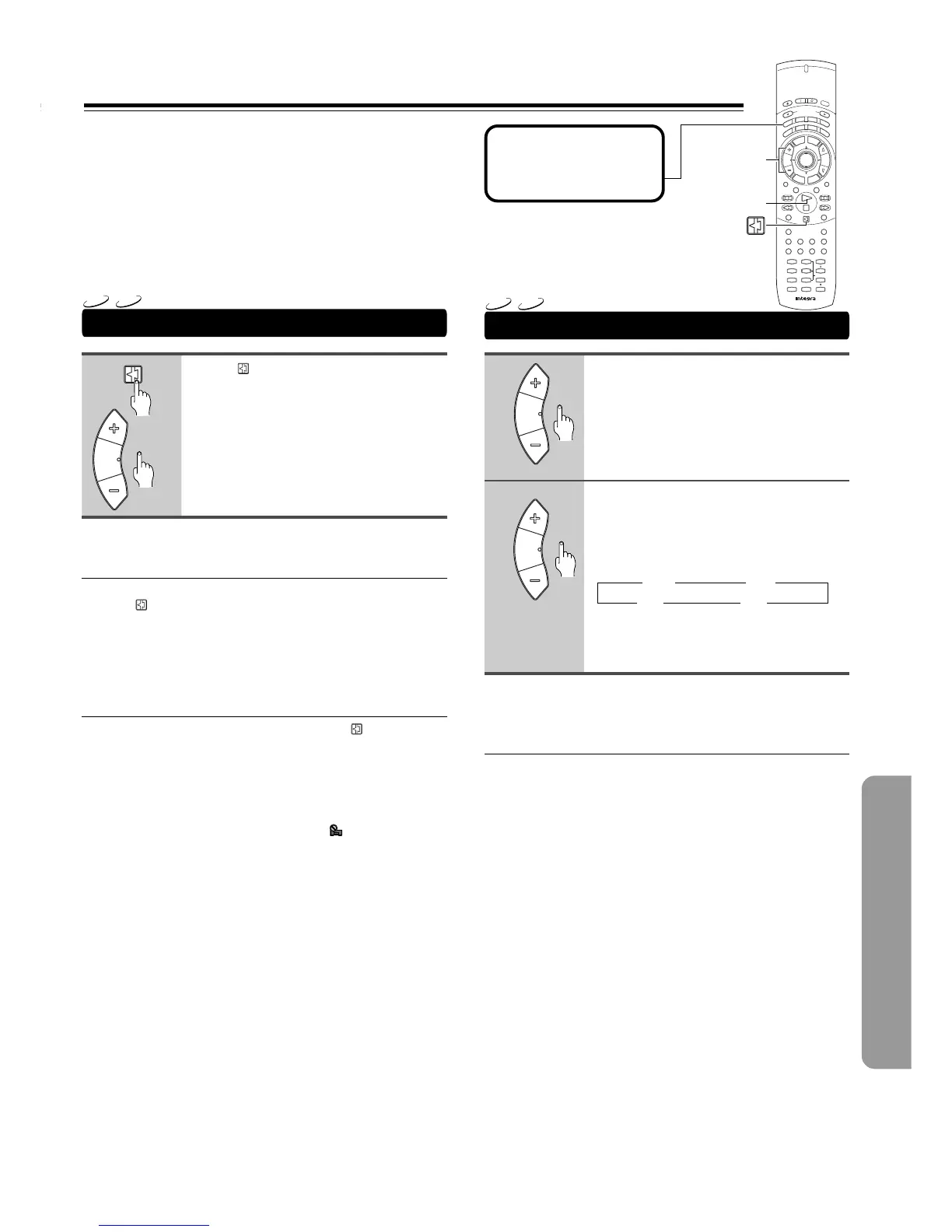
Press , Step/Slow +/–.
When viewing a DVD, if the paused picture
shakes, select the [Field] setting in the
Setup screen Video 2 menu [Still Picture]
setting as described in the section on page
72.
■ Frame by frame advance playback: Viewing
one frame at a time
You can’t use frame review with Video CDs.
1 Press , Step/Slow +/–.
2 Press Step/Slow +/–.
Step/Slow +: The picture advances one frame each
time the button is pressed.
Step/Slow –: The picture backs up a DVD a few frames each
time the button is pressed.
■ To return to normal playback
When viewing a still frame playback, pressing or £
restores normal playback operation.
Notes
• There is no sound when viewing still frames or slow playback, or
when advancing one frame at a time.
• Still frame, slow play, or frame advance playback may not be
possible with certain titles. In this case, the mark is displayed.
Viewing slow playback
3 1/16 3 1/8
1/2 2 1/4 2
DVD
VCD
1
2
C
H
Tun
Step
/
Slow
C
H
Tun
Step
/
Slow
C
H
Tun
Step
/
Slow
Press and hold Step/Slow +/– during
playback.
During slow playback, press Step/
Slow +/– repeatedly to change the
slow-motion speed.
There are four forward slow-motion play
speeds (Step/Slow +):
There are two reverse slow-motion play
speeds:
Slow 1 ↔ Slow 2
Note
You can’t use slow reverse play with Video CDs.
■ To return to normal playback
When viewing a slow playback, pressing £ restores normal
playback operation.
Before operating the
remote controller
Press Mode DVD.


 To Next Page