42
Playing Your AV Components
Basic AV Receiver Operation
3
1
3
1
1
1
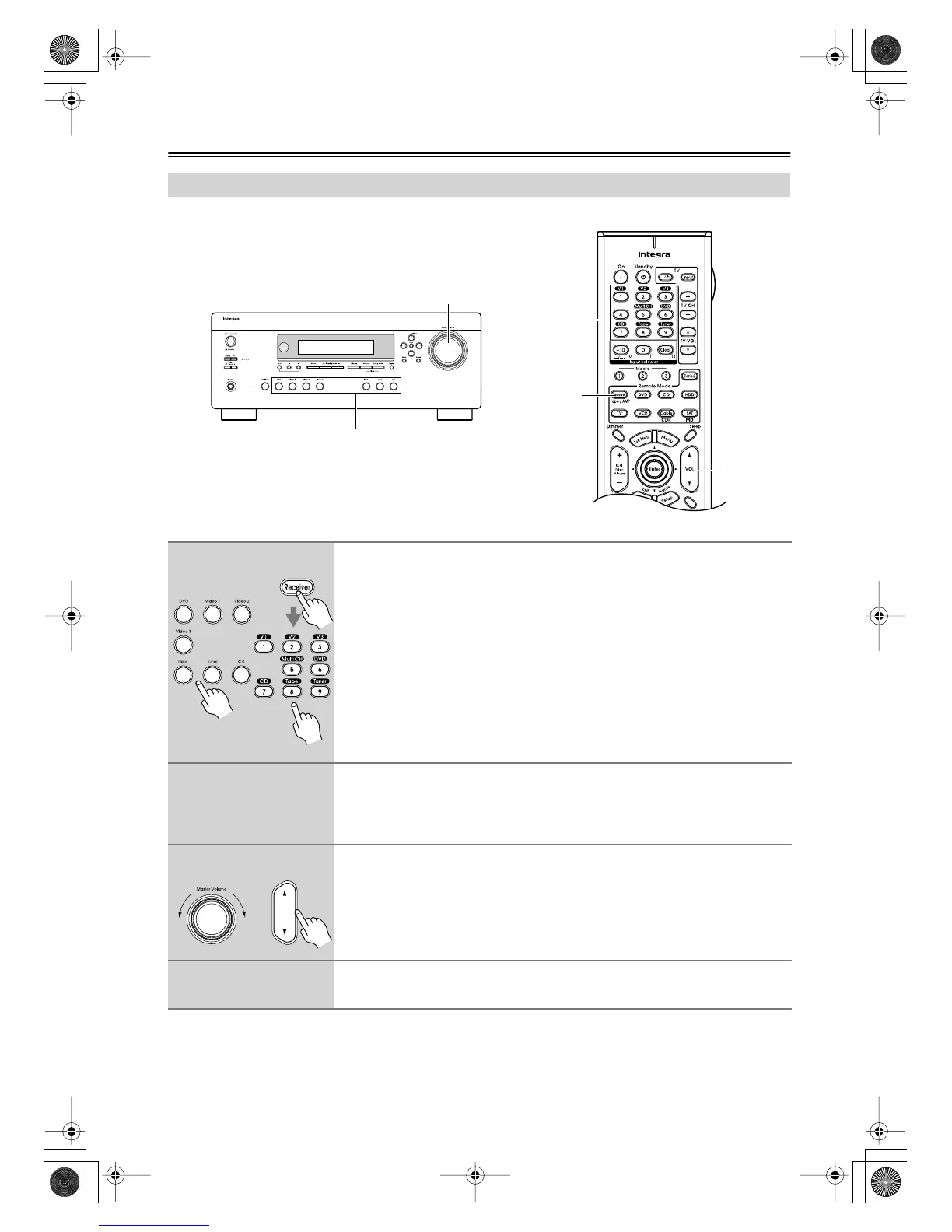
Use the AV receiver’s input selector buttons to select the input source.
To select the input source with the remote controller, press the [Receiver]
Remote Mode button, and then use the Input Selector buttons.
On the remote controller, the [V1], [V2], and [V3] buttons select the Video 1, Video 2,
and Video 3 input sources respectively.
2
Start playback on the source component.
To watch a DVD or other video source, on your TV, select the video input that’s con-
nected to the AV receiver’s COMPONENT VIDEO OUT, or MONITOR OUT.
On some DVD players, you may need to change the digital setting.
3
To adjust the volume, use the Master Volume control or the remote con-
troller’s [VOL] button.
Since the AV receiver is designed for home theaters, it has a wide volume range for
precise adjustment. The volume can be set to –
∞
dB, –81 dB, –80 dB through +18 dB.
4
Select a listening mode and enjoy!
See “Using the Listening Modes” on page 52.
Remote
controller
AV receiver
VOL
Remote
controller
AV receiver
DTR-4.6.book Page 42 Thursday, September 22, 2005 1:45 PM



 To Next Page