57
Adjusting the Listening Modes
With the Cine Filter function, you can correct a
soundtrack whose high-frequency content is too harsh,
making it more suitable for home theater viewing.
This function can be used with the following listening
modes: Dolby Digital, Dolby Pro Logic II Movie, DTS,
DTS Neo:6 Cinema, DTS 96/24, and Multichannel.
The Audio Adjust menu has various settings for adjust-
ing the sound and listening modes.
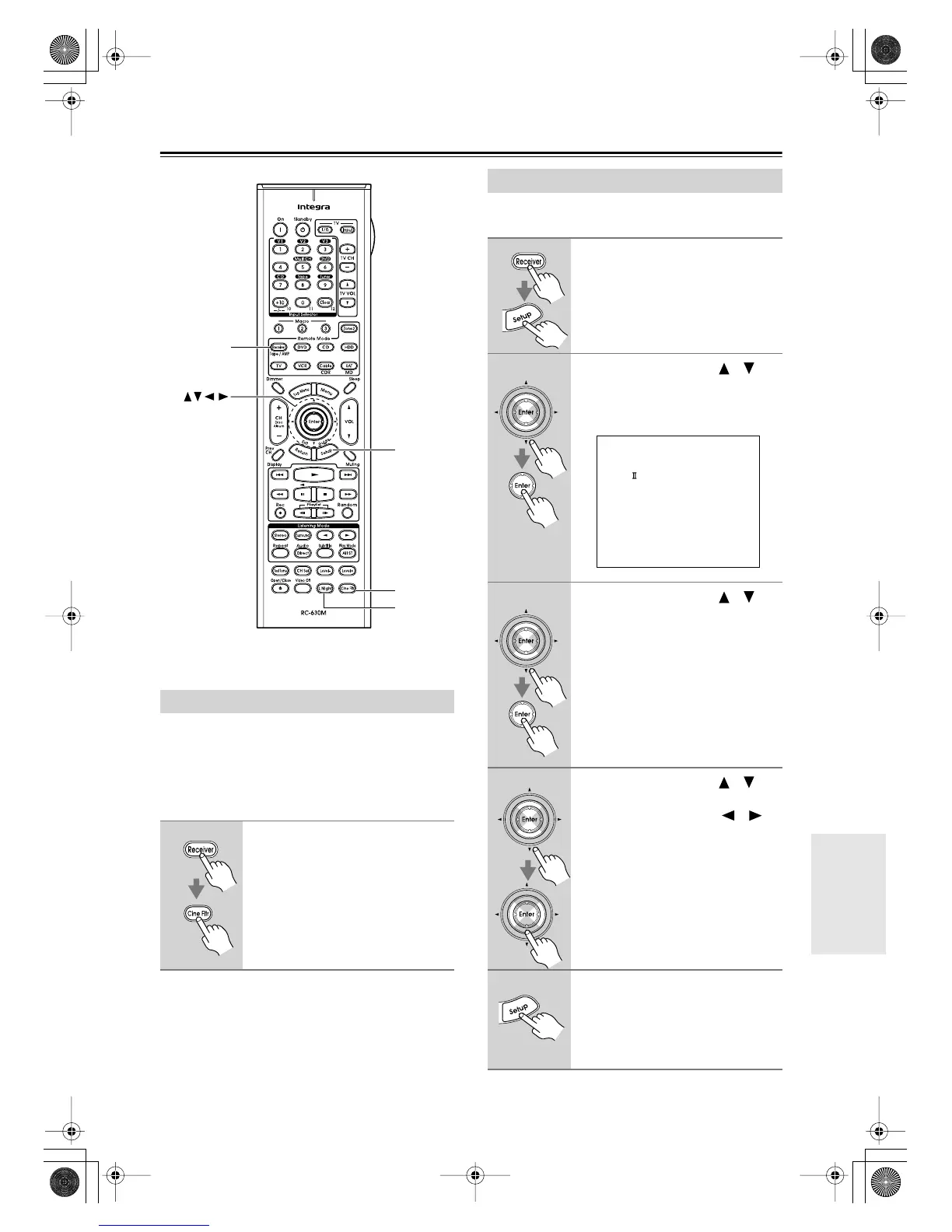
Using the Cine Filter Function
1
Press the [Receiver] Remote
Mode button, followed by the
[Cine Fltr] button.
Press the [Cine Fltr] button again to
turn off the Cine Filter function.
Setup
Receiver
L Night
Cine Fltr
Enter
Audio Adjust Menu
1
Press the [Receiver] Remote
Mode button, followed by the
[Setup] button.
The main menu appears onscreen.
2
Use the Up and Down [ ]/[ ]
buttons to select “6. Audio
Adjust,” and then press [Enter].
The Audio Adjust menu appears.
3
Use the Up and Down [ ]/[ ]
buttons to select a setting, and
then press [Enter].
The menu for the selected setting
appears.
4
Use the Up and Down [ ]/[ ]
buttons to select an option, and
use the Left and Right [ ]/[ ]
buttons to change it.
The Audio Adjust settings are
explained on the next page.
5
When you’ve finished, press the
[Setup] button.
Setup closes.
6.Audio Adjust
------------------------
1.Tone Control
2.PL /Neo:6
3.Dolby Digital
4.LFE Level
5.Mono/Multiplex
DTR-4.6.book Page 57 Thursday, September 22, 2005 1:45 PM



 To Next Page