63
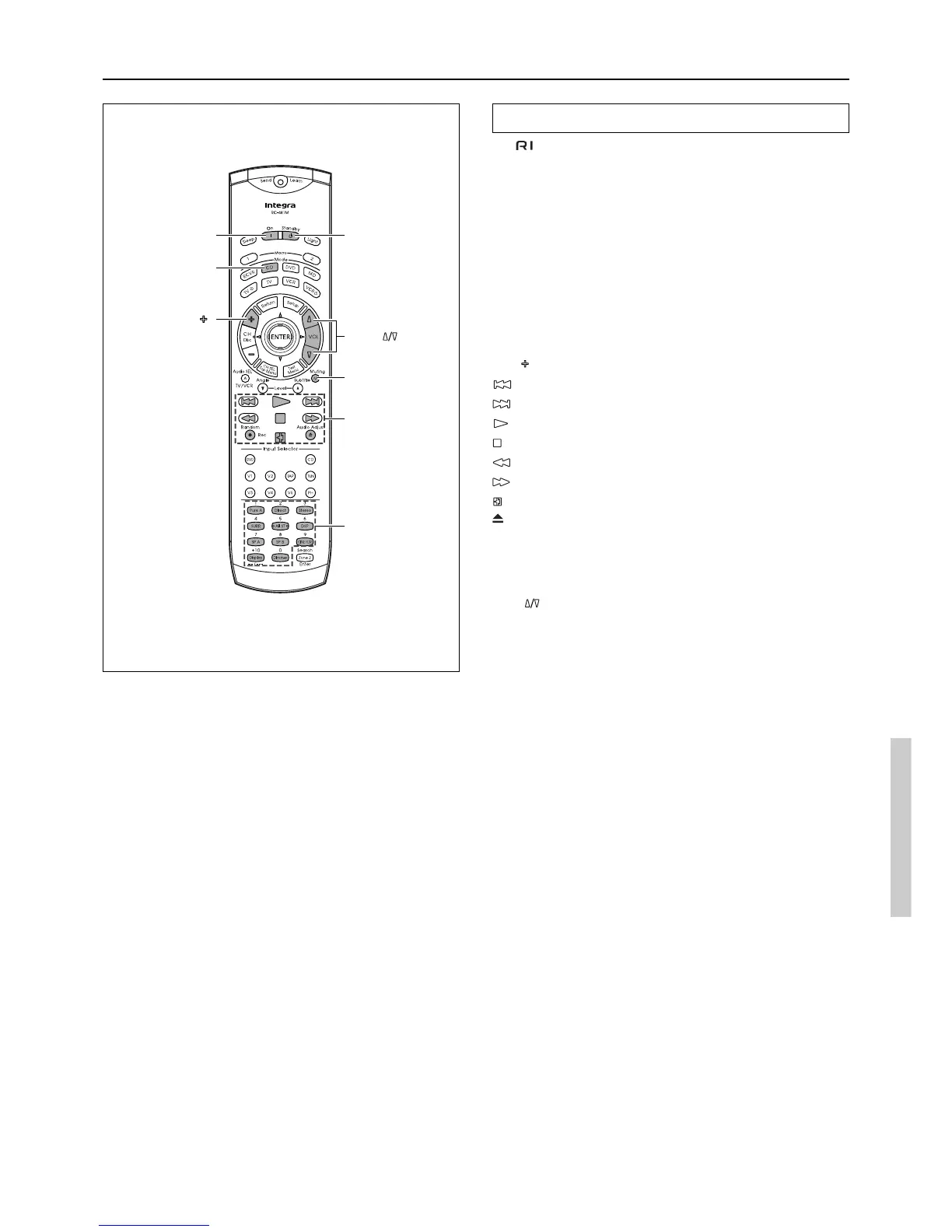
Controlling an Integra/Onkyo CD player
The connector of the Integra/Onkyo compact disc player must be
connected to the DTR-6.3/5.3 (see page 29).
1. Press the CD Mode button.
The CD Mode button lights green.
2. Press the desired operation button.
The buttons shaded in the figure to the left are the operation
buttons that can be used to control an Integra/Onkyo compact
disc player.
Operation buttons:
On: Turns on and off the compact disc player (same as the Standby
button on the remote controller)
Disc
: Selects disc in CD changer
: Track down
: Track up
: Play
: Stop
: Skip backward
: Skip forward
: Pause
: Opens/closes disc tray
0, 1 to 9, +10: Numeric keys
Random: Random playback
You may also use the following buttons:
VOL : Adjusts volume at DTR-6.3/5.3
Muting: Activates muting function at DTR-6.3/5.3
Using remote controller
CD Mode
VOL
Muting
CD
operation
buttons
Numeric keys
On Standby
Disc



 To Next Page